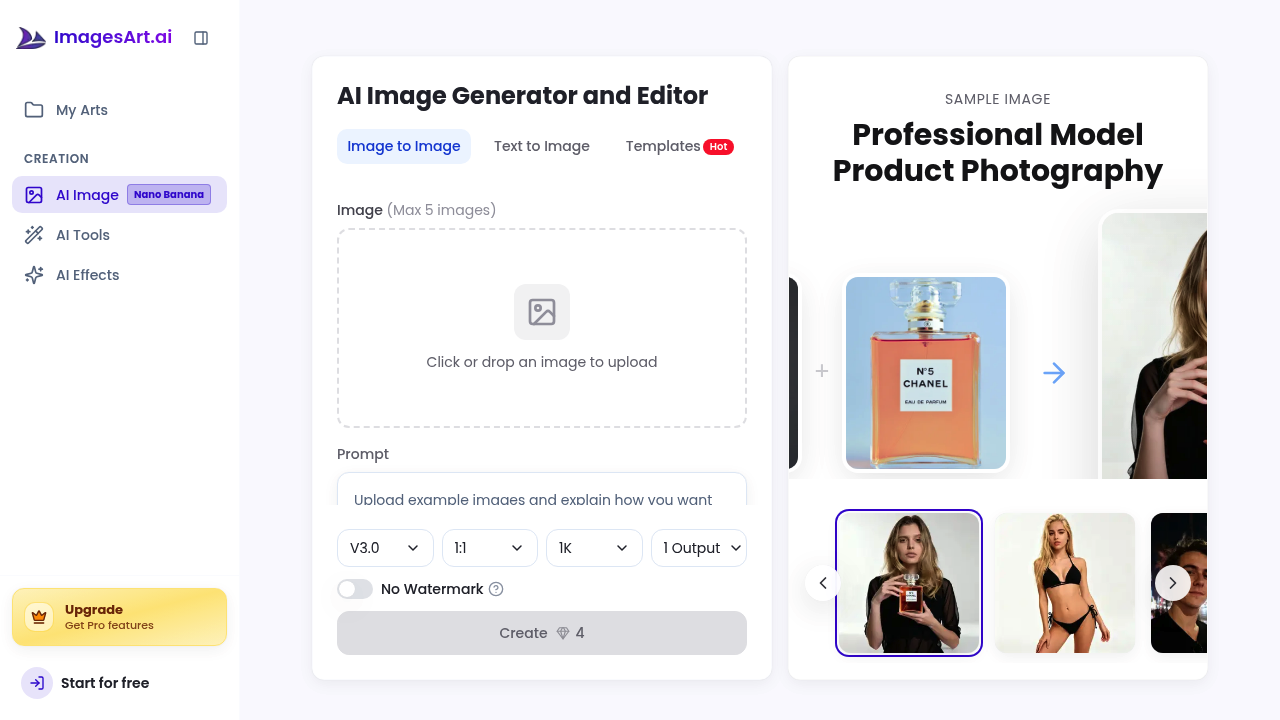
A social media manager needs to turn a product photo into three different styles for separate campaigns without hiring a designer or learning Photoshop. They upload one reference image and generate anime, Pixar, and cartoon versions in seconds. This software handles text-to-image creation and image-to-image transformations through a single interface, letting them describe what they want in plain language or upload existing photos to modify.
ImagesArt.ai generates and edits images using AI. Type a description and it creates visuals from scratch. Upload a photo and it transforms the style, removes backgrounds, changes clothing, or stages rooms with furniture. This service includes specialty filters that convert photos into specific art styles, age people up or down, or add smiles to portraits. A virtual try-on feature shows how products look on different body types.
An e-commerce director photographs white t-shirts on mannequins but needs lifestyle shots showing the shirts on real people in various settings. She uploads the product photo and describes the scene she wants. ImagesArt generates multiple variations showing the shirt worn in coffee shops, parks, and offices. She downloads 4K resolution versions for the website. The Image to Prompt feature works backward too. Upload any image and it tells you what prompt created it, useful for replicating styles across product lines.
A real estate agent needs to show empty apartments with furniture to help buyers visualize spaces. He photographs bare rooms and uses the virtual staging tool to add couches, tables, and decor. The AI background remover isolates specific elements he wants to keep while changing everything else. He uploads up to two reference images to maintain consistent furniture styles across multiple room photos.
The system works fast. It doesn't. Free accounts generate only 20 images total before hitting a wall, and everything gets a watermark. Storage deletes after seven days, so download immediately or lose work. The 500 character prompt limit cuts off detailed descriptions right when they get specific. Want to upload six reference images to nail a particular look? Can't. Maximum is five. These constraints force workarounds that slow down batch work.
Paid plans remove watermarks and extend generation limits. Starter runs $12 monthly when billed yearly, includes 200 images per month with 4K output and permanent storage. Pro costs $23 yearly for 600 monthly images with the same quality and commercial licensing. Both offer unlimited reverse prompt analysis, helpful when dissecting competitor imagery or maintaining brand consistency.
Marketing directors generating dozens of campaign variations daily will burn through credits fast. The 600 image monthly cap on Pro means roughly 20 images per day. Teams running multiple brands or testing many concepts hit limits quickly. No team features exist for sharing workspaces or managing brand assets collectively. There's no API for automating bulk generation or connecting to existing creative workflows.
ImagesArt fits solo creators and small businesses producing moderate image volumes. Freelance designers mocking up client concepts, bloggers illustrating articles, or small shop owners creating product variants get enough capacity. Large agencies, enterprise marketing teams, or anyone needing thousands of monthly generations should look elsewhere. It handles quick edits well. Complex multi-step transformations requiring precise control over every element don't fit the simple interface. The batch prompt analysis helps, but only for analyzing existing images, not generating them in bulk.