Google Slides logo
AI Presentation Generator FREE TRIAL from €7/mo

Google Slides

Google Slides is a browser-based presentation editor that lets teams build, edit, and present decks from anywhere without installing software.

It offers templates for many use cases, support for a consistent brand look, GIFs and stickers, animations, and smooth transitions. Built-in AI can summarize content, generate a new slide from a prompt using files in…

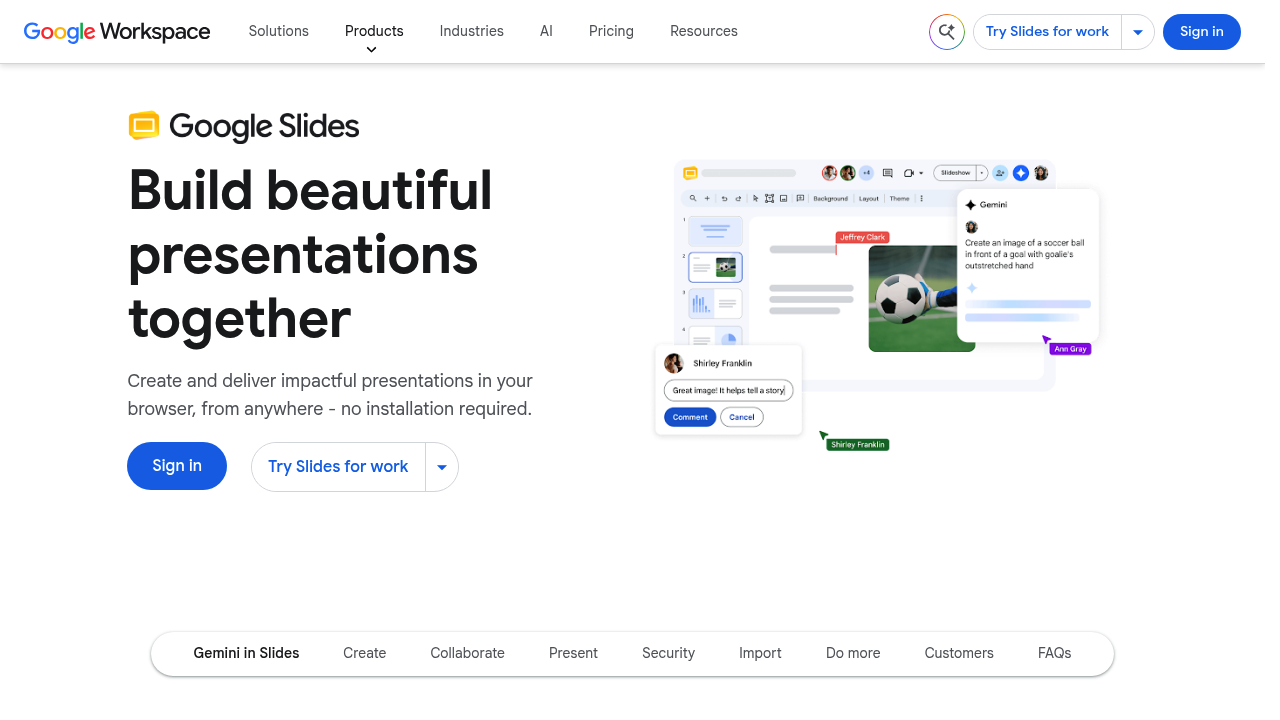
Google Slides screenshot

Google Slides is a browser-based presentation editor that lets teams build, edit, and present decks from anywhere without installing software. It offers templates for many use cases, support for a consistent brand look, GIFs and stickers, animations, and smooth transitions. Built-in AI can summarize content, generate a new slide from a prompt using files in Google Drive, and create unique images. Collaboration is built in with shared documents, live cursors, sharing settings, and video calls inside the file, and presenters can go live directly in Google Meet.

Teams that build decks together are the natural audience, from sales and marketing groups to internal communications. Small businesses, start-ups, and large enterprises on Google Workspace use it to keep slides, files, and meetings in one environment. Teachers and students can co-edit class presentations, and individual professionals can work from any device. Because it opens files from other programs and works offline once set up, it also suits people who move between travel, home, and the office.

A sales team can assemble a pitch from a template, apply the brand look, and comment on each other's slides in real time. A manager can open a deck in Google Meet and present with the speaker in the foreground, then record the session for people who missed it. A project group can pull in files from Drive, generate a summary slide, and add images to illustrate the point. A trainer can import an existing slide file, work on a flight without connectivity, and sync changes later. Workflows can be linked to other Workspace apps.


Google Slides alternatives

See all →

Frequently asked

6 questions
What can I make in Google Slides?
You can create presentations and slideshows in the browser using templates, GIFs, stickers, animations, and transitions. No software installation is needed.
Who is Google Slides for?
Teams and businesses of all sizes use it, from small companies to large enterprises on Google Workspace. Students, teachers, and individual professionals also build and share decks with it.
How does collaboration work in Google Slides?
Several people can edit one deck at once, with live cursors and flexible sharing settings. You can also hold a video conference directly inside the document.
Can I present from Google Slides over a video call?
Presenting through Google Meet is supported directly from the deck, with the speaker kept in focus. You can also record presentations for later viewing.
Does Google Slides use AI?
Built-in AI summarizes content, creates a new slide from a prompt using files in Google Drive, and generates unique images. These features are available through Google Workspace.
Can I work offline or with files from other programs?
Offline work is supported, and the editor is compatible with files from other programs through import. Cloud storage in Drive keeps a deck available from any device once you are back online.

Reviews (0)

Write review

No reviews yet. Be the first to share your experience.