Gemini in Gmail logo
AI Email Assistant FREE TRIAL from €7/mo

Gemini in Gmail

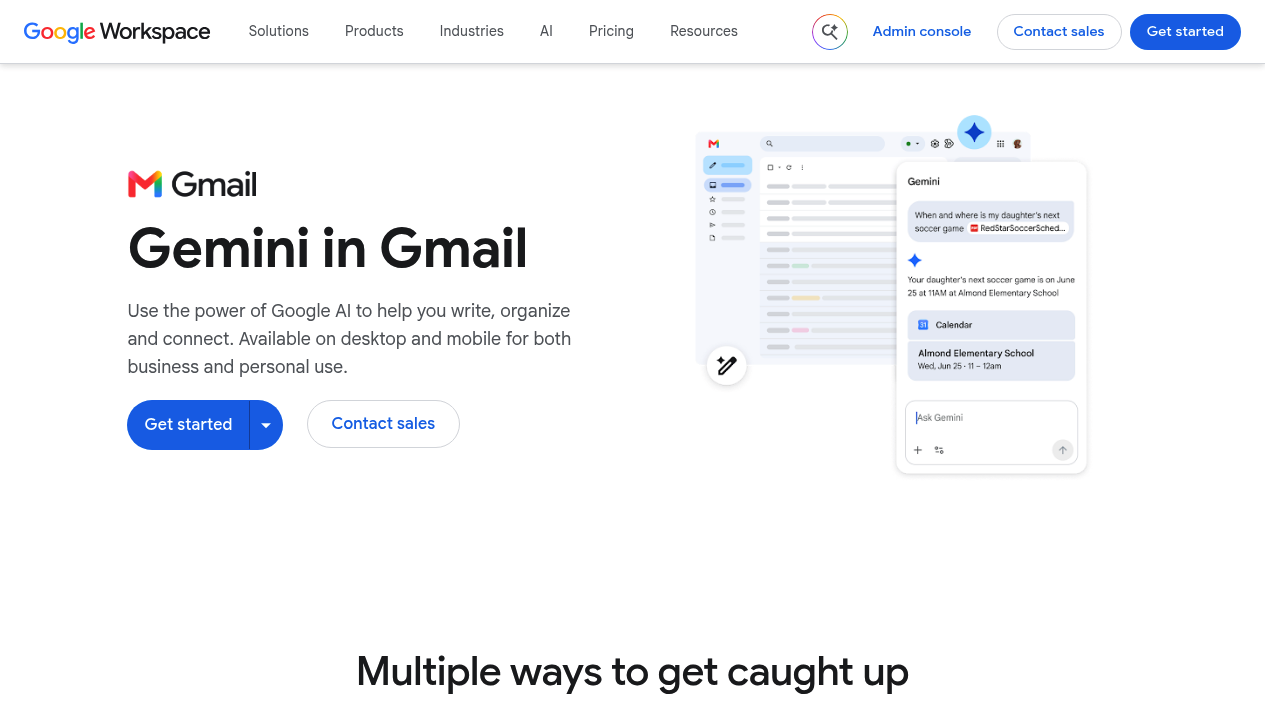
A summary button at the top of a conversation condenses long threads, and a sidebar offers detailed summaries plus next steps and tasks.

Gemini in Gmail is Google's built-in AI writing and summarizing assistant for email. A summary button at the top of a conversation condenses long threads, and a sidebar offers detailed summaries plus next steps and…

Gemini in Gmail screenshot

Gemini in Gmail is Google's built-in AI writing and summarizing assistant for email. A summary button at the top of a conversation condenses long threads, and a sidebar offers detailed summaries plus next steps and tasks. Prompts can draft a new email or a reply, existing drafts can be refined, and content from Google Drive files can be pulled into responses. It also improves inbox search, so questions about a topic or a person return precise answers. It is available on computers and mobile devices for both business and personal use.

Anyone who spends much of the day in Gmail will find a use for it: managers facing long reply-all threads, sales and account teams answering similar questions repeatedly, support staff, founders, freelancers and assistants who manage several inboxes. Small businesses and large enterprises on Google Workspace can switch it on for their teams, and individuals can use it in personal accounts. People who find it hard to start a message will benefit from first drafts, and busy readers who only need the gist of a thread can skip the scrolling.

Common scenarios include catching up on a long thread after time away by pressing the summarize button, asking the sidebar for action items from a customer conversation, and typing a short instruction to produce a first draft of a reply. A user can ask for a summary of everything about a project or from a specific colleague, then search Drive files for a figure and place it in a response. Smart replies speed up quick answers on the go in the official Gmail app, and drafts written in a rush can be polished before sending.


Gemini in Gmail alternatives

See all →

Frequently asked

6 questions
How does Gemini in Gmail summarize emails?
A Summarize this email button sits at the top of a conversation and produces a short version of the thread. The sidebar adds preset buttons for detailed summaries and for next steps and tasks.
Who benefits most from Gemini in Gmail?
People with crowded inboxes, such as managers, sales teams, support staff and freelancers, get the most from it. Both business and personal Gmail users can use it.
Can it help write replies using information from my files?
Prompts can write or answer an email, and content from Google Drive files can be included in the reply. Drafts already written can be refined for clarity and tone.
Can it search my inbox?
Search results become more precise, and questions about a specific topic or person can be answered from emails. It can also search Google Drive files directly.
Which devices support Gemini in Gmail?
It works on computers and on mobile devices through the official Gmail app. Both business and private accounts are covered.
How do I start using Gemini in Gmail?
Use the Get started button on Google Workspace's Gmail AI page. It operates inside Gmail itself, so no separate application is required.

Reviews (0)

Write review

No reviews yet. Be the first to share your experience.