
Cursor Bugbot logo
AI Code Review FREE TRIAL from $20/mo

Cursor Bugbot

Cursor Bugbot is an AI code review service from the makers of the Cursor editor.

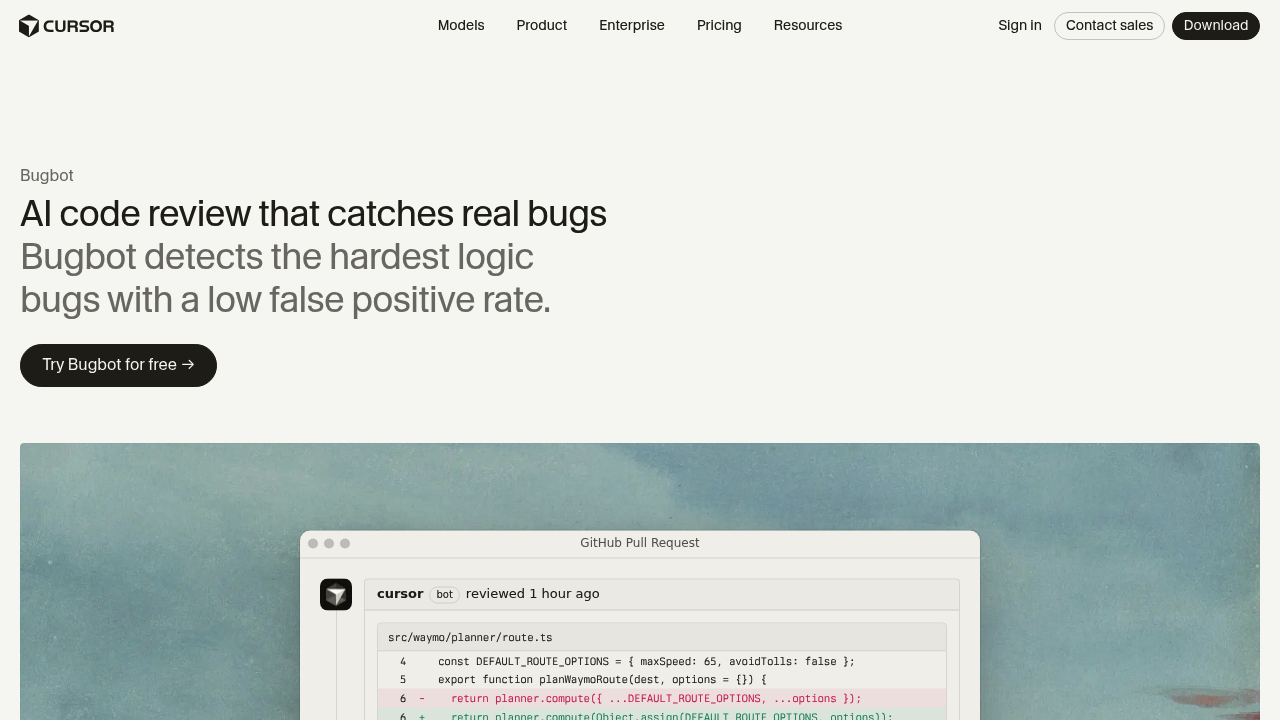
Once enabled, it runs automatically in the background on new GitHub pull requests, comments on likely bugs and proposes fixes that can be applied in Cursor or handed to a Background Agent. It focuses on hard logic bugs…

Cursor Bugbot screenshot

Cursor Bugbot is an AI code review service from the makers of the Cursor editor. Once enabled, it runs automatically in the background on new GitHub pull requests, comments on likely bugs and proposes fixes that can be applied in Cursor or handed to a Background Agent. It focuses on hard logic bugs and aims for a low false-positive rate. Bugbot is included in Cursor's Teams plan at $40 per user per month, and the Pro plan at $20 per month offers it on usage-based billing.

Engineering teams that make pull request review a required step before merging are the main audience, from small startups to larger organizations with many contributors. Reviewers who face long diffs get summaries that describe the actual code changes, which helps with large merge requests. Teams that ship a lot of AI-generated code can add an automated second check, and engineering leaders can write Bugbot Rules to enforce coding standards and project-specific guidelines across repositories. A 14-day free trial covers all plans.

A typical flow starts when a developer opens a pull request: Bugbot reviews it, posts inline comments such as a shared default options object being mutated or a timestamp unit mismatch in token validation, and the author applies the fix. Because it looks beyond the touched lines, it can catch problems in how a change interacts with existing components and assumptions elsewhere in the codebase. It works as a pre-merge check alongside integration and smoke tests in CI, and testimonials describe it catching implementation errors after human approval. More than 70 percent of its flags are resolved before merge.

Cursor Bugbot alternatives

See all →

Frequently asked

6 questions
What does Bugbot check in a pull request?
It reviews new pull requests for logic bugs and posts comments on the potential issues it finds. It also looks at how changes interact with code outside the touched lines. Fixes can be applied in the Cursor editor or through a Background Agent.
Which teams should use Bugbot?
Any team that reviews code on GitHub and wants an automated check before merge. It is positioned for everything from small teams to organizations that treat it as a mandatory pre-merge step. It also suits teams reviewing a lot of AI-generated code.
How can I enforce my own standards?
Rules in Bugbot Rules let you define custom coding standards, preferred approaches and project-specific guidelines. Bugbot improves as you iterate on those rules. This keeps its comments aligned with how your team writes code.
What does Bugbot cost?
Pricing sits inside Cursor's paid plans. Teams costs $40 per user per month and includes agentic code reviews with Bugbot, while Pro at $20 per month includes Bugbot on usage-based billing. A 14-day free trial is offered for all plans.
How accurate is its bug detection?
Reviews come from a combination of frontier and in-house models. Cursor reports that more than half of the bugs it finds are eventually fixed by engineers, and that over 70 percent of flags are resolved before merge. Results depend on the codebase.
How do I get started?
Enable Bugbot for your GitHub repositories and it begins reviewing new pull requests automatically. A free trial is available through the Try Bugbot for free button. Reviews appear as comments directly in GitHub.

Reviews (0)

Write review

No reviews yet. Be the first to share your experience.