
Cursor logo

Cursor

Code editor that actually understands your codebase

102 views
Visit cursor.sh
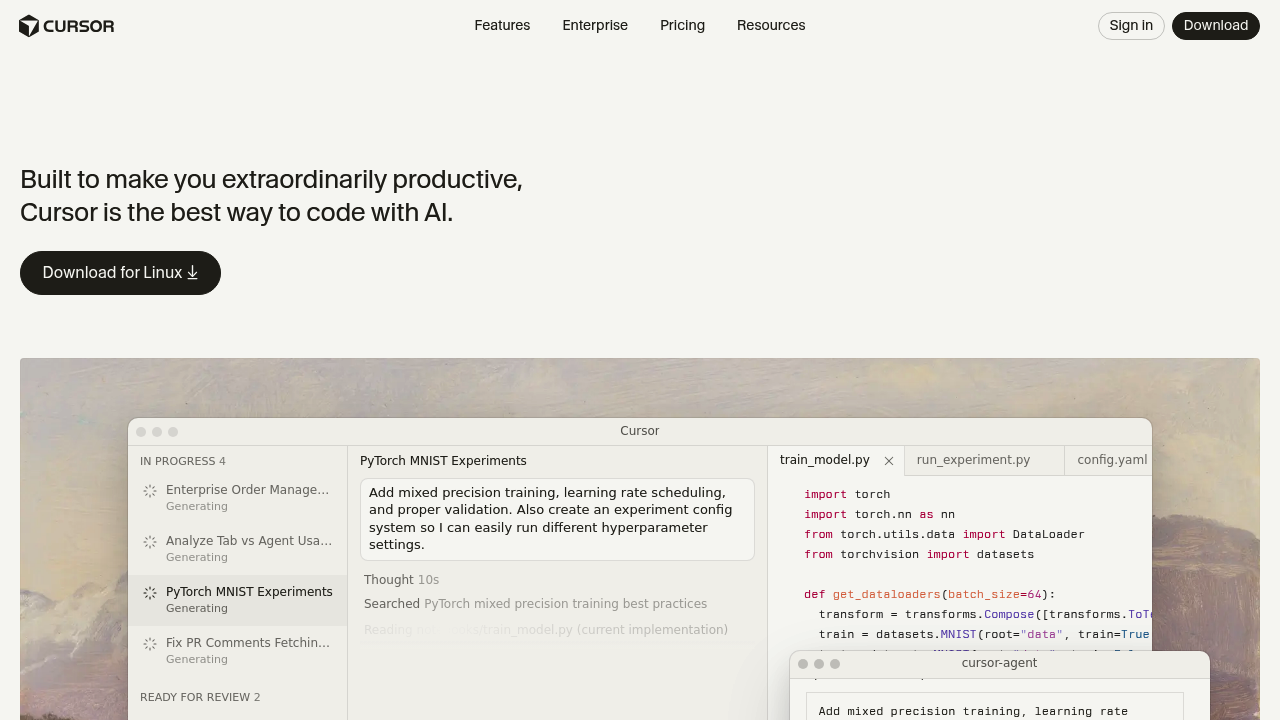
Cursor screenshot

Cursor doesn't share free plan details. That might make you hesitate before jumping in.

This AI-powered code editor beats ChatGPT conversations for coding. Cursor embeds AI straight into your development workflow through specialized agents that write code from your ideas. They handle entire development tasks too. The Tab model predicts your next action with what the company calls "striking speed and precision." Different from asking an AI chatbot what to do next.

Picture this: you're debugging a complex function and Cursor's AI agent spots the issue. Suggests a fix. Implements it while you're still thinking through the problem. Agentic development means AI handles the grunt work — you make the decisions.

Senior full-stack developers working on rapid prototypes would find Mission Control interface useful. It works like macOS's expose-style window manager but for your code projects. GitHub integration handles PR reviews automatically. Slack collaboration keeps your team in sync without switching apps.

Terminal integration means you won't bounce between different tools constantly. Cursor targets teams building world-class software, though that's a pretty broad claim. The specialized Tab model sets it apart from general AI assistants that don't understand your specific coding patterns and project context.

Frequently asked

7 questions
How does Cursor's Tab model work differently from regular autocomplete?
Cursor's Tab model predicts your entire next coding action -- not just a few characters. It looks at your project and how you code, then suggests whole blocks or functions super fast. Way different from normal IDE autocomplete that only gives you method names.
Can Cursor handle GitHub pull request reviews automatically?
Yeah, Cursor connects right to GitHub for PR reviews. No manual work needed. The AI checks your code changes and gives feedback through your normal GitHub setup -- no copying code to other tools.
What's the Mission Control interface in Cursor and who needs it?
Mission Control works like macOS's expose but for code projects. Really helpful if you're a senior full-stack dev doing rapid prototypes. You can jump between codebases fast -- think visual project switcher that keeps everything organized.
Does Cursor work inside the terminal or do I need to switch between apps?
Cursor's got terminal built right in. You can run commands, handle git stuff, execute scripts -- all without leaving the editor. No more constant app-switching that kills your flow.
How do Cursor's AI agents actually write code from my ideas?
You tell it what you want to build, and the agents turn that into actual working code. They don't just suggest snippets -- they handle whole tasks like building functions or fixing bugs. They get your project's style and write code that fits.
What makes Cursor better than just using ChatGPT for coding help?
Cursor puts AI right in your editor instead of separate chats. It knows your specific project, files, and how you code. You get instant suggestions without all that copying and pasting between ChatGPT and your editor.
Is there any information about Cursor's free plan pricing?
Cursor doesn't share details about their free plan publicly. You'll need to sign up or contact them to see what's free. Pretty annoying -- might want to check alternatives first.

Traffic

Estimated monthly website visits · last 4 months

4M visits/mo
Monthly visits
4M
↓ 6.8% MoM
Global rank
#14,735
US #14,521
Category rank
#37
Development & Code
4.3M 4.2M 4.1M 3.9M 3.8M Nov 2025: 3.8M visits Nov 2025 Dec 2025: 4.2M visits Dec 2025 Jan 2026: 4.3M visits Jan 2026 Feb 2026: 4M visits Feb 2026

Data from SimilarWeb · Updated monthly.

Reviews (0)

Write review

No reviews yet. Be the first to share your experience.

Similar tools

See all →