Crevas AI logo
AI Video Generator FREEMIUM from $29/mo

Crevas AI

Video production teams can now test multiple AI video generators simultaneously instead of switching between platforms

Crevas AI consolidates over fifteen AI models—including Veo 3.1, Sora 2, Kling, Wan 2.5, Runway Gen-4, and Luma—into a single collaborative canvas where users generate cinematic footage from text prompts or images. This…

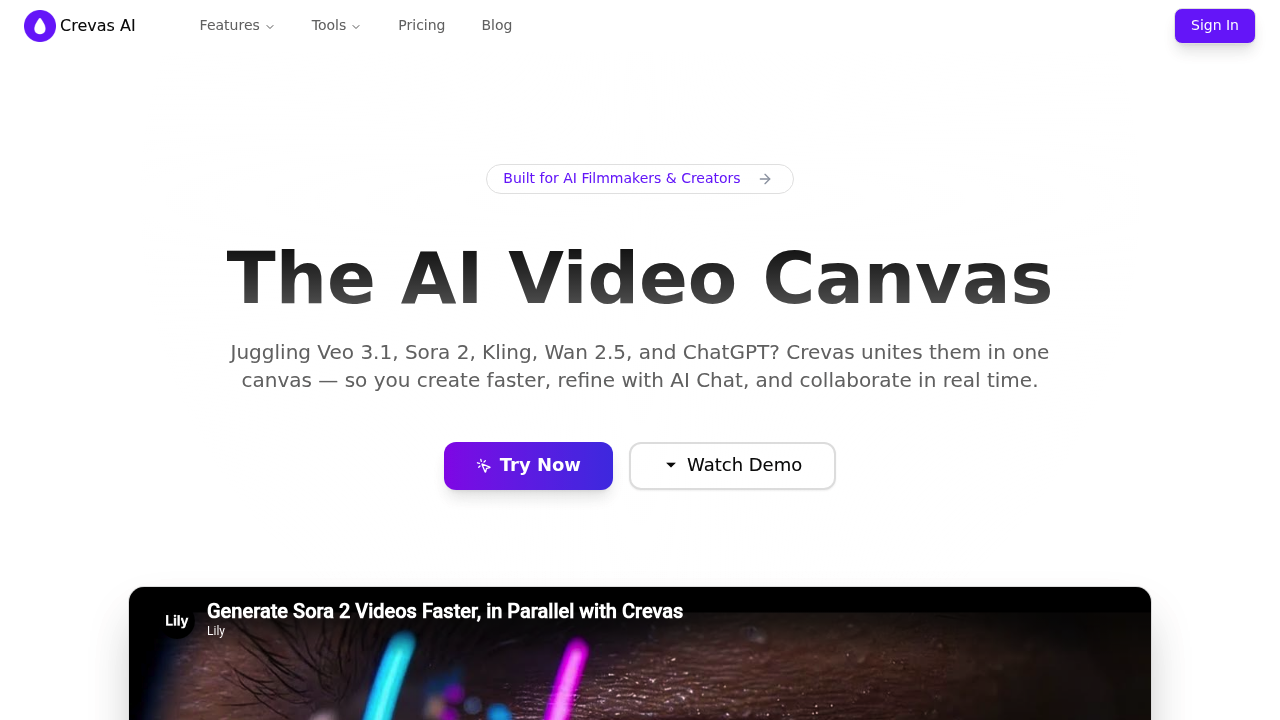
Crevas AI screenshot

Video production teams can now test multiple AI video generators simultaneously instead of switching between platforms. Crevas AI consolidates over fifteen AI models—including Veo 3.1, Sora 2, Kling, Wan 2.5, Runway Gen-4, and Luma—into a single collaborative canvas where users generate cinematic footage from text prompts or images. This system converts scripts into shot lists, then transforms those shots into model-specific prompts through an AI assistant that reduces prompt-writing time from two hours to five minutes. Teams work together in real-time on visual projects, maintaining character consistency across shots and tracking versions as they iterate. Parallel generation cuts what traditionally takes three hours down to thirty minutes by running multiple models at once. Export options range from 720p to 4K upscaling. Pricing starts at twenty-nine dollars monthly for the Plus plan with 1,000 credits and three projects, while the Pro plan at one hundred ninety-nine dollars monthly includes 10,000 credits and unlimited projects. A free tier grants access to all models but limits users to preview-only with no export capability.

Filmmakers moving from traditional production pipelines find this approach particularly useful, as do creative directors at agencies managing multiple client campaigns simultaneously. Marketing teams producing social content at volume benefit from the multi-model approach, testing different aesthetic styles without learning separate platforms. Studios experimenting with AI-generated footage use it for pre-visualization and concept development. Crevas AI suits both solo storytellers prototyping narrative ideas and larger creative teams coordinating feedback across departments. Users comfortable with AI video tools but frustrated by platform-hopping adopt it to centralize their workflow, while those new to AI generation rely on the prompt assistant to bridge their initial adjustment period.

Day-to-day applications include converting YouTube videos into transcripts for repurposing content, then generating new visual interpretations through different AI models to see which style fits best. A marketing team might upload a campaign script, generate a shot list automatically, and produce multiple video variations for A/B testing—all within the same canvas where stakeholders leave feedback instantly instead of waiting days for email rounds. Character-driven projects maintain visual continuity across scenes by locking consistent character parameters while varying backgrounds and actions. The version control system lets teams revert to earlier iterations when a creative direction shifts, and the credit-based structure scales from small projects testing three concepts on the Plus plan to production houses running unlimited simultaneous projects on Pro.

Crevas AI alternatives

See all →

Frequently asked

6 questions
How does Crevas AI work for video generation?
Crevas AI consolidates over fifteen AI video models—including Veo 3.1, Sora 2, Kling, Wan 2.5, and Runway Gen-4—into a single canvas where you generate cinematic footage from text prompts or images. The platform converts scripts into shot lists, then uses an AI assistant to transform those shots into model-specific prompts, reducing prompt-writing time from two hours to five minutes. Teams can run parallel generation across multiple models simultaneously, cutting production time from three hours to thirty minutes while maintaining character consistency and version control.
Who is Crevas AI designed for?
Filmmakers, creative directors, marketing teams, and content creators who produce cinematic videos at scale make up the core audience. Studios use it for pre-visualization and concept development, while agencies managing multiple client campaigns benefit from testing different aesthetic styles without switching platforms. Solo storytellers prototyping narrative ideas and larger creative teams coordinating feedback across departments both find the collaborative canvas approach practical for their workflows.
Can I use Crevas AI to repurpose YouTube videos into new content?
The platform converts YouTube videos into transcripts, then generates new visual interpretations through different AI models to test which style fits your project. Marketing teams upload campaign scripts, automatically generate shot lists, and produce multiple video variations for A/B testing within the same canvas where stakeholders leave instant feedback. Character-driven projects maintain visual continuity across scenes by locking consistent parameters while varying backgrounds and actions through the multi-model system.
How much does Crevas AI cost?
Pricing starts at twenty-nine dollars monthly for Crevas Plus, which includes 1,000 credits, access to models like Veo 3 and Kling, and export in 720p and 1080p with a three-project limit. Crevas Pro costs one hundred ninety-nine dollars monthly and provides 10,000 credits, 4K upscaling, and unlimited projects. A free tier grants access to all AI models but restricts users to preview-only with no export capability.
What are the limitations of Crevas AI's free plan?
The free plan provides zero credits and limits users to preview-only mode with no export functionality, meaning you can explore all AI models but cannot download finished videos. Upgrading to Crevas Plus unlocks exports in 720p and 1080p but caps you at three projects, while the Pro plan removes project limits and adds 4K upscaling. All tiers operate on a credit-based usage system that meters how much generation capacity you consume.
Which AI video models does Crevas AI integrate with?
The platform integrates Veo 3, Veo 3.1, Sora 2, Kling AI, Wan 2.5, Wan 2.2-Animate-14B, Runway Gen-4, Runway Aleph, Luma AI, Haiper AI, PixVerse AI, Hailuo AI, Waver AI, Ray3 AI, Seedance AI, and Nano Banana for video generation. This multi-model approach lets you test different aesthetic styles and generation capabilities within one workspace instead of managing separate platform accounts.

Traffic

Estimated monthly website visits · last 1 months

9.5K visits/mo
Monthly visits
9.5K
Category rank
#144
AI Video Generator

Not enough historical data for a chart yet.

Reviews (0)

Write review

No reviews yet. Be the first to share your experience.