CopySlides logo
AI Presentation Generator FREEMIUM from $9/mo

CopySlides

CopySlides' Basic plan gives you 200 credits to start

They disappear after 30 days if you don't use them. This AI reconstructs slides from PDFs, images, and videos into fully editable PowerPoint presentations. Unlike basic OCR tools that just grab text, CopySlides rebuilds…

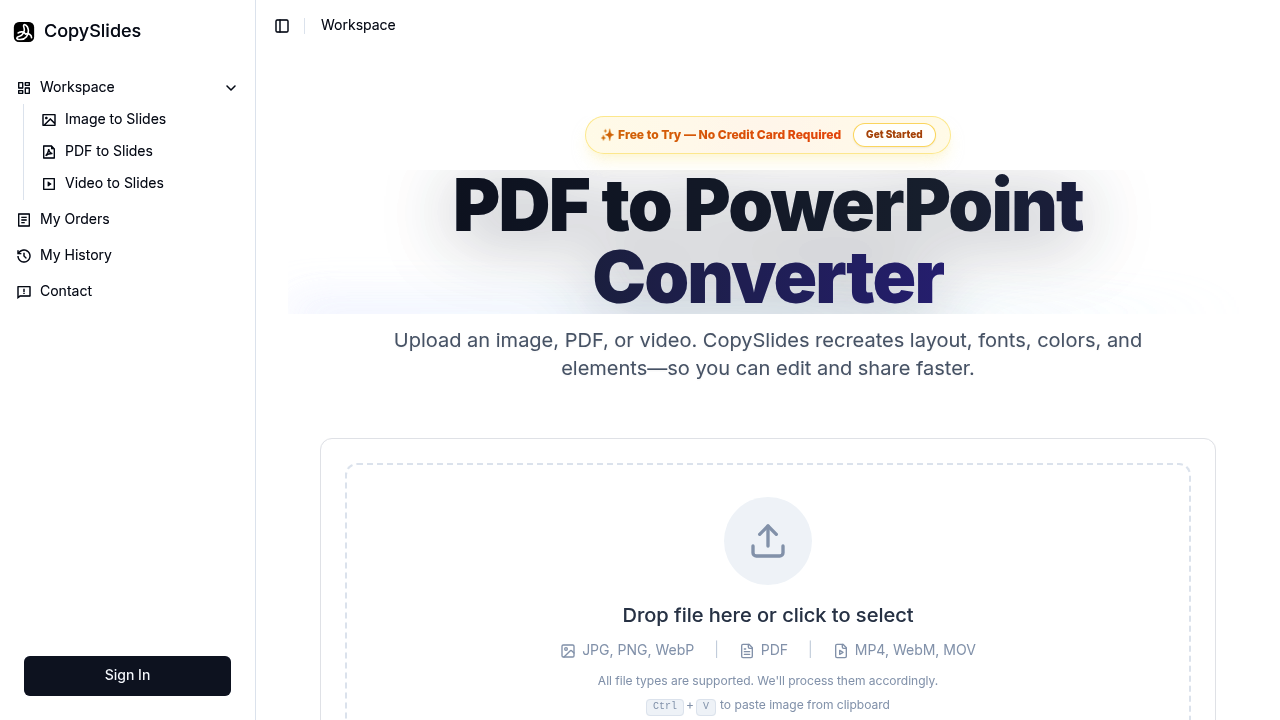
CopySlides screenshot

CopySlides' Basic plan gives you 200 credits to start. They disappear after 30 days if you don't use them. This AI reconstructs slides from PDFs, images, and videos into fully editable PowerPoint presentations. Unlike basic OCR tools that just grab text, CopySlides rebuilds entire slide layouts. Exact fonts. Colors. Shapes. All as native PowerPoint objects.

Upload a PDF from NotebookLM and watch the AI recreate structured slides that match the original formatting down to the pixel. Screenshots become layered PPTX files. Video recordings get parsed for slide content. CopySlides even recovers vector elements and maintains layout hierarchy.

Corporate trainers dealing with outdated presentation materials would find this useful. Say you've got a recorded webinar from last year but only have the video file — CopySlides can extract those slides and turn them into an editable deck for your next training session.

Conversion can fail sometimes. Not surprising given the complexity of what CopySlides attempts. The AI has to understand visual hierarchy and font matching, then rebuild everything as PowerPoint-native elements rather than flat images with text overlays.

Pricing jumps to $19 monthly for 600 credits with the Pro plan. There's also a lifetime deal at $199 for 10,000 total credits, but only 100 spots are available. API integration lets developers build this functionality into their own products. Self-hosted deployment options exist for teams wanting to keep data in-house.


CopySlides alternatives

See all →

Frequently asked

6 questions
How accurate is CopySlides at matching original fonts and colors?
CopySlides rebuilds presentations with pixel-level accuracy -- it nails fonts, colors, and shapes pretty well. It keeps the exact visual hierarchy and layout from your source material. But here's the thing: conversion can fail sometimes since the AI's gotta interpret complex visual stuff, and font matching isn't always perfect.
What file types can I upload to CopySlides for conversion?
You can upload PDFs, images, and video files to CopySlides. The AI pulls slide content from all these formats and turns them into editable PowerPoint presentations. Video recordings work great -- you can grab individual slides from recorded webinars or presentations.
How many presentations can I convert with 200 credits on the Basic plan?
It depends on how complex each file is and how many slides it's got. CopySlides uses a credit system where trickier conversions eat up more credits. Your 200 Basic plan credits expire after 30 days if you don't use them.
Can CopySlides recover vector graphics and shapes from PDFs?
Yep, CopySlides can recover vector elements from your source files. Unlike basic OCR tools that just grab text, it rebuilds entire slide layouts -- shapes, graphics, visual elements as native PowerPoint objects. You get fully editable elements instead of flat images.
Is there a way to use CopySlides without monthly subscriptions?
CopySlides offers a lifetime deal for $199 that includes 10,000 total credits. Only 100 spots are available for this option. There's also API integration and self-hosted deployment for teams that wanna keep their data in-house.
What happens when CopySlides can't convert my file properly?
Conversion failures can happen because CopySlides attempts complex visual analysis and font matching. The AI needs to understand layout hierarchy and rebuild everything as PowerPoint-native elements (not simple image overlays). More complex or unusual layouts are more likely to have conversion issues.

Traffic

Estimated monthly website visits · last 10 months

34.7K visits/mo
Monthly visits
34.7K
↑ 6.3% MoM
Global rank
#877,495
IN #181,207
Category rank
#53
AI Presentation Generator
42.6K 31.9K 21.3K 10.6K 0 Nov 2025: 0 visits Nov 2025 Dec 2025: 0 visits Dec 2025 Jan 2026: 1K visits Jan 2026 Feb 2026: 3.5K visits Feb 2026 Mar 2026: 4.5K visits Mar 2026 Apr 2026: 9.4K visits Apr 2026 May 2026: 21.1K visits May 2026 Jun 2026: 42.6K visits Jun 2026 Jul 2026: 32.7K visits Jul 2026 Aug 2026: 34.7K visits Aug 2026

Reviews (0)

Write review

No reviews yet. Be the first to share your experience.