
Chronicle logo
AI Presentation Generator FREEMIUM from $90/mo

Chronicle

This thing turns rough notes into finished presentations

Drop in meeting scribbles, half-formed outlines, or existing decks and it generates slides with charts, diagrams, and visuals that match your brand guidelines. You can set fonts, colors, and visual rules upfront so…

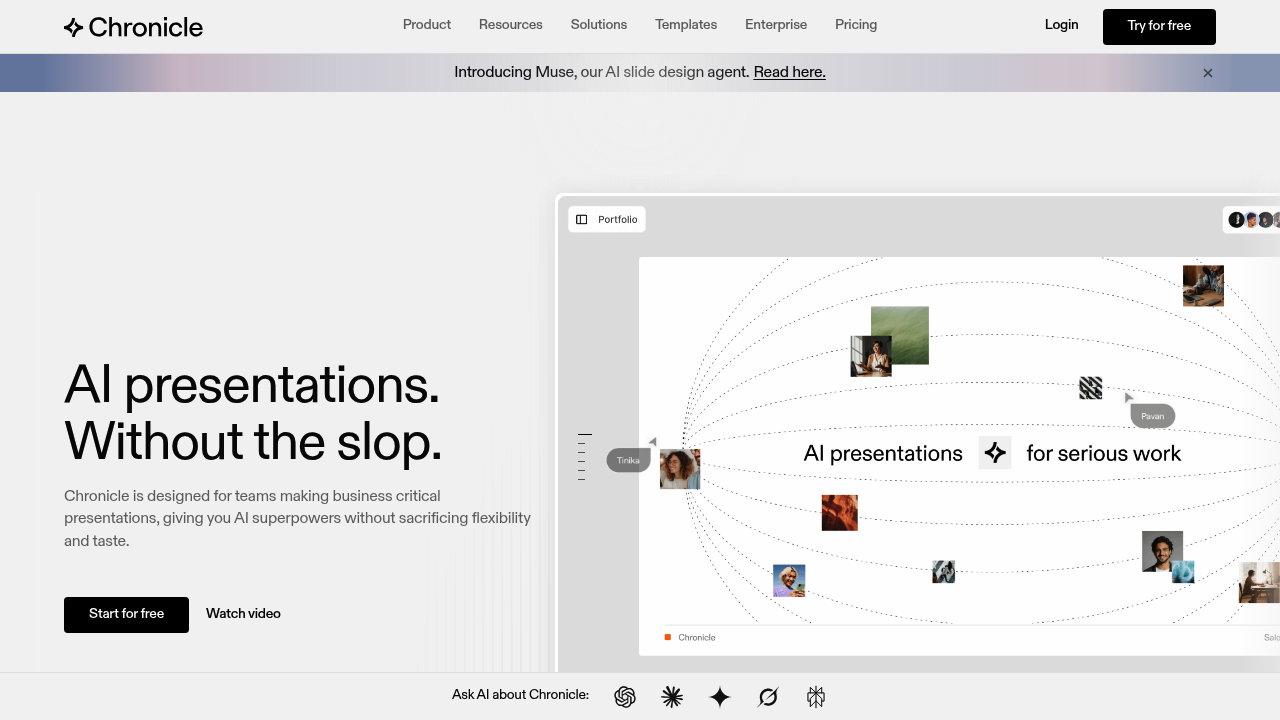
Chronicle screenshot

This thing turns rough notes into finished presentations. Drop in meeting scribbles, half-formed outlines, or existing decks and it generates slides with charts, diagrams, and visuals that match your brand guidelines. You can set fonts, colors, and visual rules upfront so everything stays consistent.

The freeform canvas separates Chronicle from typical AI slide generators. You're not locked into rigid templates. Full customization available. You tell the AI what changes you want through text instructions and it refines slides without forcing you into preset layouts. That flexibility matters when you're building high-stakes presentations that need specific formatting.

Export options cover the basics. PowerPoint, PDF, or publish directly to web. Real-time collaboration works for teams, with permission management and template sharing. Chronicle embeds hundreds of other platforms though specific integrations aren't listed. Templates come from professionals at Apple, McKinsey, BCG, and IDEO. You can upload custom templates too.

What actually works: 5000+ teams use it, which suggests the core slide generation delivers. User feedback mentions it beats Gamma and Google Slides for certain workflows. The recent 'Muse' AI design agent handles slide design decisions, which could save time on layout choices. Enterprise-grade security gets mentioned for teams with compliance requirements.

What's missing: No information on how the AI handles complex data visualization or whether it connects to live data sources. The "100s of embeddable tools" claim lacks specifics. Can't verify which platforms actually integrate. No details on collaboration limits or how many team members can edit simultaneously. Chronicle doesn't specify if the AI understands industry-specific terminology or technical content accurately.

The canvas approach could slow down users who want quick, no-editing output. If you just need basic slides fast, the extra customization options might complicate things. No word on how the brand guidelines feature handles multiple brand identities or if you're stuck maintaining separate accounts.

Enterprise security sounds good but there's no breakdown of what that means. SOC 2? GDPR compliance? Data residency options? Those details matter for corporate buyers but aren't specified.

The team's background from major consulting firms and tech companies shows in the templates. Whether that translates to better AI output for all industries isn't clear. Could work great for business presentations, less certain for scientific, educational, or creative decks that need different visual approaches.


Chronicle alternatives

See all →

Frequently asked

6 questions
Does Chronicle have a free plan or free trial?
Chronicle doesn't offer a free plan or free trial based on available information. The platform markets itself as freemium but doesn't specify what features come free versus paid. This makes it tough to test the AI slide generation before committing money. Over 5000 teams use it, which suggests people find value despite the unclear entry point. Contact their sales team directly to understand trial options and what the freemium model actually includes.
Can Chronicle generate slides from meeting notes and documents?
Chronicle converts raw notes, meeting docs, outlines, and existing decks into finished presentations. You drop in rough content and it generates slides with charts, diagrams, and visuals automatically. The AI handles layout decisions through their 'Muse' design agent. You can refine outputs through text instructions without manually adjusting each element. Exports work for PowerPoint, PDF, or web publishing, so the final format stays flexible depending on where you're presenting.
How does Chronicle compare to Gamma and Google Slides?
Users report Chronicle performs better than Gamma and Google Slides for certain workflows, though specific advantages aren't detailed. The freeform canvas sets it apart from rigid template-based tools. You get full customization instead of preset layouts that limit design choices. Chronicle focuses on high-stakes business presentations with templates from McKinsey, BCG, Apple, and IDEO professionals. Google Slides works fine for basic decks, but Chronicle targets teams needing polished, brand-consistent output with less manual formatting work.
Can I set brand guidelines in Chronicle for consistent presentations?
Chronicle lets you establish brand guidelines covering fonts, colors, and visual rules. Once configured, the AI generates slides that match your brand standards automatically. This prevents the inconsistent formatting that happens when multiple team members create decks independently. Real-time collaboration features include template sharing and permission management. What's unclear: whether Chronicle handles multiple brand identities within one account or if you need separate setups for different brands your company manages.
What integrations does Chronicle support?
Chronicle claims to embed hundreds of tools but doesn't list specific platforms. This vague marketing makes it impossible to verify if your current workflow tools actually connect. The platform exports to PowerPoint and PDF, and publishes presentations as websites. Real-time collaboration works for teams. Without knowing which data sources, CRM systems, or analytics platforms integrate, you can't assess if Chronicle fits your existing tech stack. Ask their team for a detailed integration list before committing.
Does Chronicle work well for technical or scientific presentations?
Chronicle's templates come from business consulting and tech backgrounds at McKinsey, BCG, and Apple. This suggests strength in business presentations but raises questions about specialized content. The AI generates charts, graphs, metrics, and tables, which helps with data visualization. Whether it accurately handles industry-specific terminology, scientific notation, or technical diagrams isn't documented. Teams needing presentations outside standard business formats should test how well Chronicle adapts to specialized content before relying on it for critical decks.

Traffic

Estimated monthly website visits · last 0 months

Not enough historical data for a chart yet.

Reviews (0)

Write review

No reviews yet. Be the first to share your experience.