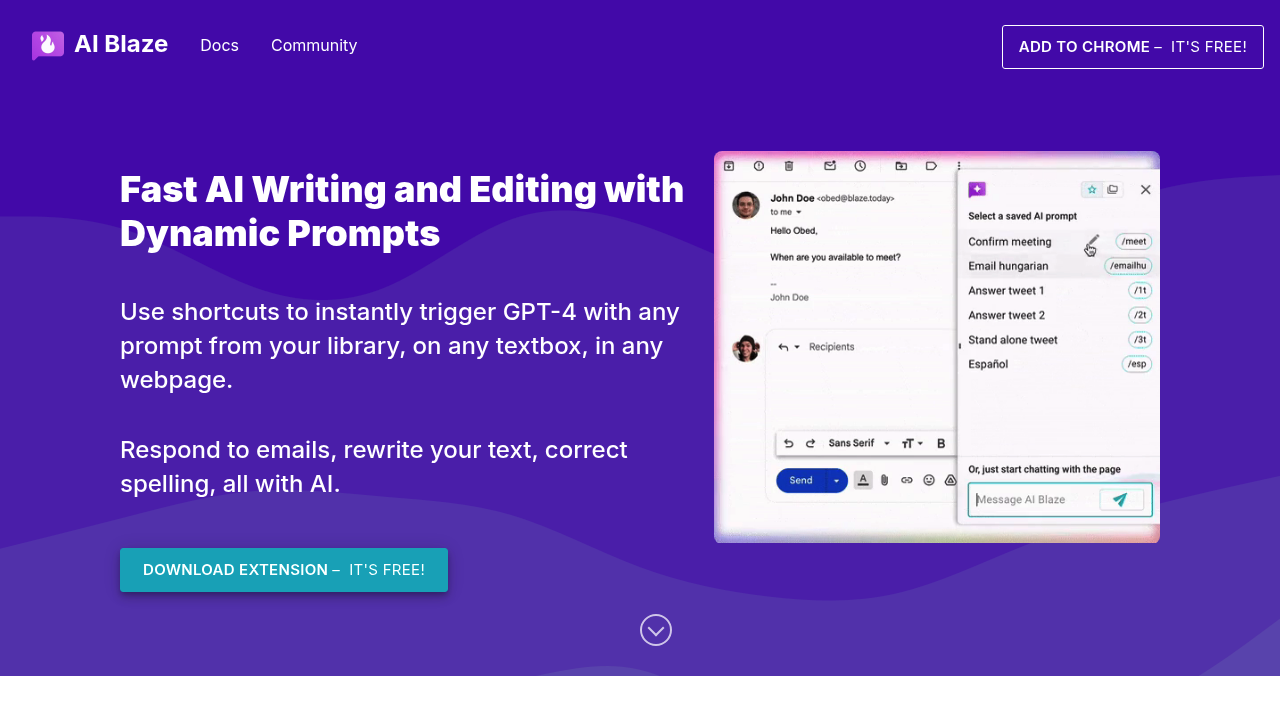
This Chrome extension costs nothing. AI Blaze brings GPT-4 straight into any textbox on the web.
Here's the deal: you build shortcuts that fire off custom AI prompts wherever you're typing. Customer service reps juggling dozens of support tickets? Perfect use case. They type a shortcut instead of writing responses from scratch. AI generates replies. Context from the original message gets included automatically.
Dynamic prompts are where it gets interesting. You can build templates with dropdown menus. Text fields. Even pull from your clipboard or current date. Need to translate something? Change the tone? Make text shorter? Shortcuts handle it all.
Team sharing keeps everyone on the same page. Your prompt library syncs in real-time with colleagues — so the whole team uses identical AI responses and templates.
You'll need GPT-4 access to make AI Blaze work. That's another subscription to think about. Chrome-only limitation means you're stuck if you prefer other browsers. Still, for teams already using GPT-4 who want faster AI integration across web apps, shortcuts beat copying and pasting between ChatGPT tabs. Email responses get the treatment. Social media posts too. Documentation. Anything involving typing gets AI assistance without leaving your current webpage.