120.dev logo
AI Chatbot FREEMIUM from $78/mo

120.dev

A researcher needs to compare how four different language models interpret the same dataset

She's opening browser tabs, copying prompts, pasting into separate chat windows, then manually comparing outputs in a spreadsheet. She's burning hours on context-switching between interfaces. 120.dev runs multiple AI…

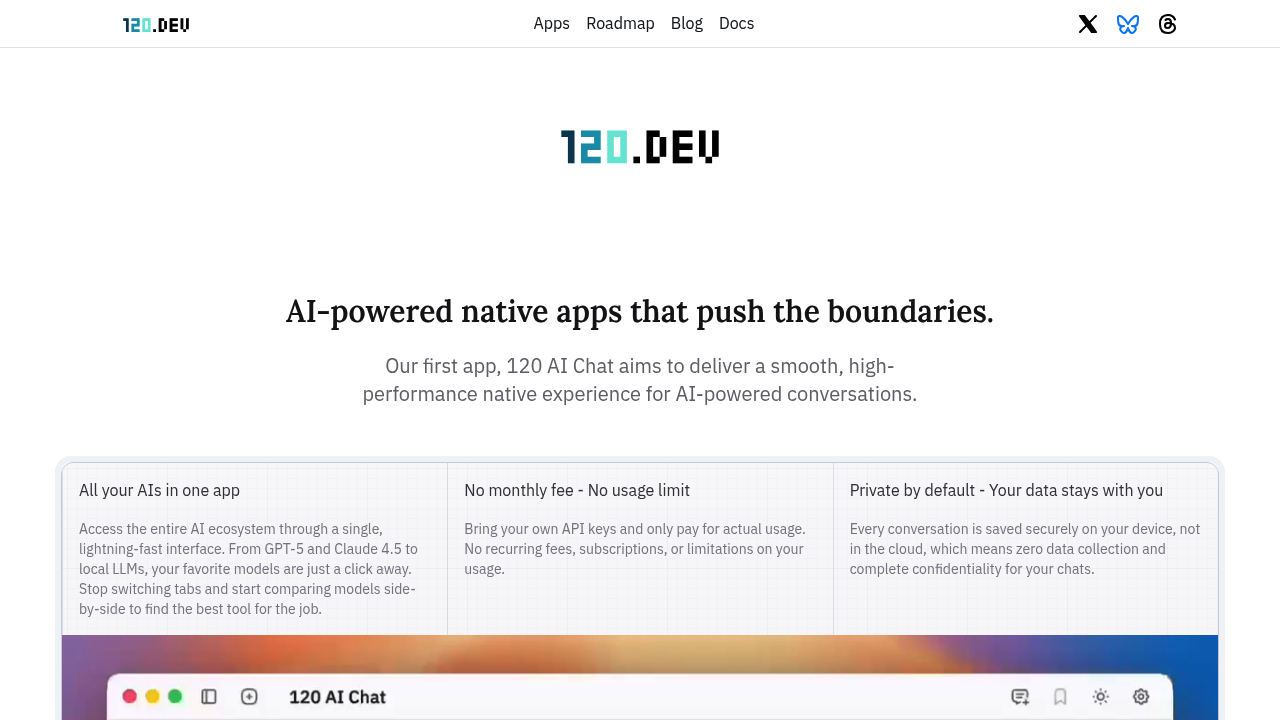
120.dev screenshot

A researcher needs to compare how four different language models interpret the same dataset. She's opening browser tabs, copying prompts, pasting into separate chat windows, then manually comparing outputs in a spreadsheet. She's burning hours on context-switching between interfaces. 120.dev runs multiple AI conversations side-by-side in one window, letting her feed identical prompts to different models and see responses in parallel. The interface hits 120 frames per second, built natively for Mac and Windows rather than as a web app wrapped in a shell.

This application connects to over 500 AI models through a single interface. A developer testing prompt variations can query OpenAI's latest models, Anthropic's reasoning engines, Google's multimodal systems, and xAI's offerings without juggling accounts. Everything runs through your own API keys. No subscription fees. You pay only what the API providers charge directly. All conversation history saves locally on your device. Nothing goes to 120.dev's servers. Zero data collection.

Local model support matters for privacy-focused teams. A legal analyst working with confidential documents can run Llama or DeepSeek through Ollama or LM Studio, keeping everything on their machine. They upload PDFs in batches, chat with the content, and the files never leave their computer. This works until they need web search or real-time internet access. Those features require cloud models.

The thinking mode adjusts reasoning depth across three levels. Low runs fast for simple queries. High takes longer but works through complex logic step-by-step. A financial analyst building valuation models switches between depths depending on whether she's checking basic calculations or stress-testing assumptions across scenarios.

Image generation pulls from multiple sources. A product designer generates concepts with Stable Diffusion, then edits variations with other models, comparing outputs without switching applications. Text-to-speech reads responses aloud. The prompt library stores templates. Code renders with syntax highlighting across different themes.

It breaks for teams. No collaboration features. No shared workspaces. One license covers one person. A content studio can't split the cost across writers or maintain shared prompt libraries. The free plan restricts commercial use and limits you to two basic models for 30 days. After that, you need the Pro license at $78 one-time to access the full model roster, document chat, web search, and advanced generation tools. That license includes updates for one year.

The Linux version doesn't exist yet. Mac and Windows only. A developer running Ubuntu on their primary machine can't use it without spinning up a VM or dual-booting.

Temporary conversations don't save history. A consultant testing sensitive client scenarios can chat without creating records. Branching lets you fork conversations at any point, exploring different prompt paths from the same starting context. Split chats run multiple threads from one input.

This works best for individuals who want model flexibility without monthly fees. Researchers comparing outputs with developers testing across providers. Privacy-conscious professionals keeping data local. It doesn't fit teams needing shared access or users locked into Linux. The bring-your-own-key model means unpredictable API costs. You control spending but shoulder the complexity of managing multiple provider accounts.


120.dev alternatives

See all →

Frequently asked

7 questions
Can you use multiple AI models at the same time in 120.dev?
A market researcher testing campaign messaging can run the same prompt through GPT-4, Claude, and Gemini simultaneously in split-screen view. The multi-thread chat displays all three responses side-by-side for direct comparison. This works across any combination of the 500+ supported models, including local ones through Ollama. A software engineer debugging code snippets sends identical questions to different reasoning models and spots which explanation makes the most sense within seconds. The interface updates at 120 frames per second, so switching between response streams feels instant rather than laggy like browser tabs.
Does 120.dev work without paying for a subscription?
A freelance writer connects their own OpenAI and Anthropic API keys instead of paying 120.dev monthly fees. They pay OpenAI and Anthropic directly for actual usage while the desktop app stays free for 30 days with full access to all features. After the trial, the $78 one-time Pro license unlocks everything permanently without recurring charges. A data scientist running thousands of queries through local Llama models via Ollama pays nothing beyond that single license fee since local models don't hit external APIs. The bring-your-own-key setup means unpredictable costs if you're hammering expensive models, but you control exactly what you spend.
Can you chat with PDFs in 120.dev?
A legal researcher uploads ten contract PDFs at once and asks questions across all of them simultaneously. The batch upload feature in the Pro version lets them query specific clauses, compare language between documents, and pull relevant sections without manually searching. This requires the $78 license since document chat isn't included in the free tier. A consultant analyzing confidential client reports can process everything locally through Ollama-connected models, keeping sensitive files off cloud servers entirely. The free plan only gives you basic chat with GPT-3.5 and Claude Haiku without document handling.
Does 120.dev store your conversations on their servers?
A healthcare administrator discussing patient workflow optimizations keeps all chat history saved locally on their Mac rather than uploaded to company servers. Everything stays on the device with zero data collection by 120.dev. A financial advisor testing investment strategies through various AI models maintains complete conversation privacy since nothing leaves their machine. This matters less if you're using cloud-based models like GPT-4 through your API key, since those providers still see your prompts. Running local models through LM Studio gives you true end-to-end privacy where neither 120.dev nor external providers access your data.
What's the difference between thinking modes in 120.dev?
A tax accountant uses Low thinking mode for straightforward deduction questions that need quick answers. She switches to High when stress-testing complex multi-state filing scenarios where the AI needs to reason through interconnected tax code implications step-by-step. The Medium setting balances speed and depth for moderately complex questions about quarterly estimates. A software architect uses High mode when designing system architecture that needs thorough consideration of tradeoffs, but drops to Low for simple syntax questions. The deeper reasoning takes longer to generate but works through logic chains rather than jumping to conclusions.
Can teams share workspaces in 120.dev?
A content agency with five writers can't pool their $78 licenses or share prompt libraries across the team. Each person needs their own license and maintains separate local conversation histories. A startup's engineering team can't create shared context windows where multiple developers contribute to the same AI conversation thread. The application functions strictly as a single-user desktop tool without collaboration features, team dashboards, or centralized prompt management. A research lab wanting to build institutional knowledge through shared AI interactions would need everyone working in isolated instances, then manually consolidating insights through other tools.
Does 120.dev work on Linux?
A developer running Ubuntu as their primary OS can't install 120.dev natively since the Linux version doesn't exist yet. They'd need to run Windows in a virtual machine or maintain a dual-boot setup just to access the application. The current release only supports Mac and Windows with native 120 FPS performance on those platforms. A data scientist who standardized their team on Linux workstations for ML projects would find this tool completely inaccessible without switching operating systems. The company lists Linux as coming soon but hasn't committed to a release timeline.

Traffic

Estimated monthly website visits · last 0 months

6.7K visits/mo
Monthly visits
6.7K
Global rank
#3,901,894
MA #23,301

Not enough historical data for a chart yet.

Reviews (0)

Write review

No reviews yet. Be the first to share your experience.