Vidduo logo
AI Video Generator FREEMIUM from $12/mo

Vidduo

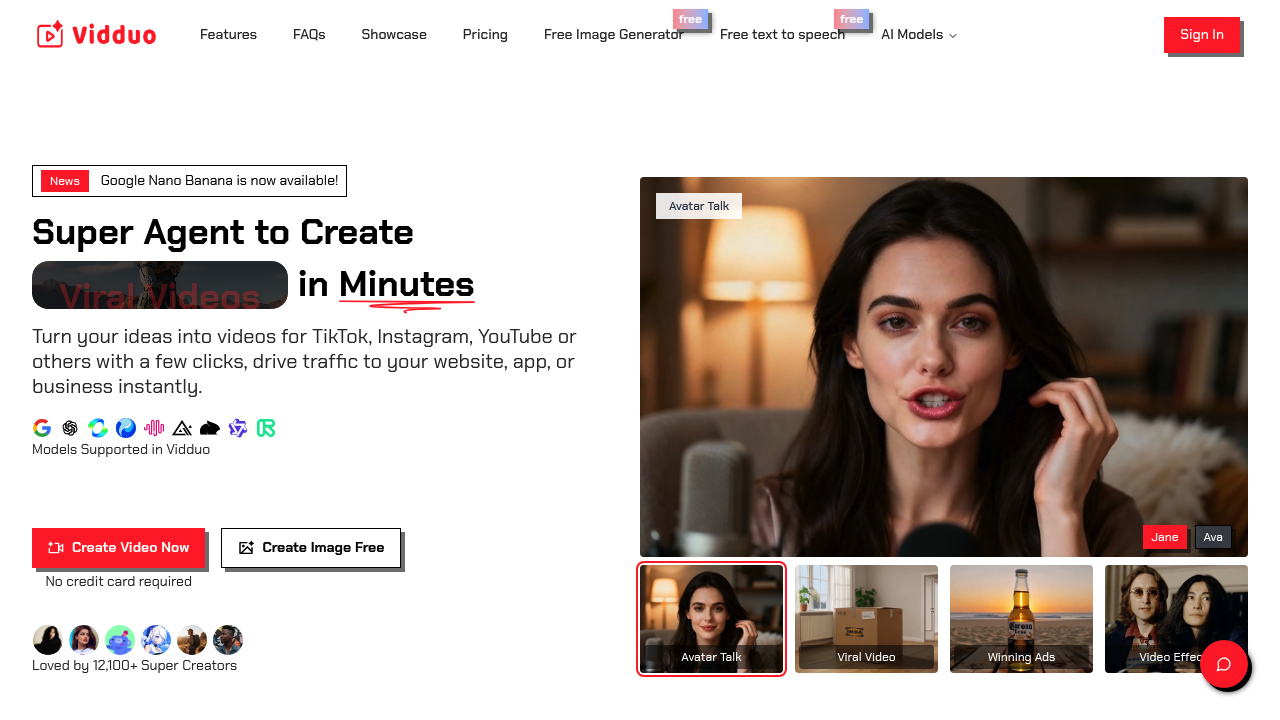
Opening Vidduo drops you straight into an AI video generator built specifically for social media creators

You can upload a photo or type a text prompt, and it turns your input into a video ready for TikTok, Instagram, or YouTube. The interface centers around its AI Video Agent. Upload an image and the system starts…

Vidduo screenshot

Opening Vidduo drops you straight into an AI video generator built specifically for social media creators. You can upload a photo or type a text prompt, and it turns your input into a video ready for TikTok, Instagram, or YouTube.

The interface centers around its AI Video Agent. Upload an image and the system starts processing. You'll see options for camera movements like Push In, Pull Out, Pan Left, or Orbiting Shot that add cinematic motion to static images. Vidduo automatically picks which AI model to use based on what'll balance speed, quality, and processing cost. You don't choose the model yourself.

Video effects get weird fast. There's AI Twerk, AI Kissing, AI Hug, and something called Soulmate Drawing. The AI Muscle effect presumably adds muscles to photos. Eyes In does something to eye appearance. These feel designed for viral social content rather than professional use. The Avatar Talk feature creates talking avatar videos from uploaded images.

Style options include American Comic, Sketch, Japanese Comics, Pixel Art, Voxel Style, and Realistic. You can create multi-shot videos where the AI tries to keep visual consistency across transitions. Everything outputs at 1080p resolution. Vidduo claims a 98% prompt adherence score and 96% multi-shot consistency score.

Text to image generation works separately. Type a prompt and get static images. There's also a free text to speech tool and something called AvatarFX. Reference to Video conversion takes existing video footage as input. The system supports Wan2.2 and Google Nano Banana models.

The friction shows up in content storage. Paid users get 48 hours before their videos automatically delete. That's the entire retention window. After two days, it's gone. This zero retention policy might appeal to privacy-focused creators but means you'll need to download everything immediately.

Over 90,700 videos and images have been created on Vidduo. About 12,100 creators use it, with 3,300 paying for upgraded access. Users span 26 countries.

A free tier exists without requiring a credit card upfront. You get access to text to image generation, the image generator, and basic video creation. The exact limitations on the free tier aren't spelled out, and specific paid plan details don't appear on the main page. Vidduo markets itself as the fastest and cheapest option for AI video generation, though that's their claim rather than verified comparison data.


Vidduo alternatives

See all →

Frequently asked

7 questions
How long does Vidduo store my videos?
Paid users get 48 hours of storage before Vidduo automatically deletes your content. After two days, everything disappears from their servers. You'll need to download your videos immediately after creating them since there's no extended storage option. This zero retention policy means you can't go back and grab something you made last week.
Is Vidduo free to use?
Vidduo offers a free tier without requiring a credit card to start. You get access to text to image generation, the image generator, and basic video creation tools. The platform doesn't specify exactly what limits apply to free accounts versus paid ones. About 12,100 creators use Vidduo, but only 3,300 pay for upgraded access.
How do you add camera movement to photos in Vidduo?
Upload your photo to the AI Video Agent and you'll see camera movement options like Push In, Pull Out, Pan Left, Truck Left, Orbiting Shot, Pedestal Up, Tracking Shot, Zoom In, or Static Shot. Select the movement you want and Vidduo processes your still image into a video with that motion applied. The system automatically picks which AI model to use based on balancing quality, speed, and cost. Everything outputs at 1080p resolution.
What video effects does Vidduo have?
Vidduo includes AI Twerk, Soulmate Drawing, AI Kissing, 3D Rotation, AI Hug, See Dream, AI Proposal, AI Muscle, and Eyes In. These effects feel designed for viral social media content rather than professional projects. Avatar Talk creates talking avatar videos from your uploaded images. The effects lean heavily into internet trend territory where things get intentionally weird.
Can Vidduo create multi-shot videos?
The platform supports multi-shot video creation where it attempts to maintain visual consistency across different shots and transitions. Vidduo claims a 96% multi-shot consistency score, meaning the AI tries to keep characters and elements looking similar throughout your video. You can combine different camera movements and effects across multiple shots. The system handles the transitions automatically.
What AI models does Vidduo use?
Vidduo supports Wan2.2 and Google Nano Banana models. The platform uses Smart Model Selection that automatically picks which model to run based on what'll balance quality, speed, and processing cost. You don't manually choose which model processes your video. Vidduo claims a 98% prompt adherence score for how well the AI follows your text instructions.
Can you make talking avatar videos with Vidduo?
Avatar Talk creates talking avatar videos from photos you upload. You provide an image and the system animates it to speak. There's also an AvatarFX feature that does something with avatar creation, though the exact functionality isn't detailed. The platform includes free text to speech that presumably generates the audio for these talking avatars.

Traffic

Estimated monthly website visits · last 6 months

209 visits/mo
Monthly visits
209
↓ 88.9% MoM
Global rank
#9,561,393
US #3,970,628
Category rank
#195
AI Video Generator
1.9K 1.4K 944 472 0 Dec 2025: 0 visits Dec 2025 Jan 2026: 0 visits Jan 2026 Feb 2026: 0 visits Feb 2026 Mar 2026: 132 visits Mar 2026 Apr 2026: 1.9K visits Apr 2026 Aug 2026: 209 visits Aug 2026

Reviews (0)

Write review

No reviews yet. Be the first to share your experience.