
#4 in AI Watermark Remover Unwatermark AI logo
AI Watermark Remover FREEMIUM from $30/mo

Unwatermark AI

Watermarks disappear from images and videos through AI detection that identifies and removes logos, text, and branding without manual selection

This software processes photos and video footage frame by frame, analyzing each section to eliminate unwanted elements while claiming to maintain original quality without blur or pixelation. Over 5 million removals have…

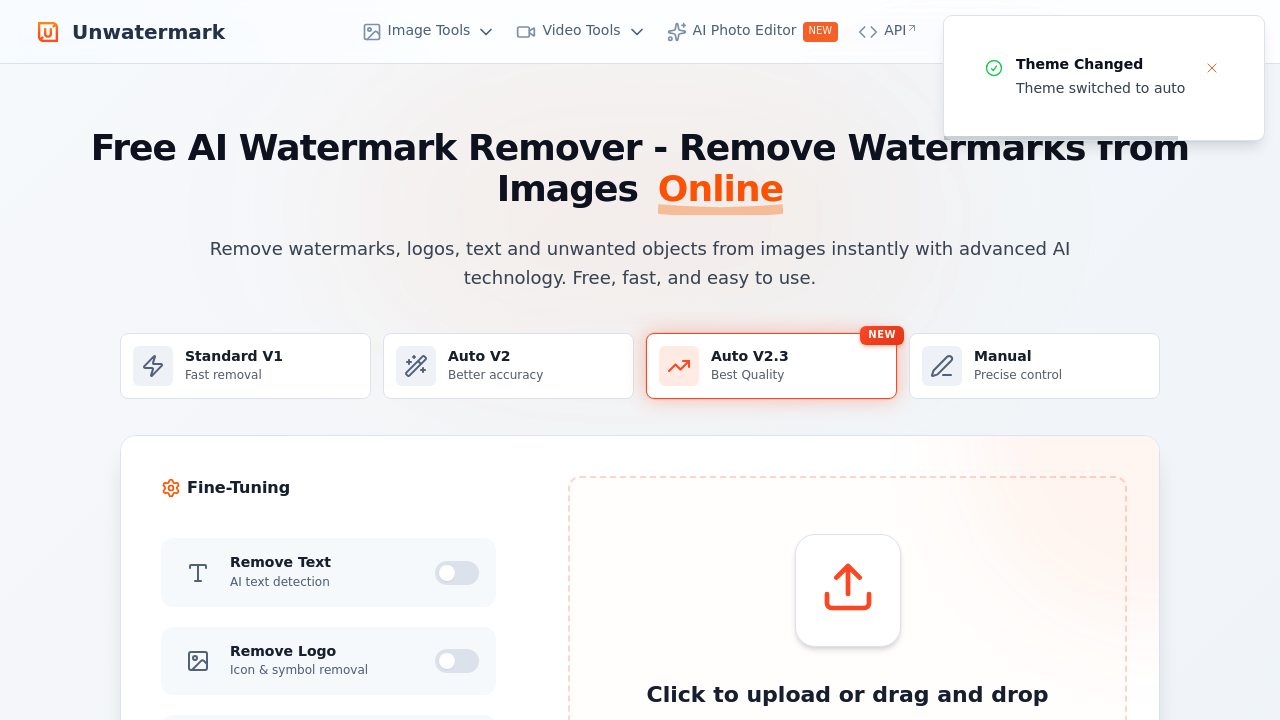
Unwatermark AI screenshot

Watermarks disappear from images and videos through AI detection that identifies and removes logos, text, and branding without manual selection. This software processes photos and video footage frame by frame, analyzing each section to eliminate unwanted elements while claiming to maintain original quality without blur or pixelation. Over 5 million removals have been generated across 100+ organizations since launch.

The AI Auto-Detection feature scans uploaded files to locate watermarks automatically. Users don't need to highlight or trace the watermark location. The system finds it, maps its boundaries, and removes it. For situations where automatic detection misses marks or users want precise control, the Manual Brush tool lets you paint over specific areas. This matters when watermarks sit in unusual positions or blend with complex backgrounds.

Magic Eraser extends beyond watermarks to any unwanted element. Logos, text overlays, objects, and people get removed from images using the same AI analysis. A separate Text Removal function uses AI text detection specifically tuned for words and characters. The Object Removal tool targets physical items in photos. Each function processes the surrounding pixels to fill the removed area naturally.

Video cleaning happens through the AI Video Cleaner, which analyzes footage frame by frame. This software covers MP4, M4V, and MOV formats up to 4K resolution. Before committing credits, users can preview 30 seconds of the cleaned video to verify results. GIF watermark removal works similarly but processes animated files while maintaining frame timing.

File support includes PNG, JPEG, JPG, and WEBP for images, with an 18MB maximum file size across all formats. Quality enhancement and upscaling get bundled into the processing, potentially improving resolution alongside watermark removal. An API provides programmatic access for developers integrating removal into other applications.

The free plan grants 3 daily Auto Removal attempts and 30 Manual Removal chances per day. Video watermark removal comes free with 10 weekly previews limited to 30 seconds each. GIF removal allows 10 attempts weekly while object removal permits 3 daily uses. No account creation required for basic watermark removal.

Paid plans split between yearly subscriptions and one-time credit purchases. Subscriptions start at $30 yearly for 50 monthly credits, scaling to $62 for 200 credits, $94 for 500 credits, and $120 for 1,000 monthly credits. Monthly credits expire at month end and don't roll over. One-time purchases range from $10 for 50 credits up to $1,000 for 100,000 credits. These credits never expire. The cost per credit drops substantially with larger purchases, from $0.200 per credit at the smallest tier to $0.010 at the largest.

Credit consumption varies by task. Standard images cost 1 credit each. Pro version image processing requires 5 credits. Video removal is priced at 1 credit per second for footage up to 1080p, 2 credits per second for 1080p to 2K resolution, and 4 credits per second for 2K to 4K video. A 30-second 4K video would consume 120 credits.

Limitations center on credit policies and file restrictions. The 18MB file size cap blocks larger videos or high-resolution images. Annual subscription credits vanish at month end whether used or not. No refunds apply to annual plans or one-time purchases, attributed to high AI processing costs. Free tier quotas reset daily or weekly but don't accumulate.

This software targets creators removing stock photo watermarks, businesses cleaning up marketing materials, content creators eliminating branding from source footage, and entrepreneurs preparing images for commercial use. The 4.8+ rating suggests consistent results across use cases.


Unwatermark AI alternatives

See all →

Frequently asked

7 questions
How many credits does video watermark removal cost in Unwatermark AI?
Video watermark removal pricing scales with resolution, charging 1 credit per second for footage up to 1080p, 2 credits per second for 1080p to 2K resolution, and 4 credits per second for 2K to 4K video. A 60-second video at 1080p would consume 60 credits, while the same duration at 4K would require 240 credits. Users can preview 30 seconds of cleaned video before spending credits, with 10 free previews available weekly on the free plan. This per-second pricing structure means longer videos or higher resolutions drain credit balances significantly faster than image removal, which costs just 1 credit per standard image.
Can I use Unwatermark AI without creating an account?
Basic watermark removal works without any account creation or login requirement. The free plan provides 3 daily Auto Removal attempts and 30 Manual Removal chances per day accessible immediately upon visiting the site. Video watermark removal, GIF processing, and object removal all function through the free tier without registration. Paid plans require account setup to track credit purchases and usage, but casual users removing a few watermarks can access core functionality anonymously.
Do Unwatermark AI credits expire?
Credit expiration depends entirely on whether you choose subscription or one-time purchase plans. Yearly subscriptions deliver monthly credits that expire at the end of each month, meaning unused credits from January disappear when February starts regardless of how many remain. One-time credit purchases never expire, letting users buy 50 to 100,000 credits that stay in their account indefinitely. The cost per credit runs higher on one-time purchases starting at $0.200 per credit versus $0.010 per credit on annual plans, but the permanent availability matters for sporadic users who can't predict monthly usage.
What file size limits does Unwatermark AI have?
All uploads face an 18MB maximum file size restriction across images and videos. This cap affects high-resolution photos, especially RAW files or uncompressed formats that easily exceed 18MB. Video files hit this limit quickly since even short 4K clips can surpass 18MB within seconds of footage. Users working with larger files need to compress or downscale them before upload, which may reduce the quality the software claims to preserve. The platform supports PNG, JPEG, JPG, WEBP for images and MP4, M4V, MOV for videos within this size constraint.
Can Unwatermark AI remove watermarks from stock photos for commercial use?
The software technically removes watermarks from stock photos, but doing so violates copyright and licensing agreements with stock photo providers. Watermarks exist specifically to prevent unauthorized use of unpurchased images. Removing them doesn't grant legal rights to use the underlying copyrighted photograph commercially or otherwise. The tool targets legitimate scenarios like removing watermarks from your own content, cleaning up screenshots with unintended branding, or eliminating logos from images you have permission to modify. Using it to circumvent stock photo licensing creates legal liability regardless of the technical capability.
Does Unwatermark AI offer refunds if the watermark removal doesn't work?
No refunds apply to either annual subscriptions or one-time credit purchases according to the stated policy. The company attributes this no-refund stance to high AI processing costs incurred during removal attempts. Users can partially mitigate risk through the free plan's daily quotas, testing the software on sample images before purchasing credits. Video users get 30-second previews before committing credits, allowing quality verification before downloading the full cleaned file. The 4.8+ rating suggests most users get acceptable results, but the refund restriction means dissatisfied customers have no recourse.
How does Unwatermark AI's Auto-Detection compare to manual watermark removal?
Auto-Detection scans uploaded files to locate and remove watermarks without user input, working best on standard watermarks in predictable positions with clear boundaries. This automated approach costs 1 credit per image but provides only 3 free daily attempts versus 30 free Manual Removal chances. Manual removal requires users to brush over watermark areas themselves, offering precise control for complex backgrounds, unusual watermark placements, or situations where auto-detection fails. The credit cost stays the same at 1 credit per standard image regardless of method, making the choice about accuracy needs rather than price. Complex edits with watermarks bleeding into detailed backgrounds often need manual intervention even after auto-detection attempts.

Traffic

Estimated monthly website visits · last 9 months

846.8K visits/mo
Monthly visits
846.8K
↓ 24.4% MoM
Global rank
#53,933
IN #24,242
Category rank
#4
AI Watermark Remover
1.3M 1.2M 1M 852.7K 698.6K Dec 2025: 1.3M visits Dec 2025 Jan 2026: 1.1M visits Jan 2026 Feb 2026: 883.5K visits Feb 2026 Mar 2026: 1M visits Mar 2026 Apr 2026: 963.9K visits Apr 2026 May 2026: 698.6K visits May 2026 Jun 2026: 944K visits Jun 2026 Jul 2026: 1.1M visits Jul 2026 Aug 2026: 846.8K visits Aug 2026

Reviews (0)

Write review

No reviews yet. Be the first to share your experience.