TurboClaw logo

TurboClaw

Deploying OpenClaw the traditional way eats up an hour of your life

42 views
TurboClaw screenshot

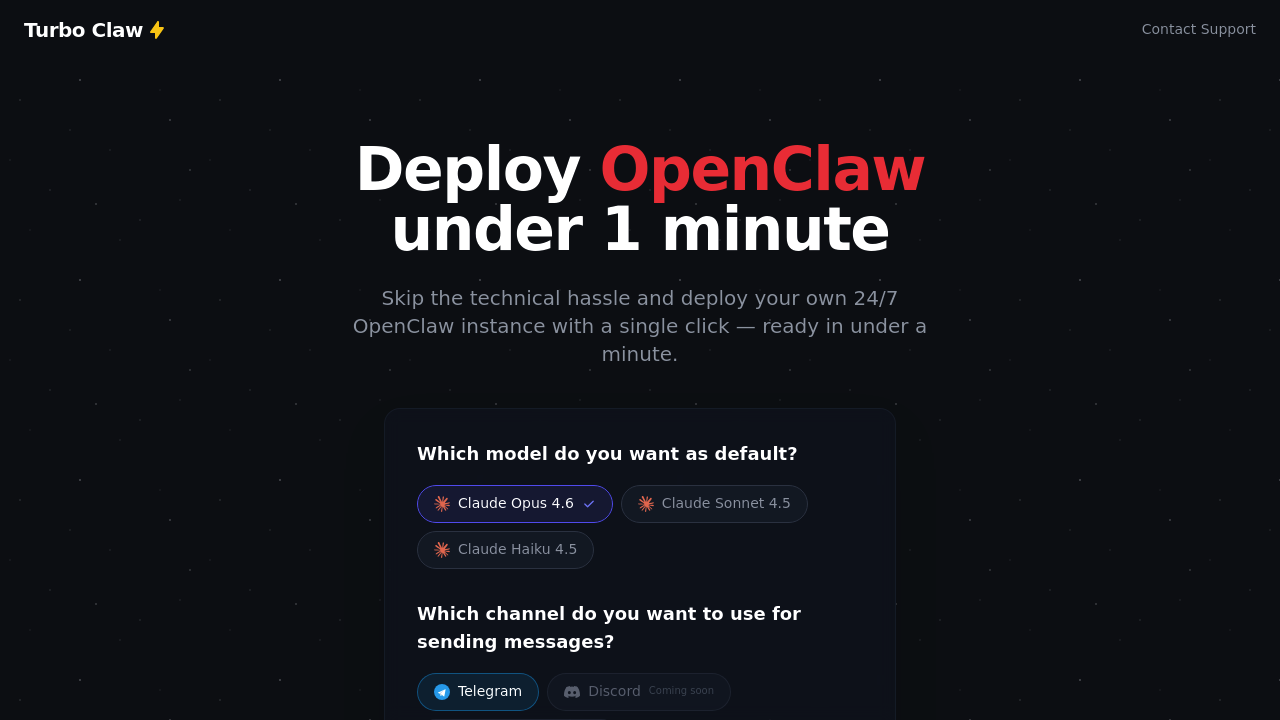
Deploying OpenClaw the traditional way eats up an hour of your life. You're renting servers—configuring Docker—wrestling with SSL certificates—and hoping you didn't miss a step in the Nginx setup. TurboClaw turns that hour-long headache into a 60-second click.

This service exists for one reason: getting your own OpenClaw AI assistant running without touching a terminal. You pick your model choice. You authenticate with Google. TurboClaw handles the server provisioning (Docker installation, environment configuration, and Telegram webhook linking). The whole stack just appears. A freelancer juggling client deadlines can have their assistant operational before their coffee gets cold.

Your OpenClaw instance isn't stripped down. It drafts email replies. Translates messages in real time. Organizes your inbox and answers support tickets. It tracks expenses—finds discount codes—monitors price drops—and compares product specs. Ask it to draft social posts. Write contracts. Brainstorm strategy. Your assistant runs 24/7 on your own infrastructure.

TurboClaw offers three model tiers. You get full control over deployment. The two-day money-back guarantee takes the risk out of trying it.

Limited server availability gets mentioned—which feels like artificial scarcity but might be genuine capacity constraints. Discord and WhatsApp integrations are still pending. If you're comfortable with Telegram and need OpenClaw running now without the technical gymnastics, TurboClaw removes every barrier between you and deployment.


Frequently asked

6 questions
How long does it take to deploy OpenClaw with TurboClaw?
TurboClaw deploys your OpenClaw instance in under 60 seconds. Compare that to traditional manual deployment, which takes about an hour dealing with server rental, SSH setup, Docker installation, and SSL configuration. You just click, authenticate with Google, and you're running.
Does TurboClaw work with WhatsApp or Discord?
Not yet—TurboClaw currently supports Telegram integration only. WhatsApp and Discord integrations are coming soon. If you need your AI assistant running right now and you're okay with Telegram, you won't have to wait.
What can OpenClaw actually do once it's deployed?
Your OpenClaw assistant handles email drafting, real-time translation, inbox organization, and support tickets. It also tracks expenses, finds discount codes, monitors price drops, drafts social posts, writes contracts, and brainstorms strategy. You can ask it to do custom tasks in plain language—it runs 24/7 on your own infrastructure.
Which Claude AI models does TurboClaw support?
You can choose between Claude Opus 4.6, Claude Sonnet 4.5, or Claude Haiku 4.5 when deploying. TurboClaw gives you full control over which model powers your OpenClaw instance.
Does TurboClaw offer a money-back guarantee?
Yes, there's a 2-day money-back guarantee with no questions asked. That takes the risk out of trying it—if TurboClaw doesn't work for your setup, you can get a refund within 48 hours.
Do I need technical knowledge to use TurboClaw?
Nope. TurboClaw handles all the technical stuff—server provisioning, Docker installation, SSL certificates, Nginx configuration, and Telegram webhook setup. You just authenticate and pick your AI model. It's built specifically for people who don't want to touch a terminal.

Reviews (0)

No reviews yet. Be the first to share your experience.

Similar tools

See all →