
Ting AI appears to be discontinued. Its website has been unreachable across our last three checks. See similar tools below for alternatives.
Ting AI logo
AI CRM FREEMIUM from $19/mo

Ting AI

Sales calls contain gold, but most teams never dig deep enough to find it

Ting AI records conversations, transcribes them, and surfaces patterns that explain why some deals close and others stall. Connect your CRM and calendar to start. Ting AI begins capturing calls automatically once you've…

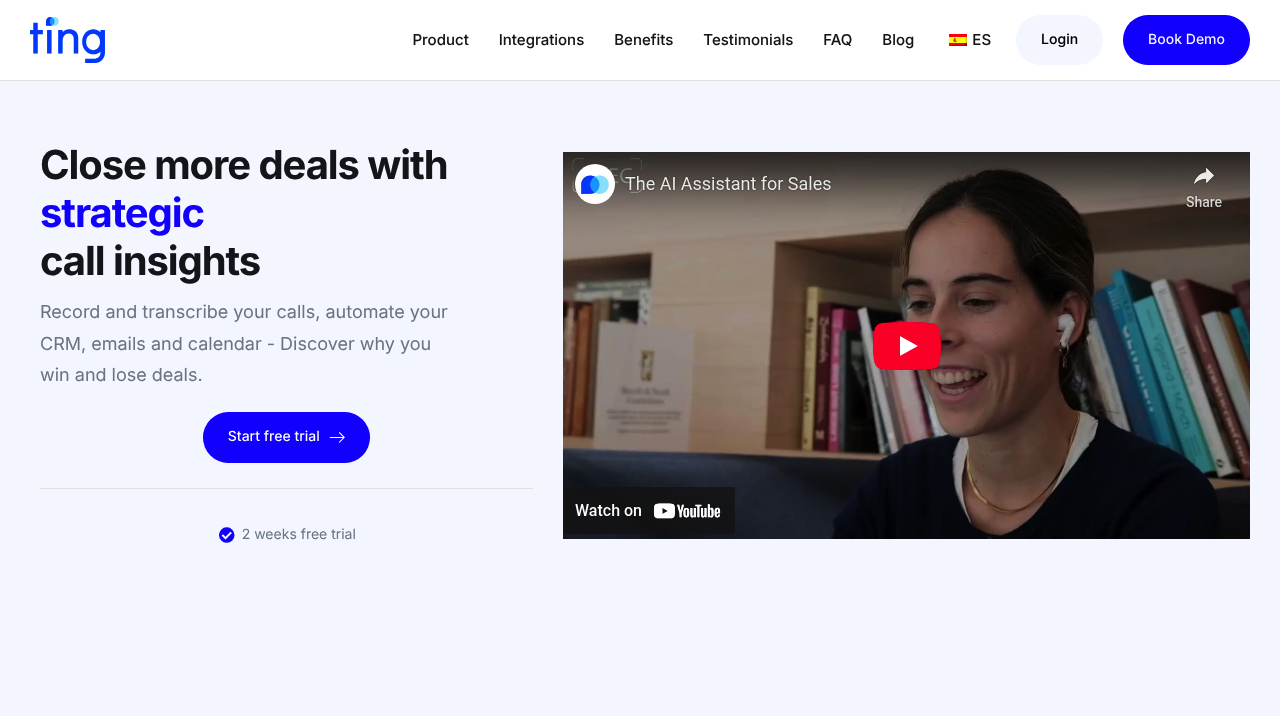
Ting AI screenshot

Sales calls contain gold, but most teams never dig deep enough to find it. Ting AI records conversations, transcribes them, and surfaces patterns that explain why some deals close and others stall.

Connect your CRM and calendar to start. Ting AI begins capturing calls automatically once you've granted permissions. You'll see transcripts appear within minutes of ending a conversation. The AI doesn't just document what was said, it analyzes tone, pacing, objections, and competitor mentions.

The CRM automation pulls data directly from conversations. When a prospect mentions budget constraints or timeline concerns, those details sync to your CRM fields without manual entry. You can customize which information flows where, though the initial setup requires thinking through your data structure. Get this wrong and you'll spend time cleaning up mismatched fields later.

Email and calendar automation work in tandem. If you promise to send pricing after a call, the system can draft that email using context from the conversation. Schedule follow-ups based on commitments made during the call. It's smoother than juggling three tools, but you'll still review before sending anything critical.

The call insights feature is where things get interesting. Look across dozens of conversations to spot patterns. Maybe deals close faster when you mention a specific feature early. Maybe certain objections always surface at the fifteen-minute mark. This tool surfaces these trends rather than forcing you to listen to hours of recordings.

Sales managers can review how their team handles discovery calls or pricing discussions. The system flags when reps deviate from proven scripts or miss key qualification questions. This gets uncomfortable fast — nobody loves being analyzed mid-pitch — but the feedback loop shortens from weeks to days.

In-person meetings work too. Record on your phone and upload later. The transcription handles multiple languages, though accuracy drops with heavy accents or industry jargon. You'll catch yourself correcting technical terms frequently.

The two-week trial gives enough runway to record actual sales cycles rather than test calls. GDPR compliance matters if you're handling European customer data, and the ISO 27001 certification in progress signals they're taking security seriously.

The friction point hits when integrating with complex CRM setups. Standard Salesforce or HubSpot configs work fine, but custom fields and workflows need manual mapping. Expect a few days of back-and-forth tweaking before everything flows cleanly. Teams already drowning in tools might resist adding another system to their stack.

Frequently asked

6 questions
Does Ting AI have a free trial?
Ting AI offers a two-week free trial with full access to call recording, transcription, and CRM automation features. You connect your calendar and CRM during setup, then the system starts capturing calls automatically once permissions are granted. Two weeks gives enough time to record actual sales conversations rather than just testing the platform. After the trial ends, you'll need a paid plan to continue using the service, though specific pricing tiers aren't publicly listed.
How does Ting AI integrate with CRM systems?
You connect Ting AI to your CRM through their integrations page where you grant data access permissions. The system pulls conversation details like budget concerns or timeline mentions and syncs them directly to CRM fields without manual entry. You can customize which data points flow to which fields, but complex CRM setups with custom workflows require manual mapping that takes a few days to configure properly. Standard Salesforce or HubSpot configurations work more smoothly than heavily customized systems.
Can Ting AI record in-person sales meetings?
Ting AI records in-person meetings through your phone, then you upload the audio file to the platform for transcription and analysis. The system handles multiple languages during transcription, though accuracy drops when speakers have heavy accents or use industry-specific jargon. You'll spend time correcting technical terms that the AI misinterprets. The insights and CRM automation work the same way as phone calls once the recording is processed.
What call insights does Ting AI provide to sales teams?
Ting AI analyzes tone, pacing, objections, and competitor mentions across all your recorded calls to surface patterns about why deals close or stall. You can see trends like which features mentioned early lead to faster closes, or which objections consistently appear at specific points in conversations. Sales managers get reports showing when reps deviate from proven scripts or miss qualification questions. The system flags these moments rather than making you listen through hours of recordings to find coaching opportunities.
Does Ting AI automatically send emails after sales calls?
Ting AI drafts emails using context from your conversations, like pulling pricing details discussed during a call into a follow-up message. The system suggests these emails based on commitments you made during the conversation, but you still review and approve before anything sends. Calendar automation works alongside this by scheduling follow-ups based on dates mentioned in calls. The automation saves time compared to juggling separate tools, though you won't want to send critical emails without double-checking the AI's work first.
Is Ting AI difficult to set up with custom CRM fields?
Standard CRM configurations with Salesforce or HubSpot connect fairly smoothly, but custom fields and complex workflows create friction during setup. You'll map which conversation data points sync to which CRM fields, and getting this structure wrong means cleaning up mismatched data later. Teams with heavily customized CRMs should expect several days of tweaking and back-and-forth adjustments before data flows cleanly. The initial field mapping requires thinking through your entire data structure rather than just clicking through a quick setup wizard.

Traffic

Estimated monthly website visits · last 5 months

1.4K visits/mo
Monthly visits
1.4K
↑ 231.7% MoM
Global rank
#9,855,794
ES #281,905
Category rank
#13
AI CRM
2.1K 1.7K 1.2K 825 407 Dec 2025: 2.1K visits Dec 2025 Jan 2026: 1.7K visits Jan 2026 Feb 2026: 736 visits Feb 2026 Mar 2026: 407 visits Mar 2026 Apr 2026: 1.4K visits Apr 2026

Reviews (0)

Write review

No reviews yet. Be the first to share your experience.