
Stable Audio logo
AI Music Generator FREEMIUM from $12/mo

Stable Audio

Stable Audio is a text-to-music generator from Stability AI.

You describe a track in plain language, pick a length, and choose whether it should be instrumental or include vocals. Prompts can name genres such as synthwave, trap, lo-fi hip hop or big band jazz, list instruments…

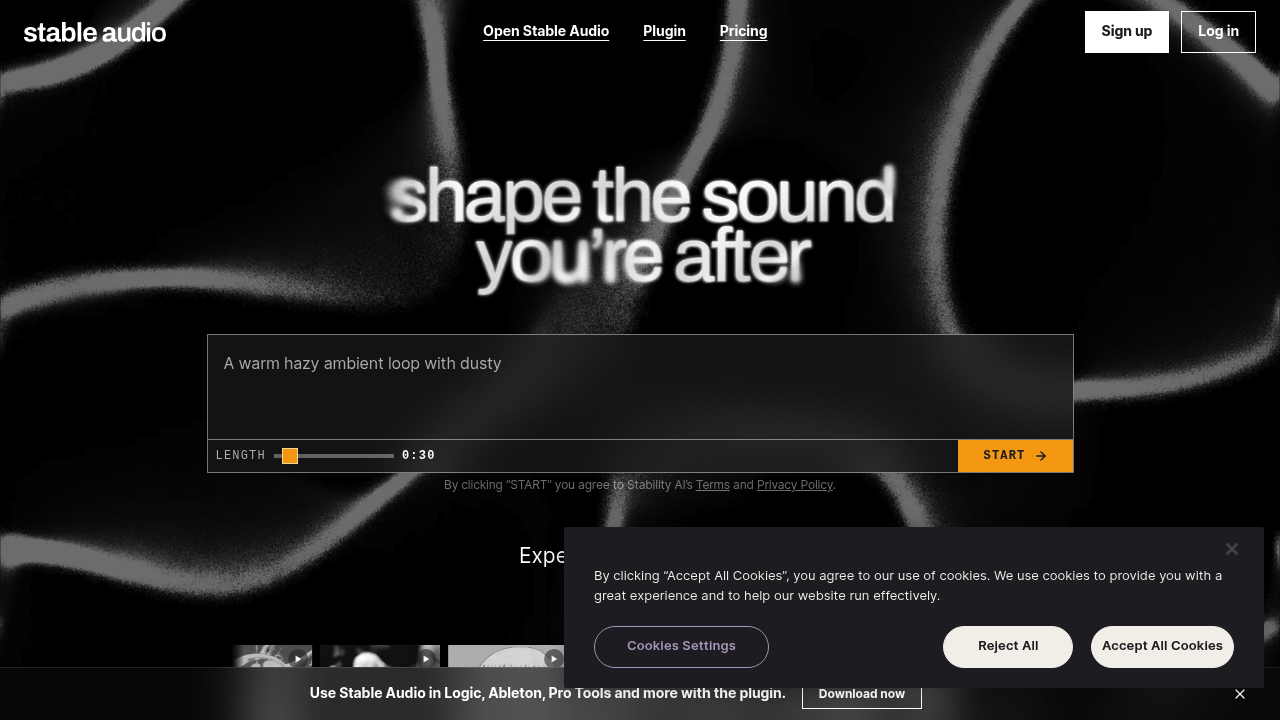
Stable Audio screenshot

Stable Audio is a text-to-music generator from Stability AI. You describe a track in plain language, pick a length, and choose whether it should be instrumental or include vocals. Prompts can name genres such as synthwave, trap, lo-fi hip hop or big band jazz, list instruments like analog synthesizer or trumpet, set a mood, and even specify a tempo in BPM. A library of example tracks with their prompts shows how detailed descriptions translate into finished audio, and a plugin brings generation into music software.

Producers and beatmakers can use it to sketch ideas quickly, trying several genre and instrument combinations before committing to a direction. Video editors, streamers and podcasters can create background music that fits a specific mood and runtime instead of searching stock libraries. Game developers and indie filmmakers working without a composer can draft placeholder or final cues. Songwriters who think in terms of style references will find the prompt format familiar, since it accepts descriptive phrases and tempo values. No instrument skills or notation knowledge are needed to get started.

Typical workflows include generating a 30-second loop for a social media clip, drafting a lo-fi backing track for a study stream, or building a darkwave or synthwave bed for a game trailer. A producer might start from one of the example prompts, adjust the instruments and BPM, and regenerate until the arrangement fits the project. Because tracks can be instrumental or vocal, the same workflow covers jingles, intros, ambient beds and full song ideas. The plugin lets users bring generated material straight into their production environment for further editing and layering.


Stable Audio alternatives

See all →

Frequently asked

6 questions
How do I describe the music I want?
Type a text prompt that names the genre, instruments, mood and tempo, such as a synthwave track at 126 BPM with analog synths. You can also start from one of the example prompts and edit it.
Who is Stable Audio best suited to?
It suits producers, video creators, streamers and game developers who need original tracks without composing them manually. Beginners can describe a feel in words, while experienced musicians can use genre and instrument terms for tighter control.
Can I use it to make background music for a video?
Track length and an instrumental option are both selectable, which fits background beds for clips, streams and trailers. Describing the mood and tempo in the prompt helps match the edit.
Can it generate tracks with vocals?
A vocal type setting lets you choose between instrumental output and tracks with vocals. Prompts can also describe vocal style, for example monotone spoken delivery or ethereal harmonies.
What is the main limitation to expect?
Output depends heavily on how specific the prompt is, so vague descriptions give generic results. Length is chosen before generating, with 30 seconds shown as the starting value, so longer pieces may need several generations.
How do I get started or use it in my music software?
Sign up or log in, enter a prompt and press start. A plugin is also offered so generation can be used from inside music production software.

Reviews (0)

Write review

No reviews yet. Be the first to share your experience.