SQLFlash appears to be discontinued. Its website has been unreachable across our last three checks. See similar tools below for alternatives.
SQLFlash logo
SQL Query Builder FREEMIUM from $19/mo

SQLFlash

Your dev team wastes hours debugging slow queries when they should be shipping features

SQLFlash attacks performance bottlenecks in SQL-heavy applications head-on. It rewrites queries automatically—suggests indexes too—without needing a DBA on staff. SQLFlash works across more than 10 database engines.…

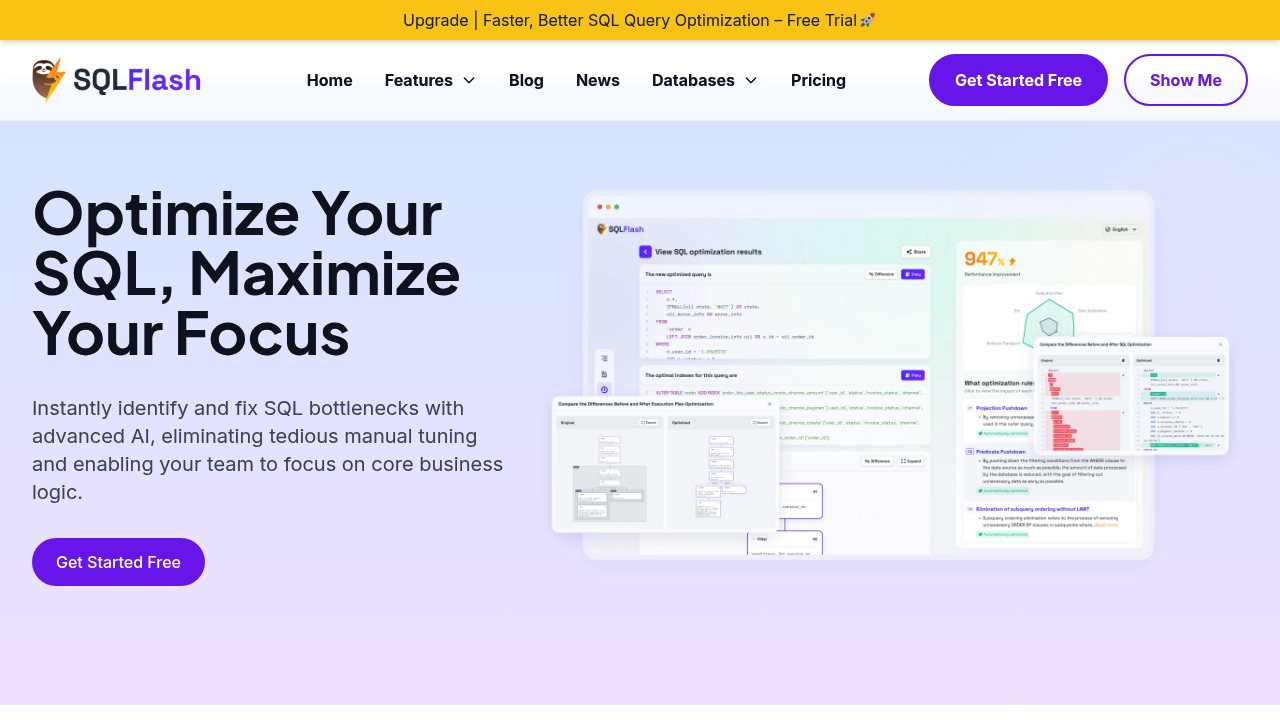
SQLFlash screenshot

Your dev team wastes hours debugging slow queries when they should be shipping features. SQLFlash attacks performance bottlenecks in SQL-heavy applications head-on. It rewrites queries automatically—suggests indexes too—without needing a DBA on staff.

SQLFlash works across more than 10 database engines. Zero configuration required. Paste in a problematic query. Its AI engine analyzes what you've given it, then produces an optimized version. You'll see a diff viewer showing exactly what changed (and why those changes matter). These explanations aren't optional—blind trust in AI rewrites feels risky when production data's at stake.

One backend engineer working on an e-commerce platform watched page loads speed up by 5x after running queries through SQLFlash. That's the kind of result stakeholders love. SQLFlash also handles MyBatis XML files directly, rewriting them without manual intervention. Real-time performance scoring shows how much improvement you're getting before you deploy anything.

There's a cost-benefit analysis matrix included. Smart move. An optimization journal logs every step the AI takes—helpful when you need to justify changes during code review or explain why a query suddenly performs better.

Main limitation? You still need to identify which queries are problematic first. SQLFlash won't monitor your production database and flag issues automatically. But once you know where the pain points are, it handles tedious rewriting work that would otherwise eat up your afternoon.

Frequently asked

7 questions
Does SQLFlash work with MySQL and PostgreSQL?
Yep, it supports 10+ database engines including MySQL and PostgreSQL. Zero configuration needed—just paste your query and it'll optimize for whatever database you're using. The AI engine automatically detects your DB type and applies the right optimization strategies.
How much does SQLFlash cost?
It's free. You get access to all the optimization features, AI query rewriting, index recommendations, and the diff viewer without paying anything. No trial period limitations or credit card required.
Can SQLFlash automatically monitor my database for slow queries?
No, you'll need to identify problematic queries yourself first. SQLFlash focuses on rewriting and optimizing the SQL you give it, not monitoring production databases. Once you know which queries are slow, it handles the tedious optimization work.
How do I know the AI changes are safe to deploy?
Every optimization comes with transparent explanations showing exactly what changed and why. You'll see a dual-pane diff viewer comparing old and new queries, plus an optimization journal logging each step. There's also real-time performance scoring so you can evaluate improvements before deploying.
Does SQLFlash work with MyBatis?
Yes, it can automatically rewrite MyBatis XML files. Instead of manually updating your mapper files, SQLFlash handles the optimization directly in your XML configuration. Saves a ton of time if you're working with legacy MyBatis code.
Can non-DBA developers use SQLFlash?
Absolutely. That's the whole point—you don't need database expertise to use it. Paste in a slow query and the AI handles bottleneck detection, rewriting, and index recommendations. The explanations help you learn what's being optimized even if you're not a SQL expert.
How much faster will my queries run with SQLFlash?
It depends on your specific bottlenecks, but one e-commerce team saw 5x faster page loads after optimization. Results vary based on how inefficient your original queries are. The cost-benefit analysis matrix shows expected improvements before you commit to changes.

Traffic

Estimated monthly website visits · last 0 months

Not enough historical data for a chart yet.

Reviews (0)

Write review

No reviews yet. Be the first to share your experience.