SoraWatermark-Remover appears to be discontinued. Its website has been unreachable across our last three checks. See similar tools below for alternatives.
SoraWatermark-Remover logo
AI Watermark Remover FREEMIUM from $4/mo

SoraWatermark-Remover

You get a clean MP4 file without that Sora watermark

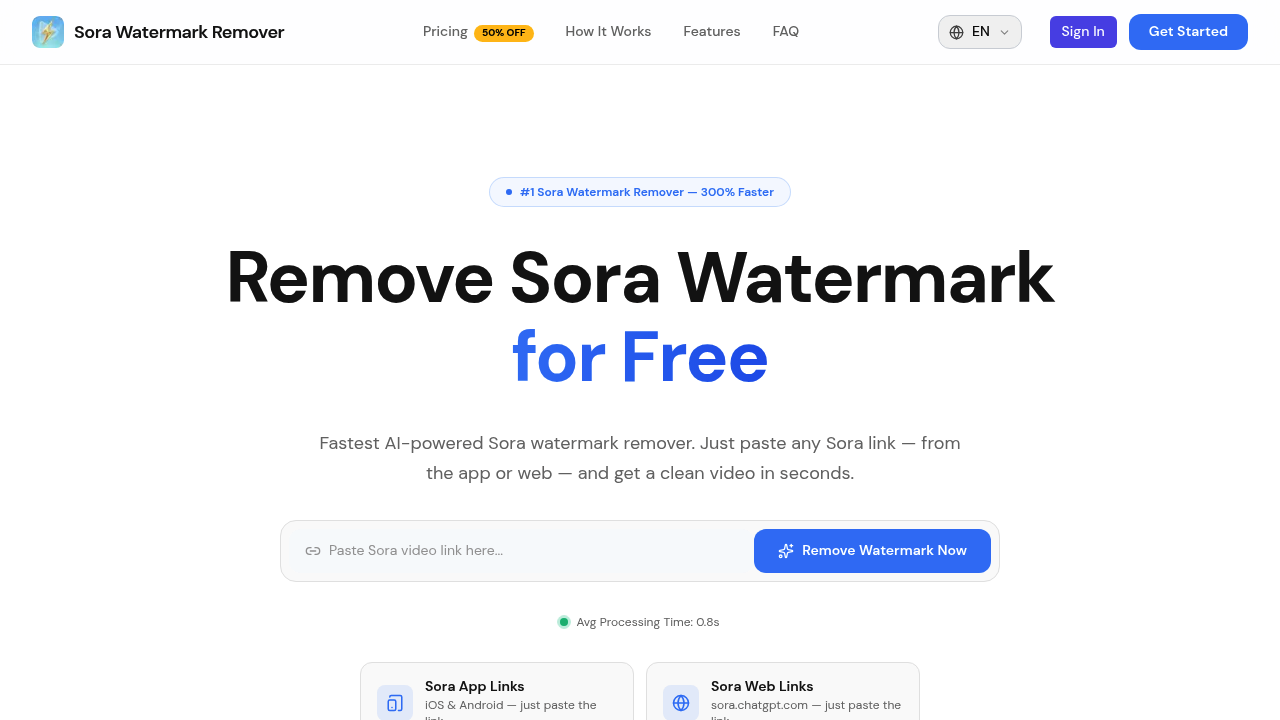
Paste a link—then download. SoraWatermark-Remover promises pixel-level restoration. No blur. No quality loss. It works with links from three sources: the Sora iOS app, Sora Android app, and the sora.chatgpt.com web…

SoraWatermark-Remover screenshot

You get a clean MP4 file without that Sora watermark. Paste a link—then download. SoraWatermark-Remover promises pixel-level restoration. No blur. No quality loss.

It works with links from three sources: the Sora iOS app, Sora Android app, and the sora.chatgpt.com web interface. You're not uploading video files to their servers. Copy a link from wherever you generated your Sora video. SoraWatermark-Remover processes it on their end.

Downloads happen immediately after processing finishes. Those download links don't stick around, though. Grab your file right away—or you'll need to reprocess.

Processing happens fast. They claim under one second average (beats alternatives by 300%, they say). Content creators pumping out multiple Sora videos daily will appreciate that speed difference.

The free plan gives you three watermark removals with standard processing. Paid plans start at $3.99 monthly for 50 removals. Or jump to $28 monthly for unlimited processing with priority speed. Yearly plans cut costs by half.

There's a hard 60-second limit on video length. Anything longer won't process.

The privacy angle matters here—your videos don't get stored after you download them. Over 15,000 monthly users apparently trust this approach.

Batch processing and API access are listed as "coming soon" features. They aren't live yet.

If you're cranking out Sora content regularly and need those watermarks gone without manual editing? SoraWatermark-Remover handles it faster than frame-by-frame removal in video software.

Frequently asked

7 questions
How long does it take to remove a Sora watermark?
Most videos process in under a second—average is about 0.91 seconds. That's way faster than manually editing each frame in video software. Just paste your link, wait a moment, and download your clean MP4.
Do I need to upload my Sora video anywhere?
Nope, you just paste the link from Sora. Works with links from the iOS app, Android app, or sora.chatgpt.com. The tool grabs and processes the video on their end without you uploading files.
How many free watermark removals do I get?
You get 3 free removals when you sign up—no credit card needed. After that, paid plans start at $3.99/month for 50 removals, or you can grab credit packs if you don't want a subscription.
What's the maximum video length I can process?
Videos have to be 60 seconds or shorter. Anything longer won't work. If you're making longer Sora content, you'll need to split it up or find another solution.
Can I download my video later after processing?
No, you need to download it right away. The download links don't stick around, and they don't store your videos after processing. It's actually a privacy feature—but it means you can't come back later for the file.
Is SoraWatermark-Remover worth it for content creators?
If you're making multiple Sora videos regularly, yeah. At less than 8 cents per video on paid plans and processing under a second, it beats spending time manually editing watermarks. The free trial lets you test it with 3 videos before committing.
Does removing the watermark affect video quality?
They claim pixel-level restoration with no blur or quality loss. You're getting the same resolution and clarity as the original Sora output, just without the watermark stamped on it.

Traffic

Estimated monthly website visits · last 0 months

Not enough historical data for a chart yet.

Reviews (0)

Write review

No reviews yet. Be the first to share your experience.