
SEOify logo
AI SEO Tools PAID from $350/mo

SEOify

Need SEO results fast

? SEOify handles optimization automatically while you focus on other priorities. It analyzes real-time search data to boost your Google rankings. No manual keyword research required. No technical tweaks either.…

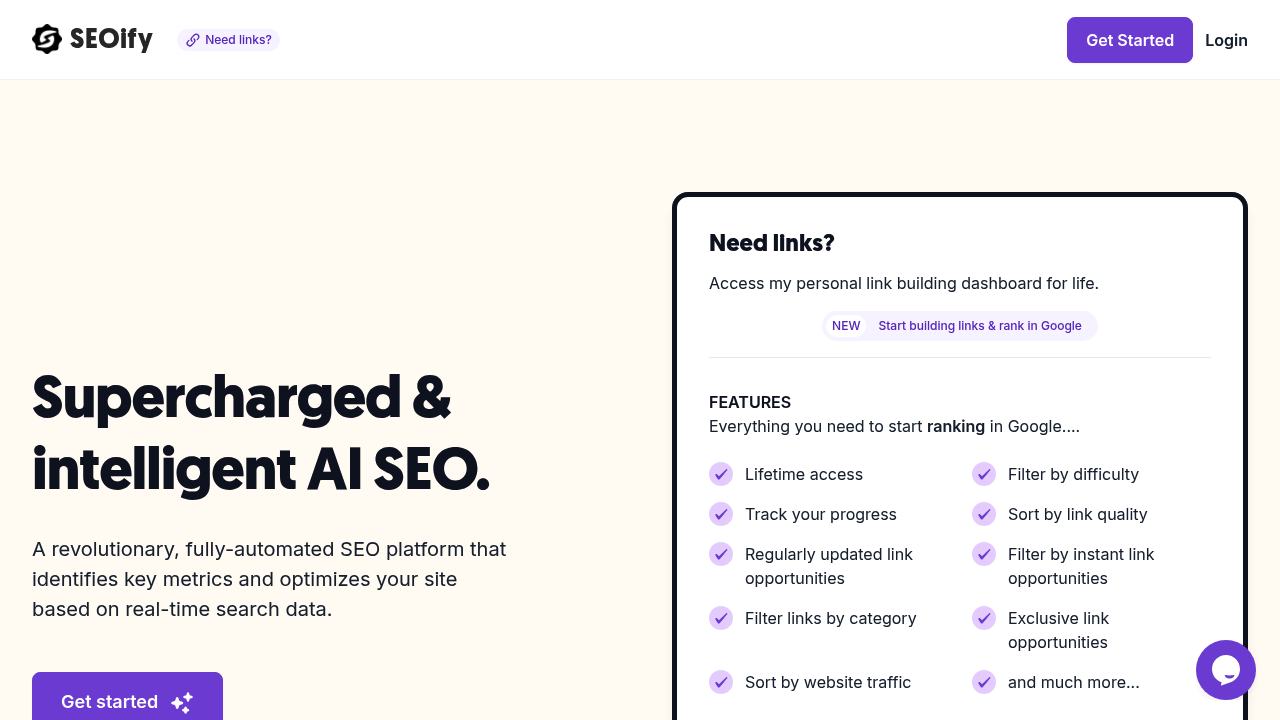
SEOify screenshot

Need SEO results fast? SEOify handles optimization automatically while you focus on other priorities. It analyzes real-time search data to boost your Google rankings. No manual keyword research required. No technical tweaks either.

WordPress and Webflow sites only right now. That's limiting if you're running Shopify or custom builds. SEOify identifies competitor keywords you're missing. Creates internal links between your pages using AI logic.

Link building gets simplified through a dashboard showing 436 opportunities. Filter by difficulty. Traffic metrics too. Sort by instant wins. SEOify learns your site's patterns over time and gets smarter about what actually moves your rankings.

Picture this — you're a marketing manager at a SaaS company with a WordPress blog that's been stagnant for months. SEOify scans your site. Finds competitors ranking for "workflow automation software" while you're not. Then optimizes your meta descriptions and builds internal links to target that keyword automatically.

Real-time optimizations happen based on industry standards. SEOify refines meta information continuously to chase rankable keywords. Beta access is free but limited to a small group of testers. Once you're in, it becomes more intelligent the longer it runs on your site. WordPress and Webflow users looking for hands-off SEO will find this approach refreshing compared to manual optimization tools that require constant attention.


SEOify alternatives

See all →

Frequently asked

7 questions
How does SEOify find competitor keywords I'm missing?
SEOify scans your competitors' sites and checks their ranking keywords against yours. It spots gaps where they're ranking for relevant terms but you aren't -- then flags those opportunities. The tool automatically optimizes your content to target those missing keywords (no manual research needed).
Can I use SEOify on Shopify or custom-built websites?
Nope, SEOify only works with WordPress and Webflow sites right now. If you're running Shopify or a custom site, you'll have to wait. This is honestly one of the tool's biggest limitations.
What are the 436 link building opportunities SEOify shows?
These are potential backlink targets SEOify identifies for your site. You can filter them by difficulty level and traffic metrics -- focusing on the easiest wins first. The dashboard shows exactly which sites to target instead of you having to guess.
How does SEOify get smarter over time on my site?
The AI learns your site's content patterns and user behavior. It tracks what optimization changes actually improve your rankings. The longer it runs, the better it gets at predicting which tweaks will work -- and it stops making changes that don't help.
Is SEOify's beta access actually free or just a trial?
Beta access is completely free but only available to a limited group of testers. Once you're accepted, there's no time limit or trial period. Getting into the beta is competitive though -- they're keeping the testing group small.
How often does SEOify make real-time optimizations to my content?
SEOify continuously monitors search data and makes adjustments to your meta descriptions, internal links, and content optimization. It doesn't batch changes weekly like some tools do. When it spots ranking opportunities or algorithm shifts -- it responds immediately.
What happens if SEOify's automatic changes hurt my rankings?
The tool learns from negative results and stops making similar changes. It tracks which optimizations actually improve rankings and builds a knowledge base of what works for your specific site. You'll want to monitor your analytics closely during the early weeks though (while the AI learns your patterns).

Traffic

Estimated monthly website visits · last 0 months

421 visits/mo
Monthly visits
421

Not enough historical data for a chart yet.

Reviews (0)

Write review

No reviews yet. Be the first to share your experience.