QuickSEO logo
AI SEO Tools FREEMIUM from $39/mo

QuickSEO

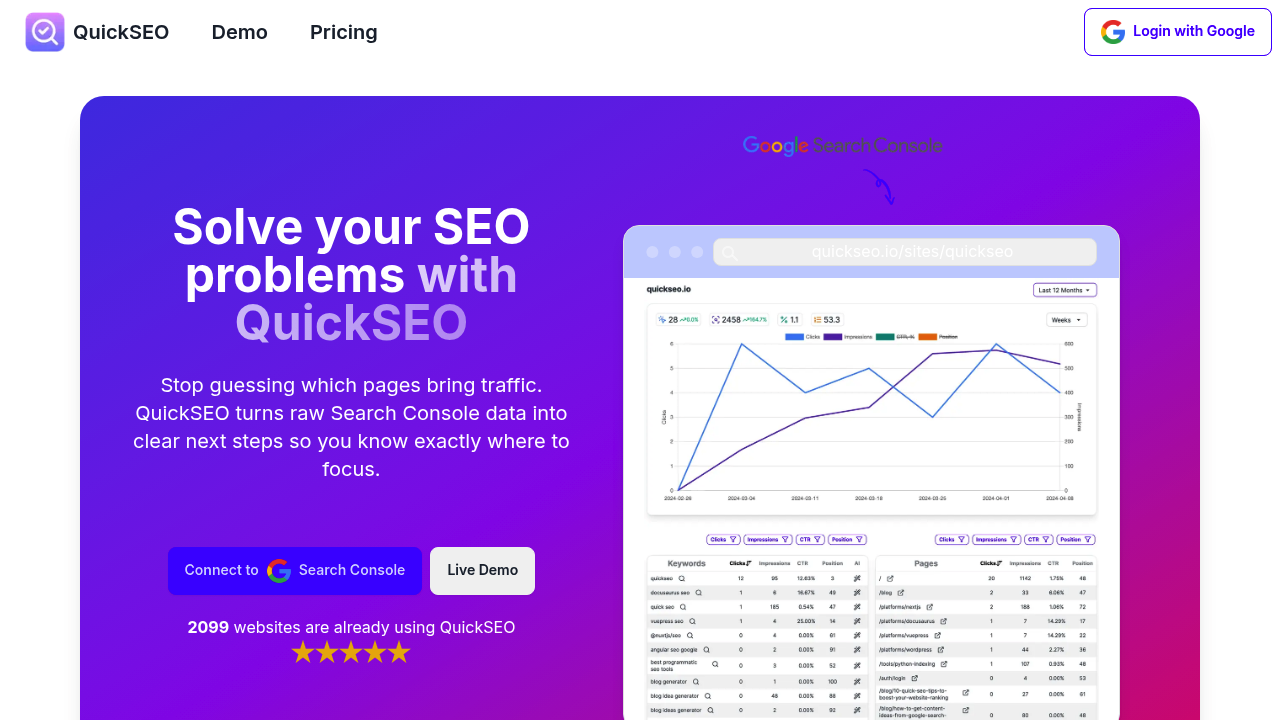
Search Console data lives in one view with QuickSEO

No more clicking through endless tabs. Raw analytics become actionable SEO tasks across multiple sites. Group pages by type. See traffic sources instantly. QuickSEO finds high-impression queries and spots pages stuck on…

QuickSEO screenshot

Search Console data lives in one view with QuickSEO. No more clicking through endless tabs. Raw analytics become actionable SEO tasks across multiple sites.

Group pages by type. See traffic sources instantly. QuickSEO finds high-impression queries and spots pages stuck on page two — where small changes create big ranking jumps. AI generates content suggestions. Paragraphs and related keywords for your best-performing terms.

Everything displays side-by-side. Keywords next to their ranking pages so you can act faster.

You're an agency SEO manager handling ten client sites. QuickSEO lets you spot a client's product pages getting decent impressions but terrible click-through rates. It surfaces the exact queries causing problems and generates optimized headings to test. You won't waste time manually filtering through Search Console for each site.

QuickSEO works for startups through enterprise companies. Basic costs $10 monthly for one site. Professional handles ten sites at $17. Enterprise supports fifty sites for $39 monthly. All plans include unlimited AI content generation and advanced filtering options.

Site limits constrain each plan. But 2099 websites already use QuickSEO. It integrates directly with Google Search Console to pull your existing data. Smart filtering helps you focus on pages and keywords that matter most for ranking improvements.


QuickSEO alternatives

See all →

Frequently asked

7 questions
How does QuickSEO connect to my Google Search Console data?
QuickSEO hooks up directly with Google Search Console -- no exports or manual uploads needed. It'll automatically grab your search performance data once you connect. Then it organizes everything into insights you can actually use across all your sites.
Can I manage multiple client websites with one QuickSEO account?
Yep! The Professional plan handles ten sites for $17/month. Enterprise covers up to fifty sites for $39. Both include unlimited AI content generation for all your clients. Basic's just $10/month but only covers one site.
What happens when QuickSEO finds pages stuck on page two of search results?
It'll show you exactly which high-impression queries those pages rank for. Then the AI generates content suggestions -- optimized headings, related keywords, stuff you can test right away. These page-two opportunities are goldmines since small tweaks often create big ranking jumps.
How does the side-by-side display actually help with SEO work?
No more tab-hopping between Search Console screens. You see keywords right next to their ranking pages in one view. Spot problems instantly -- like pages with good impressions but terrible click-through rates. Take action without switching between different screens.
Does QuickSEO work for small businesses or just agencies?
It works for everyone -- startups to enterprise companies. Over 2,099 websites already use it. The $10 Basic plan's perfect for single-site owners, while higher tiers serve agencies managing multiple properties.
What kind of AI content suggestions does QuickSEO actually generate?
The AI creates specific stuff you can use immediately -- optimized paragraphs and related keywords based on your top-performing search terms. No generic advice here. All plans include unlimited AI content generation, so create as many suggestions as you want.
How does QuickSEO's filtering help me focus on what matters most?
Smart filtering lets you group pages by type and see traffic sources instantly (no manual sorting). Filter out low-impact keywords -- focus on high-impression queries that actually drive results. Way faster than manually digging through raw Search Console data for each site.

Traffic

Estimated monthly website visits · last 0 months

Not enough historical data for a chart yet.

Reviews (0)

Write review

No reviews yet. Be the first to share your experience.