
Pixlio AI logo
AI Photo Editor PAID from $14/mo

Pixlio AI

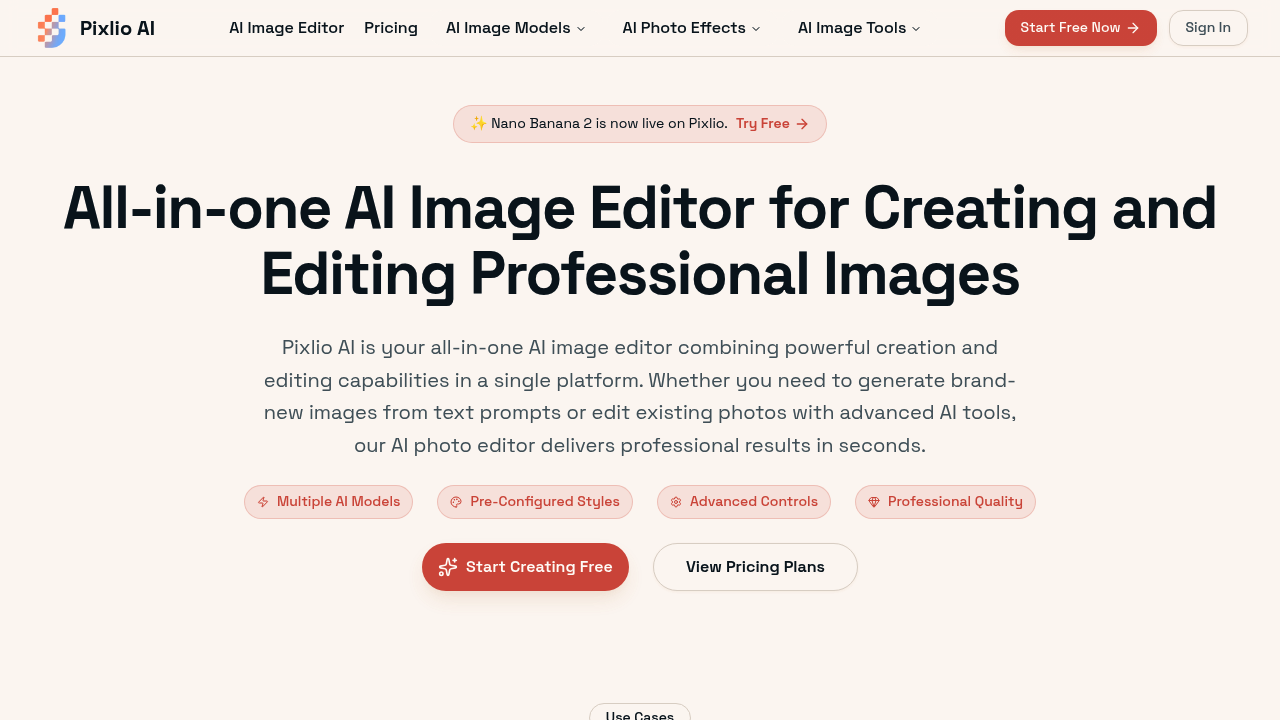
Pixlio AI combines text-to-image generation with traditional photo editing tools in a single web interface

The system routes tasks through different AI models depending on the operation. For generation from text prompts, it uses Flux, Qwen Image, and Seedream v4 as the primary engines. For editing operations like object…

Pixlio AI screenshot

Pixlio AI combines text-to-image generation with traditional photo editing tools in a single web interface. The system routes tasks through different AI models depending on the operation. For generation from text prompts, it uses Flux, Qwen Image, and Seedream v4 as the primary engines. For editing operations like object removal or background replacement, it switches to specialized models including Nano Banana 2, Nano Banana Pro, and Seedream 4.5.

The generation pipeline starts with text input. Users describe what they want, and the system processes this through whichever model they've selected. Flux handles detailed photorealistic outputs, while Seedream v4 focuses on artistic styles and presets. The system doesn't blend models. Each request goes to one engine.

For editing workflows, the service operates differently. Background removal uses pixel-level segmentation to identify foreground subjects and isolate them. This creates transparent PNGs without manual masking. The object removal tool fills in missing areas using context-aware generation, sampling surrounding pixels to predict what should appear in the deleted region. Text removal follows the same pattern, identifying text regions and regenerating the underlying image data.

Lighting adjustments work through parameter controls rather than full regeneration. The system analyzes exposure values and applies corrections without reprocessing the entire image through a generative model. Filters and style transfers do use AI models to reinterpret the image, transforming it according to preset aesthetic parameters.

The image-to-prompt tool reverses the generation process. It analyzes an uploaded image and outputs a text description that could theoretically recreate similar visuals. This runs through a vision model trained to describe visual elements, composition, lighting, and style. The image describer performs a similar function but focuses on literal content rather than generative prompts.

Product photography generation creates marketing images by combining uploaded product shots with AI-generated backgrounds and contexts. The system composites the product into lifestyle scenes or clean studio setups. This requires the background removal pipeline first, then context generation around the isolated subject.

All plans operate on credits rather than unlimited usage. The Basic tier provides 750 credits monthly with six-month storage retention. Pro increases this to 2,000 credits with one-year storage and grants access to pro-tier models in certain tools. Max allocates 5,500 credits monthly with the same storage duration. Annual billing reduces goes for by up to 30 percent compared to monthly subscriptions. Monthly pricing starts at fifteen dollars for Basic, climbing to twenty-nine ninety for Pro and fifty-nine ninety for Max. Annual rates drop to thirteen fifty, twenty-three ninety, and forty-one ninety respectively. All tiers include commercial usage rights and a 15 percent discount on additional credit packs.

Technical limitations center on the credit system. Credits expire according to plan terms, creating use-it-or-lose-it pressure. Storage windows mean older projects disappear after six months on Basic or one year on higher tiers. Pro-tier models aren't universally available across all tools, even for paying subscribers. The service restricts which models work with which features, so you can't always access Nano Banana Pro or premium Seedream variants for every operation.

The service doesn't offer integrations with external tools or APIs. Everything happens within the web interface. There's no team collaboration features, no mobile app, and no browser extension. It's a standalone editor without extensibility options.


Pixlio AI alternatives

See all →

Frequently asked

6 questions
Does Pixlio AI have a free plan or free trial?
Pixlio AI doesn't offer a free plan or free trial period. The entry point is the Basic plan at thirteen fifty per month with annual billing or fifteen dollars monthly. All tiers operate on a credit system where you pay upfront for monthly allocations. If you're testing the platform, the Basic plan provides 750 credits to work with, but there's no way to evaluate the service without paying.
How many images can you generate with Pixlio AI credits?
Credit costs vary depending on which AI model and features you use. Higher-quality models like Flux and pro-tier engines consume more credits per generation than basic models. Editing operations like background removal or object deletion also have different credit costs compared to text-to-image generation. The Basic plan's 750 monthly credits might produce anywhere from dozens to a few hundred outputs depending on your workflow. Pro and Max plans scale to 2,000 and 5,500 credits respectively, but the exact image count depends entirely on which tools and models you're running.
What AI models does Pixlio AI use for image generation?
Pixlio AI routes generation tasks through Flux, Qwen Image, and Seedream v4 as primary engines. For editing operations, it switches to Nano Banana 2, Nano Banana Pro, and Seedream 4.5 models. Each request goes to a single model rather than blending multiple engines. Pro and Max subscribers get access to pro-tier models in select tools, but these premium engines aren't available across all features even on paid plans.
Can you use Pixlio AI for commercial projects and product photography?
All Pixlio AI plans include commercial usage rights for generated and edited images. The platform specifically targets e-commerce businesses with product photography generation that composites uploaded products into lifestyle scenes or studio backgrounds. The workflow requires running background removal first to isolate the product, then generating context around it. Marketing graphics creation is another supported use case, letting you produce promotional visuals from text descriptions or edit existing assets.
How long does Pixlio AI store your images?
Storage duration depends on your subscription tier and operates as a rolling window. Basic plan subscribers get six-month retention, meaning projects older than that disappear from the platform. Pro and Max plans extend this to one year of storage. There's no permanent archive option, so you'll need to download and back up anything you want to keep long-term. Credits also expire based on plan terms, creating a use-it-or-lose-it system for both generation capacity and storage.
Does Pixlio AI have API access or integrations?
Pixlio AI doesn't provide API access or integrate with external tools. Everything happens within the web interface without extensibility options. There's no mobile app, browser extension, or team collaboration features. The platform operates as a standalone editor where you upload images, run them through AI models, and download results. If you need to incorporate AI image generation into automated workflows or connect it to other software, this service won't support that architecture.

Traffic

Estimated monthly website visits · last 9 months

120.2K visits/mo
Monthly visits
120.2K
↑ 95.8% MoM
Global rank
#622,677
US #528,364
Category rank
#20
AI Photo Editor
120.2K 90.2K 60.1K 30.1K 0 Dec 2025: 0 visits Dec 2025 Jan 2026: 3.3K visits Jan 2026 Feb 2026: 15.1K visits Feb 2026 Mar 2026: 37.5K visits Mar 2026 Apr 2026: 49.2K visits Apr 2026 May 2026: 50.2K visits May 2026 Jun 2026: 54.7K visits Jun 2026 Jul 2026: 61.4K visits Jul 2026 Aug 2026: 120.2K visits Aug 2026

Reviews (0)

Write review

No reviews yet. Be the first to share your experience.