Pi - Presentation Intelligence logo
AI Presentation Generator FREEMIUM from $10/mo

Pi - Presentation Intelligence

Pi creates presentations by pulling together your scattered materials — notes, PDFs, web links, videos, data files — and turning them into formatted decks within seconds

You throw content at it and get back something structured with visuals. This system calls itself Presentation Intelligence but wants to move past traditional slide decks entirely. The Smart Fluid Content Framework…

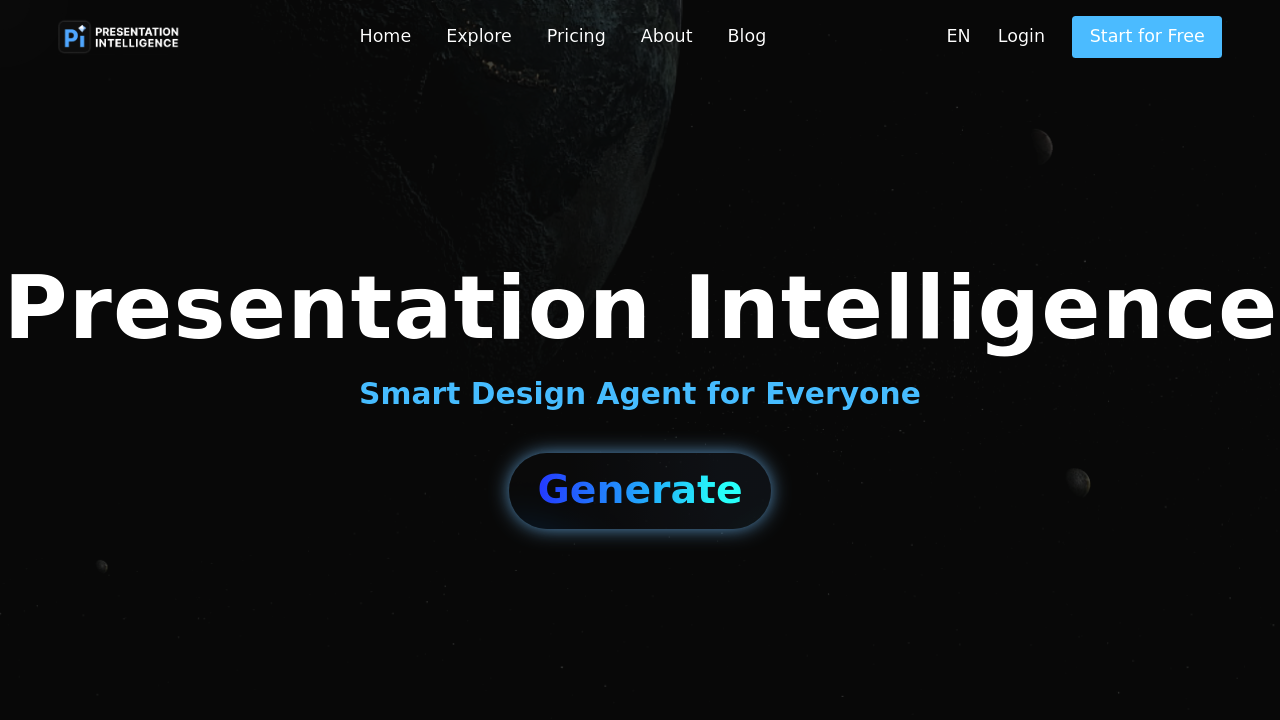
Pi - Presentation Intelligence screenshot

Pi creates presentations by pulling together your scattered materials — notes, PDFs, web links, videos, data files — and turning them into formatted decks within seconds. You throw content at it and get back something structured with visuals. This system calls itself Presentation Intelligence but wants to move past traditional slide decks entirely.

The Smart Fluid Content Framework adapts your presentation dynamically. Same content reshapes itself for different lengths, screen sizes, or output formats without manual reformatting. you are not locked into one static version. The system also includes a Brand Agent that learns your visual identity and tone, then applies them consistently across everything you create. Style Themes use color science to generate different aesthetic approaches while keeping things cohesive.

Does it actually deliver? The multi-modal experience promises music, video, animation, and digital human integration alongside standard slides. that is ambitious. The Knowledge Space feature lets you upload or link data sources so the AI personalizes output based on your materials. Collaboration happens across multiple layers — with AI agents, teammates, and external contributors. API support means you can pipe it into existing workflows without redeploying systems.

What's unclear is execution quality. How good are the auto-generated visuals? Many AI design tools produce mediocre results that need heavy editing. Pi doesn't specify output fidelity or how much manual tweaking typical users need. The "crystal-clear structure" claim is vague. Complex technical presentations might not translate well through automated formatting.

The sharing functionality works across platforms, but there's no detail about export formats or compatibility. Can you easily move content to PowerPoint or Google Slides if needed? That matters for teams working across different tools. No mention of offline access or mobile capabilities either.

The target is everyone, which usually means this software works best for a narrower group than advertised. Likely strongest for business professionals creating standard pitch decks or reports rather than specialized academic or technical presentations. The Brand Agent feature suggests marketing teams would benefit most.

Speed is the clear advantage here — traditional presentation building eats hours. If Pi actually produces usable output in seconds from messy source materials, that's valuable. Just expect to edit. The knowledge integration could work well for people who present frequently on similar topics — build a knowledge base once, then generate variations quickly.

Worth testing if you create lots of presentations and hate the process. The fluid content concept is particularly interesting for people presenting to different audiences.


Pi - Presentation Intelligence alternatives

See all →

Frequently asked

6 questions
Is Pi free or do you have to pay for it?
Pi operates on a freemium model, though the exact breakdown between free and paid features isn't publicly detailed. You can access the core presentation creation functionality, but premium capabilities like advanced Brand Agent features or expanded API access likely sit behind a paywall. The company hasn't published a clear pricing page yet, which is common for newer AI tools still figuring out their monetization strategy. If you're just testing it out, start with whatever the free tier offers and see if it handles your use cases before committing money.
Can Pi actually create good-looking presentations or do they need heavy editing?
That's the real test with any AI design tool, and Pi doesn't provide examples showing output quality. The Smart Design Engine claims to deliver context-perfect visuals, but most automated design systems produce acceptable-but-generic results that need refinement. The Style Themes feature based on color science sounds promising for visual consistency, though it probably won't match a skilled designer's work. You'll likely get usable drafts quickly but should plan on tweaking layouts, adjusting visuals, and refining text rather than expecting publish-ready decks straight out of the system.
What file formats can Pi pull content from?
Pi integrates with notes, PDFs, web pages, images, videos, and various data sources. That's broader than most presentation tools, which typically handle only text and images well. The multi-modal approach means you can theoretically dump research PDFs, reference websites, video clips, and spreadsheet data into the system and have it synthesize everything into slides. What's missing is detail about format limitations — does it handle obscure file types or just common ones like JPEG, MP4, and standard PDFs?
Does Pi work well for technical presentations or just business decks?
Pi markets itself to everyone, but the features lean heavily toward business use cases — brand consistency, quick deck generation, collaboration tools. Technical presentations with complex diagrams, specialized notation, or detailed data visualizations might not translate well through automated formatting. The Knowledge Space could help if you're repeatedly presenting technical topics, since you can build a reference library. Academic researchers or engineers presenting specialized content should test carefully before relying on it for important presentations where precision matters more than speed.
Can you export Pi presentations to PowerPoint or Google Slides?
The documentation mentions sharing across platforms and creating presentations in any format, but doesn't specify standard export options. That's a significant gap because most teams eventually need compatibility with PowerPoint, Google Slides, or PDF. The Smart Fluid Content Framework that adapts presentations to different formats suggests export flexibility exists, but without confirmed compatibility you might get locked into Pi's ecosystem. Before investing time building content in Pi, verify it exports cleanly to whatever tools your colleagues or clients actually use.
How does Pi's Brand Agent actually work?
The Brand Agent learns your visual identity and tone, then applies them consistently across presentations you create. You presumably feed it brand guidelines, logos, color palettes, and sample content so it understands your style. Once trained, it maintains consistency automatically rather than you manually enforcing brand standards on every deck. This feature makes most sense for marketing teams or consultants who create frequent presentations and need brand uniformity without constant oversight. How well it captures subtle brand nuances versus just applying surface-level colors and fonts remains unclear without testing it yourself.

Traffic

Estimated monthly website visits · last 9 months

124K visits/mo
Monthly visits
124K
↓ 57.8% MoM
Global rank
#143,088
IN #25,092
Category rank
#40
AI Presentation Generator
963K 753.3K 543.5K 333.8K 124K Dec 2025: 963K visits Dec 2025 Jan 2026: 718.4K visits Jan 2026 Feb 2026: 726.3K visits Feb 2026 Mar 2026: 559.3K visits Mar 2026 Apr 2026: 397K visits Apr 2026 May 2026: 505.8K visits May 2026 Jun 2026: 446.5K visits Jun 2026 Jul 2026: 294K visits Jul 2026 Aug 2026: 124K visits Aug 2026

Reviews (0)

Write review

No reviews yet. Be the first to share your experience.