
Photodot AI logo
AI Photo Editor FREEMIUM from $8/mo

Photodot AI

A used car dealer photographs a silver sedan in their lot, but the lighting washes out the paint and a shopping cart sits in the background

They upload the photo to Photodot AI, change the car's color to midnight blue to match buyer interest, remove the cart, and fix the reflections. The edited shot goes live on their listing site within minutes. That's the…

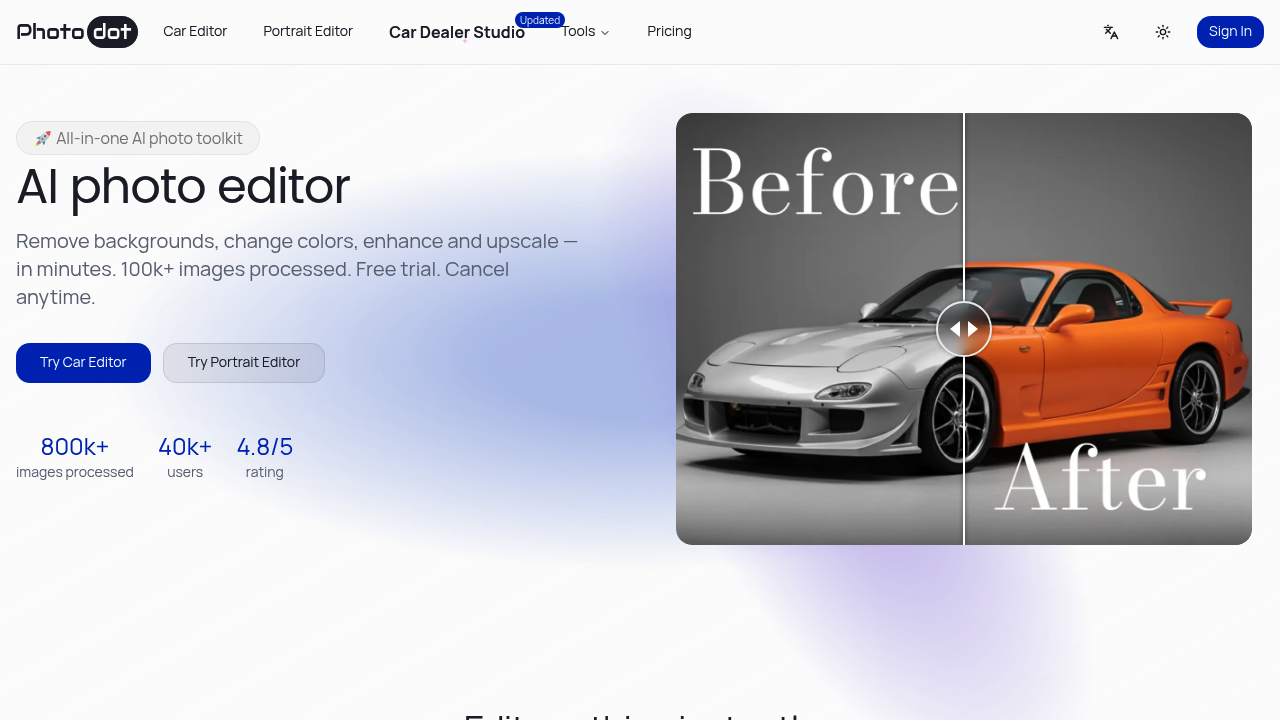
Photodot AI screenshot

A used car dealer photographs a silver sedan in their lot, but the lighting washes out the paint and a shopping cart sits in the background. They upload the photo to Photodot AI, change the car's color to midnight blue to match buyer interest, remove the cart, and fix the reflections. The edited shot goes live on their listing site within minutes. That's the core use case here—quick automotive photo fixes without Photoshop skills.

Photodot AI handles car photos differently than generic editors. A dealer can swap wheel styles, adjust aerodynamic elements, and clean up dealership backgrounds without masking layers or complex selections. This system also processes portrait edits, background removal, image upscaling, and ID photo creation, but the automotive toolkit sets it apart. Over 800,000 images have run through the system across 40+ countries, with edits averaging under 15 seconds.

A freelance photographer shoots headshots for corporate clients. She uses the portrait editor to generate passport-compliant photos with preset dimensions and regulation backgrounds. The AI handles hair edges cleanly when removing backgrounds, exporting transparent PNGs that clients drop into their own designs. She can also upscale images 2× or 4×, sharpen details, and reduce noise without re-shooting. The freckle tools let her add or remove them based on client preference, and the glare remover fixes reflections from glasses.

An ecommerce seller lists vintage clothing but struggles with inconsistent product backgrounds. They feed photos through the background remover, getting clean cutouts that maintain fabric texture and fine details. The object remover clears stray hangers or tags from shots. It works fast. This software processes images while they write product descriptions.

Where it doesn't fit: Photodot AI operates on a credit system where one credit equals one processed image. Free accounts get 2 credits monthly, but exports may carry watermarks or size restrictions. Credits don't roll over between billing cycles, so a dealer editing 50 car photos one month and 10 the next loses unused credits. This service doesn't offer team features, API access, or integrations with dealership management systems or ecommerce platforms. A photography studio sharing work across five editors can't collaborate within this application. There's no mobile app or browser extension—everything happens through the web interface.

The pricing splits into annual plans billed upfront. Basic costs $8.33 monthly (billed as $100 yearly) for 100 credits with no watermarks and priority processing. Pro runs $33.33 monthly (billed as $400 yearly) for 500 credits plus advanced analytics. Credit booster packs add 1,000 credits for $100, but they require an active subscription and only kick in after monthly credits run out. A dealer editing 200 photos monthly needs Pro or a Basic plan plus boosters.

Skip this if you need batch processing through an API, team workflows with role assignments, or direct uploads to listing platforms. This software works for individual dealers, photographers, and sellers who edit photos one at a time and don't mind the annual billing structure. The 4.8 out of 5 rating and 98% customer satisfaction score suggest it delivers on the core promise, but the lack of integrations means manual downloads and uploads to wherever those images live next. The upcoming reference-guided generation feature will anchor edits to a single reference image to keep subject consistency across multiple shots, useful for product lines or vehicle inventory shoots.

Photodot AI alternatives

See all →

Frequently asked

7 questions
Can I edit car photos without Photoshop skills?
A used car dealer photographing inventory can change paint colors, remove objects from backgrounds, fix lighting reflections, and swap wheel styles without learning layer masks or complex selections. The system processes each edit in under 15 seconds on average—they upload a photo with poor lighting and a cluttered lot background, select color changes or object removal, and download the cleaned-up version for their listing site. The automotive toolkit handles dealership-specific needs like aerodynamics editing and background cleaning that generic photo editors don't address directly. Over 800,000 images have run through the platform, mostly for car photography and product listings where speed matters more than advanced retouching.
Does Photodot AI have a free version?
The free plan provides 2 credits monthly, where each credit processes one image through features like background removal, car editing, or portrait tools. A hobbyist selling occasional items online can test the background remover or object eraser on a couple product photos each month, though free exports may include watermarks or size limits that won't work for professional listings. Those 2 credits don't roll over, so unused ones disappear at the billing cycle reset. Paid plans start at $8.33 monthly billed as $100 yearly for 100 watermark-free credits with priority processing, which suits dealers or photographers editing dozens of images regularly.
What happens to unused credits each month?
A car dealer who edits 50 photos in January but only 10 in February loses the 50 unused credits from January when the billing cycle resets. Credits never roll over between months on any plan—Basic gives 100 monthly, Pro gives 500 monthly, and both reset completely regardless of usage. The credit booster packs offer a workaround since those 1,000 credits never expire and only get used after monthly credits run out, but boosters require an active Basic or Pro subscription to purchase. This structure doesn't fit dealerships with seasonal inventory swings where one month needs 200 edits and the next needs 20.
Can I create passport photos and ID photos?
A freelance photographer shooting corporate headshots can generate passport-compliant photos with preset dimensions and regulation backgrounds through the portrait editor, plus the platform includes a dog ID photo maker for pet documentation. The system handles hair edges cleanly when removing backgrounds and creates the exact dimensions different countries require for official documents. She exports transparent PNGs for clients who need professional headshots dropped into their own templates, and the freckle tools let her add or remove them based on what each client wants. The glare remover fixes reflections from eyeglasses that would otherwise make ID photos unusable.
Does Photodot AI integrate with listing sites or dealership software?
This platform doesn't connect to dealership management systems, ecommerce platforms, or listing sites—there's no API access, integrations, or team features. A used car dealer edits photos through the web interface, downloads each finished image manually, then uploads those files to their inventory listing service separately. An ecommerce seller using Shopify or eBay processes product photos one at a time, saves the transparent PNGs or upscaled versions locally, and adds them to product pages through their usual workflow. The lack of batch API processing or direct platform uploads means this software fits solo operators who don't mind the manual download-upload routine but won't scale for teams managing hundreds of listings across multiple channels simultaneously.
Can I upscale low-resolution product photos?
An ecommerce seller with vintage clothing photos shot on an older camera can upscale images 2× or 4×, sharpen details, and reduce noise without re-shooting the items. The upscaler maintains fabric texture and fine details that matter for online listings where buyers zoom in to check condition. They combine upscaling with background removal to get clean, high-resolution product shots from mediocre source files—one credit processes the upscale, another handles the background cutout if they run both tools. This works for improving existing inventory photos, but the credit system means upscaling 100 product images costs 100 credits, burning through the entire Basic monthly allowance on resolution fixes alone.
How much does it cost to edit 200 car photos monthly?
A dealership editing 200 vehicle photos monthly needs the Pro plan at $33.33 per month billed as $400 yearly for 500 credits, or the Basic plan at $8.33 monthly billed as $100 yearly for 100 credits plus a $100 credit booster pack for 1,000 extra credits. The booster credits never expire and only get used after the 100 monthly Basic credits run out, so they'd have 100 fresh credits each month plus the booster reserve for heavier months. Pro makes more sense if they consistently edit over 100 photos monthly since it includes advanced analytics and priority support, while Basic plus boosters fits dealerships with inconsistent volume who want a lower base cost. Both plans remove watermarks and size limits that appear on free exports.

Traffic

Estimated monthly website visits · last 8 months

7.6K visits/mo
Monthly visits
7.6K
↓ 38.1% MoM
Global rank
#2,847,506
RU #388,713
Category rank
#41
AI Photo Editor
59.1K 46.2K 33.4K 20.5K 7.6K Dec 2025: 59.1K visits Dec 2025 Jan 2026: 24.9K visits Jan 2026 Feb 2026: 10.9K visits Feb 2026 Mar 2026: 9.5K visits Mar 2026 Apr 2026: 10.2K visits Apr 2026 May 2026: 8.3K visits May 2026 Jun 2026: 12.3K visits Jun 2026 Jul 2026: 7.6K visits Jul 2026

Reviews (0)

Write review

No reviews yet. Be the first to share your experience.