Photo to Video AI.io appears to be discontinued. Its website has been unreachable across our last three checks. See similar tools below for alternatives.
Photo to Video AI.io logo
Image to Video FREEMIUM from $25/mo

Photo to Video AI.io

Upload a photo, describe what you want, and Photo to Video AI

Io generates a video clip complete with motion, dialogue, and sound effects. The service handles everything in one pass (no need to bounce between editing tools or audio software). You get lip-synced speech, ambient…

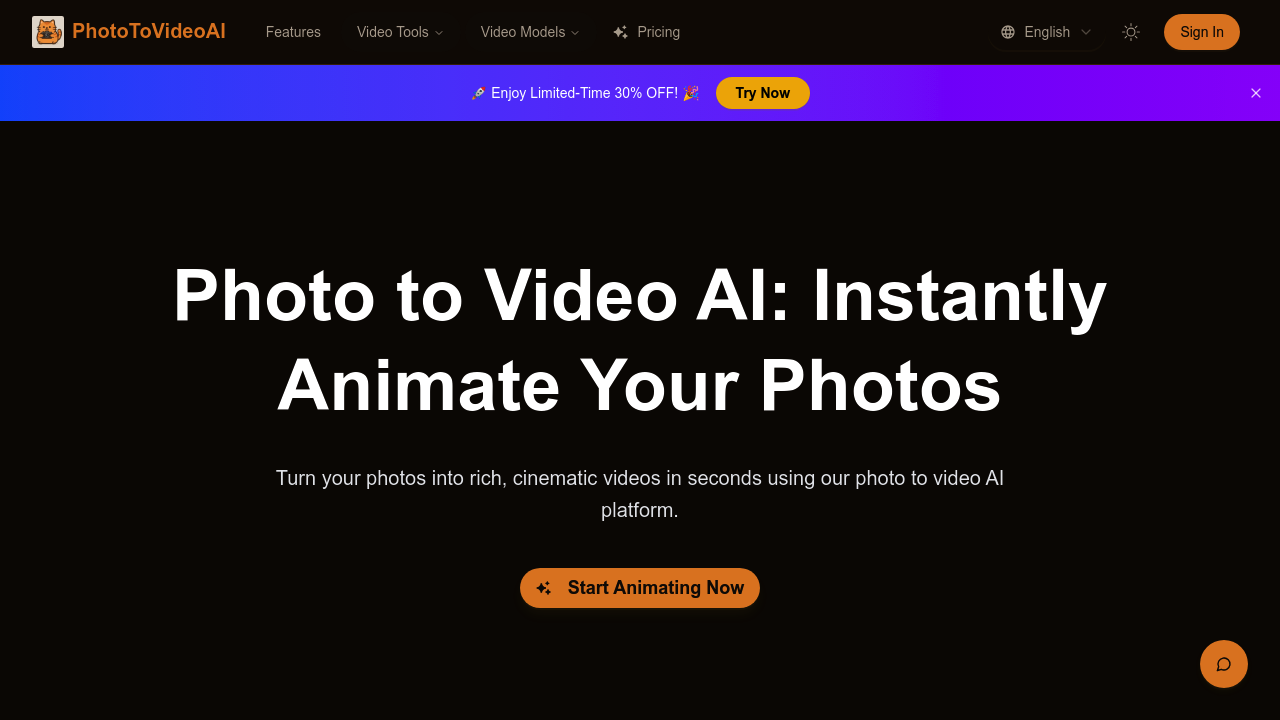
Photo to Video AI.io screenshot

Upload a photo, describe what you want, and Photo to Video AI.io generates a video clip complete with motion, dialogue, and sound effects. The service handles everything in one pass (no need to bounce between editing tools or audio software). You get lip-synced speech, ambient noise, and camera movement that feels deliberately composed rather than randomly animated.

The system supports four different AI models including Sora 2, Google Veo 3, Wan animate, and Wan 2.5. You can control animation style using reference images, which helps maintain visual consistency across multiple clips. The physics-aware motion modeling keeps movements grounded, so characters don't float unnaturally or objects don't defy gravity in distracting ways. Output quality reaches 1080p with cinematic touches like depth-of-field and natural lighting adjustments.

Each generation costs 4 credits. That means the Basic plan's 120 monthly credits translate to 30 videos. Pro gets you 200 credits for 50 videos, and Ultra's 400 credits cover 100 generations. The credit math matters because you'll burn through them quickly if you're iterating on concepts or producing volume content.

Does it actually deliver on the lip-sync promise? The automatic alignment between generated dialogue and mouth movement happens without manual keyframing, which saves considerable time. But the 2000 character prompt limit constrains how much narrative complexity you can pack into a single generation. For simple scenes with one or two speaking characters, that's usually enough. For multi-character exchanges or dense storytelling, you'll need to break things into separate clips.

File upload restrictions are tight. Six megabytes max, and only JPG, PNG, or WebP formats work. High-resolution source images or lossless formats won't make the cut without compression. The Ultra plan caps video length at 10 seconds, which sounds brief but aligns with how most people actually use AI-generated video — as social media clips, ad inserts, or presentation segments rather than long-form content.

Storage duration varies wildly by tier. Basic keeps your videos for 30 days, Pro extends that to a year, and Ultra stores them forever. If you're creating one-off projects, the 30-day window works fine. Agencies managing client libraries or creators building content archives will hit that limitation fast.

The service runs entirely on a credit system with no API access mentioned. You can buy one-time credit packs if subscriptions don't fit your workflow — 32 credits for $8.8 (valid 30 days), or larger packs at $49.9 and $99.9 that never expire. Commercial licensing comes standard on paid plans, which matters for anyone producing client work or monetized content.

Who gets the most value here? Social media creators pumping out short-form content, marketers testing ad variations without hiring video crews, and educators turning diagrams or historical photos into animated explainers. The sweet spot is scenarios where you need passable video quickly and the alternative is either expensive production or static imagery that doesn't convert.

The free trial lets you test before committing, though credit amounts aren't specified. Pro and Ultra tiers provide all four AI models and faster processing speeds. Basic subscribers get standard speed and access to fewer models, which could mean longer wait times during peak usage.

This isn't replacing professional video production. But it fills the gap between still images and costly custom animation for teams that need motion content at volume.

Frequently asked

7 questions
How many videos can you make with Photo to Video AI credits?
Each video generation costs 4 credits, so you can do simple division on your plan. The Basic plan's 120 monthly credits give you 30 videos. Pro's 200 credits get you 50 generations, and Ultra's 400 credits cover 100 videos per month. If you're testing variations or producing high-volume content, those credits disappear faster than you'd expect.
Does Photo to Video AI have a free version?
There's a free trial available, though the exact credit amount isn't specified upfront. Trial credits expire after 30 days, so you'll want to test the platform quickly. The lowest paid plan starts at $24.9 per month for 120 credits. One-time credit packs are also available starting at $8.8 for 32 credits if you don't want a subscription.
What file types does Photo to Video AI accept?
You can upload JPG, PNG, or WebP images up to 6MB in size. That file limit is pretty restrictive if you're working with high-resolution photography or uncompressed images. Most modern phone photos will need compression before upload. The 2000 character prompt limit also constrains how detailed your scene descriptions can be.
Can you use Photo to Video AI for commercial projects?
All paid plans include commercial licensing and unrestricted usage rights. The free trial doesn't specify licensing terms, so you'd need to upgrade before using generated videos in client work or monetized content. One-time credit packs also come with commercial rights, which gives you flexibility if subscriptions don't match your project cadence.
How long do videos stay in Photo to Video AI cloud storage?
Storage duration varies dramatically by plan tier. Basic subscribers get only 30 days of cloud storage, which barely covers a typical project cycle. Pro extends that to 365 days, and Ultra stores your videos forever. If you're building content libraries or managing client archives, that Basic plan limitation will force you into constant downloads and local backups.
What's the maximum video length Photo to Video AI can create?
The Ultra plan caps video generation at 10 seconds maximum. That sounds limiting, but it actually aligns with how most AI video gets used — social clips, ad inserts, and presentation segments. Lower tier plans don't specify a length cap in the documentation, which suggests the 10-second limit might be consistent across all plans. For longer narratives, you'd need to generate multiple clips and stitch them together externally.
Which AI models does Photo to Video AI support?
The platform offers four AI models: Sora 2, Google Veo 3, Wan animate, and Wan 2.5. Pro and Ultra subscribers get access to all four models plus priority or fastest processing speeds. Basic plan users appear limited to fewer models and standard processing speed, though the documentation doesn't detail exactly which models are restricted. Model selection affects both output style and generation time.

Traffic

Estimated monthly website visits · last 0 months

Not enough historical data for a chart yet.

Reviews (0)

Write review

No reviews yet. Be the first to share your experience.