
OmniDetect logo
AI Detector FREEMIUM from $10/mo

OmniDetect

OmniDetect is an AI content detector that focuses on what to fix before you submit a piece of writing.

It highlights which passages read as AI-generated, how strongly, and why, instead of giving only a single percentage. Scores fall in bands: 0 to 30 is likely human, 31 to 70 is uncertain, and 71 to 100 is likely AI.…

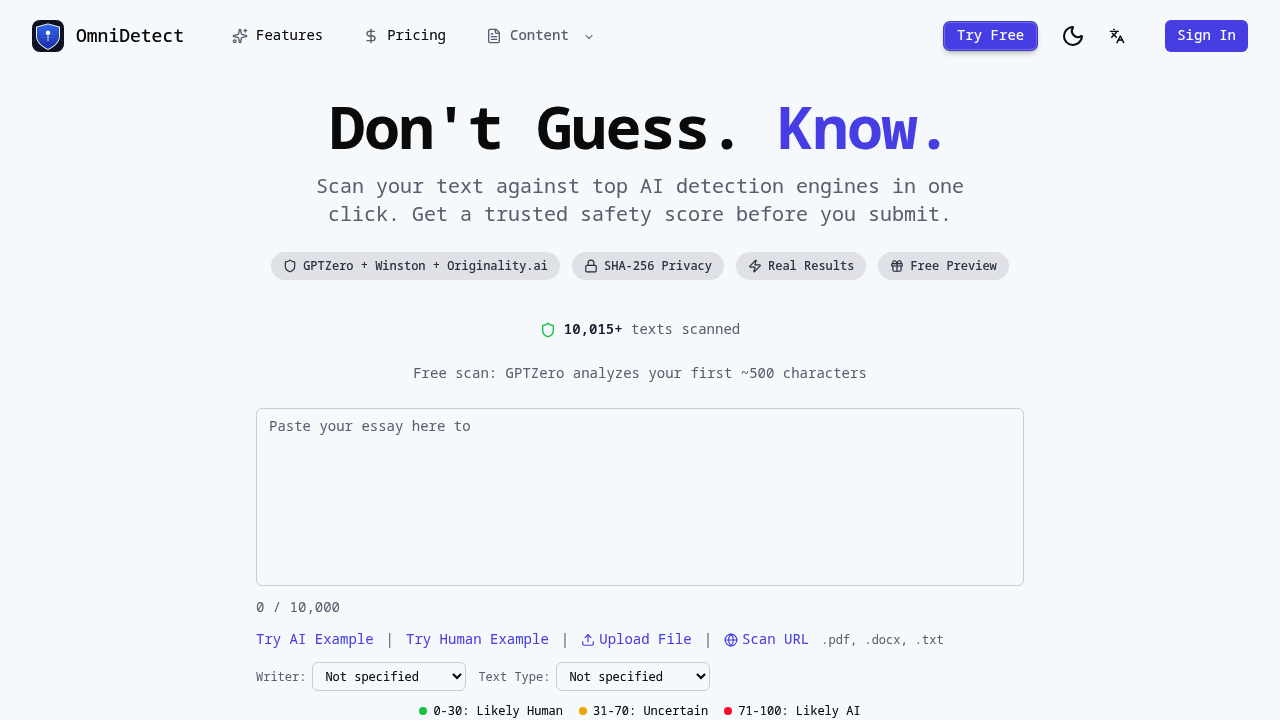
OmniDetect screenshot

OmniDetect is an AI content detector that focuses on what to fix before you submit a piece of writing. It highlights which passages read as AI-generated, how strongly, and why, instead of giving only a single percentage. Scores fall in bands: 0 to 30 is likely human, 31 to 70 is uncertain, and 71 to 100 is likely AI. Guests get a free preview of the first 2,000 characters with no signup, and a free account covers the whole document. Pasted text can run to 50,000 characters, and files and URLs can be scanned.

OmniDetect is for people whose writing may be checked by someone else. Students and academics can test an essay or paper before submission, while professionals and marketers can check blog posts, SEO content, business emails and technical writing. You can mark the writer as a native speaker, ESL or non-native, professional or grammar-edited, which matters for fairness when text was polished with a grammar tool. Editors who need an evidence trail and writers who must respond to a disputed result can use the method and limits shown with each result.

The workflow has four stages: check, understand, improve and re-check. A user pastes text or uploads a PDF, DOCX or TXT file, chooses a text type such as academic essay, blog post or creative writing, and scans. The result lists the analyzed scope, method status, flagged passages and known limits. When specific passages are confidently flagged, OmniDetect proposes focused rewrites that you review and then re-check with the same Word Token balance. Uncertain results receive a second reading, and disputed writing gets appeal evidence. The language of the text decides which detection engine answers.


OmniDetect alternatives

See all →

Frequently asked

6 questions
What does OmniDetect show beyond a score?
It shows which passages read as AI, how strongly, the method used and where the answer is uncertain. The aim is a result you can inspect rather than a single number.
Who should use OmniDetect?
Students, academics, editors, marketers and writers who want to check text before submitting it. Settings for ESL writers and grammar-edited text help interpret results fairly.
How can OmniDetect help revise a draft?
When a complete result confidently flags passages, it proposes focused rewrites for you to review. You then re-check the revised text using the same Word Token balance.
Is OmniDetect free?
Guests get a free preview of the first 2,000 characters with no signup, and a free account covers the whole document. Credits are tracked as a Word Token balance.
What are the limits of OmniDetect results?
Results include an uncertain band from 31 to 71, and the result view lists known limits. Free guest analysis covers only the opening of a document.
What input formats does OmniDetect accept?
You can paste up to 50,000 characters, upload PDF, DOCX or TXT files, or scan a URL. The interface is available in several languages.

Traffic

Estimated monthly website visits · last 6 months

3.1K visits/mo
Monthly visits
3.1K
Category rank
#26
AI Detector
3.1K 2.3K 1.5K 769 0 Nov 2025: 0 visits Nov 2025 Dec 2025: 0 visits Dec 2025 Jan 2026: 0 visits Jan 2026 Feb 2026: 0 visits Feb 2026 Mar 2026: 0 visits Mar 2026 Aug 2026: 3.1K visits Aug 2026

Reviews (0)

Write review

No reviews yet. Be the first to share your experience.