
#7 in AI Headshot Generator Mujo AI Photoshoot logo
AI Headshot Generator FREE TRIAL from $9/mo

Mujo AI Photoshoot

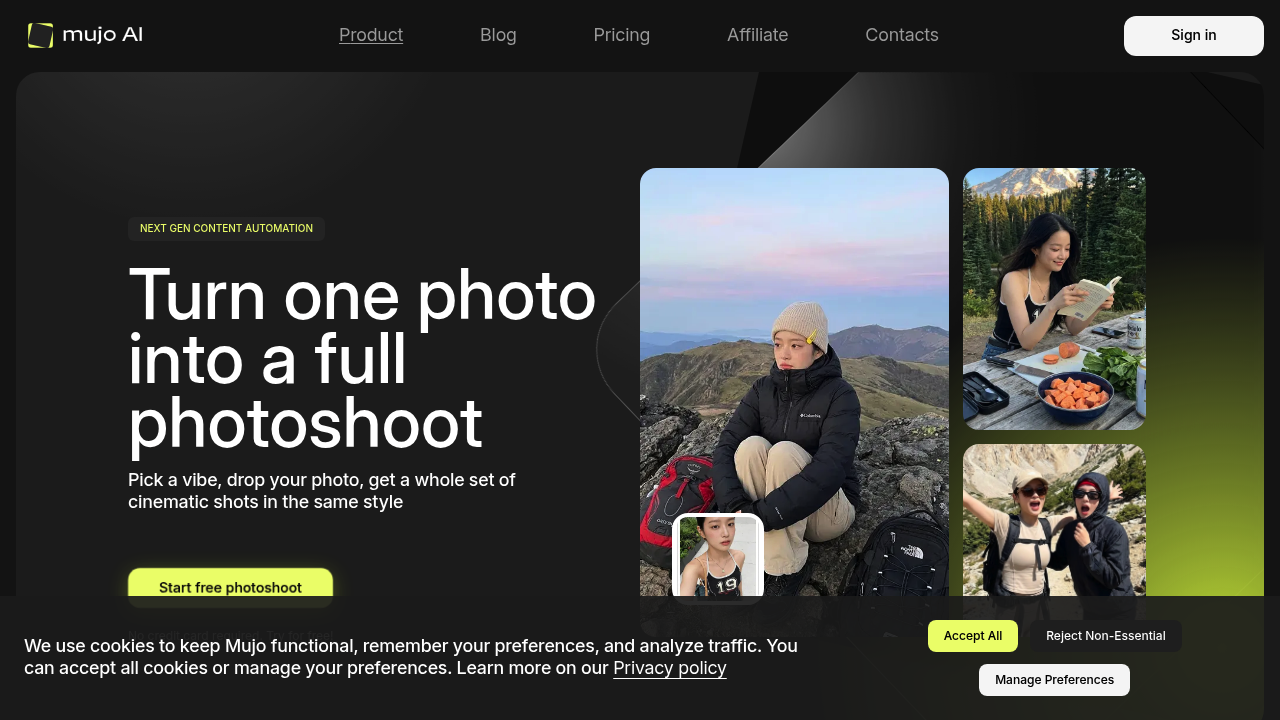
Upload one photo and get back a dozen shots that look like you hired a pro photographer for the day

That's the pitch. Mujo AI Photoshoot takes your single image and spins out multiple angles, compositions, and variations all matched to a cinematic style you pick from presets. Takes about 30 seconds. It saves themes so…

Mujo AI Photoshoot screenshot

Upload one photo and get back a dozen shots that look like you hired a pro photographer for the day. That's the pitch. Mujo AI Photoshoot takes your single image and spins out multiple angles, compositions, and variations all matched to a cinematic style you pick from presets. Takes about 30 seconds.

It saves themes so you can keep brand colors and style choices consistent across projects. You're not starting from scratch every time. The adaptive components adjust to what you're feeding it, which matters when you need a specific look for product shots or social content. Images upscale to 2k or 4k depending on your plan, and there is a background remover built in. Commercial license comes with every tier, so you can use the output for client work or ads without worrying about rights.

Does it actually deliver on that "full photoshoot" promise? The 30-second generation is quick, and the preset system keeps things moving if you don't want to tweak settings endlessly. But here's where it gets limiting. Everything runs on credits. The Start plan gives you 900 credits monthly for nine bucks. Basic bumps that to 2200 credits for $19. Pro gets you 4400 credits at $34, and Creator tops out at 11900 credits for $84. What's unclear is how many credits one photoshoot costs. That math matters a lot when you're budgeting monthly output.

Resolution caps are another thing. Start and Basic plans max out at 2k upscaling. You need Pro or Creator to hit 4k, and those plans also give you unlimited background removal. Lower tiers get the remover but with caps you'll hit faster than expected if you're cranking out content daily. The credit system always feels like you're doing mental math about whether you have enough runway for the next project.

No team features mentioned. No API. Can't tell if there are integrations with design tools or social platforms. For an agency or anyone collaborating, that's a gap. You're working solo here unless you share login credentials, which isn't ideal. Also no mobile app or browser extension, so this is a sit-down-at-your-desk platform.

Four paid tiers. Start begins at $9 monthly. Basic is $19. Pro runs $34. Creator hits $84 and includes the lowest per-credit cost plus unlimited 4k upscaling and background removal. There's a trial available so you can test before committing. If you're producing high volumes, Creator makes sense mathematically. If you need occasional photoshoots for social or simple product pages, Start might cover you as long as you track credit burn carefully.

This works best for content creators who need variety without booking actual photographers. Social media managers pushing out daily posts. Small brands doing their own product photography. Anyone who's tired of static one-off images and wants something that looks more dynamic. If you're already paying for multiple services to resize, remove backgrounds, and generate variations, consolidating into one credit pool could simplify workflow.

Just know you're trading flexibility for speed. The presets keep things fast but you're not getting granular control. And that credit system will either feel manageable or frustrating depending on how much you actually produce each month.

Mujo AI Photoshoot alternatives

See all →

Frequently asked

6 questions
How long does it take to generate a photoshoot with Mujo AI?
Each photoshoot generates in about 30 seconds once you upload your photo and pick a preset style. That's the full batch of multiple images, not just one variation. The speed works if you're cranking out content for social or need product shots fast. Just remember you're working within a credit system, so how many photoshoots you can actually run depends on your monthly plan and how many credits each generation costs.
Does Mujo AI Photoshoot have a free plan?
There's no free plan, but they do offer a trial so you can test it before paying. The cheapest option is the Start plan at $9 monthly, which gives you 900 credits. Whether that's enough depends entirely on how many credits each photoshoot burns through, and that cost per generation isn't clearly spelled out upfront. You'll need to trial it to figure out if the entry tier actually covers your monthly needs.
Can you upscale images to 4k with Mujo AI?
Only if you're on the Pro or Creator plans. Start and Basic tiers cap upscaling at 2k resolution, which might be fine for social media but limiting for print or high-res marketing materials. Pro runs $34 monthly and includes unlimited 4k upscaling plus unlimited background removal. Those unlimited features matter more than you'd think if you're generating dozens of variations weekly.
What are the credit limits on Mujo AI Photoshoot?
Start gives you 900 credits monthly for $9. Basic jumps to 2200 credits at $19. Pro gets 4400 credits for $34, and Creator tops out at 11900 credits for $84. The frustrating part is they don't clearly state how many credits one photoshoot costs, so you're guessing whether a plan actually covers your workload. You'll hit those limits faster than expected if you're producing daily content, especially on the lower tiers.
Who should use Mujo AI Photoshoot?
Content creators who need variety without hiring photographers. Social media managers pushing out daily posts and needing multiple angles from one product shot. Small brands doing their own photography and wanting more dynamic visuals than static images. If you're already paying for separate tools to resize, remove backgrounds, and generate variations, consolidating into one platform could simplify things. Just make sure the credit math works for your monthly output before committing to a tier.
Does Mujo AI Photoshoot work for teams or have collaboration features?
Nothing mentioned about team features, shared workspaces, or collaboration tools. There's also no API access or integrations with design platforms. If you're working solo or running a small operation where one person handles all visual content, that's fine. For agencies or anyone needing multiple team members working simultaneously, you're stuck sharing login credentials or buying separate accounts, which gets expensive and clunky fast.

Traffic

Estimated monthly website visits · last 6 months

48.1K visits/mo
Monthly visits
48.1K
↑ 37.6% MoM
Global rank
#704,087
AM #646
Category rank
#7
AI Headshot Generator
72.9K 63.4K 53.9K 44.4K 35K Dec 2025: 47K visits Dec 2025 Jan 2026: 48.4K visits Jan 2026 Feb 2026: 51.8K visits Feb 2026 Mar 2026: 72.9K visits Mar 2026 Apr 2026: 35K visits Apr 2026 Aug 2026: 48.1K visits Aug 2026

Reviews (0)

Write review

No reviews yet. Be the first to share your experience.