#7 in AI Comic Generator MangaMaker logo
AI Comic Generator FREEMIUM from $19/mo

MangaMaker

Traditional AI art generators can't keep your characters looking the same from panel to panel

Describe a spiky-haired protagonist once and you'll get five different versions by page three. MangaMaker fixes this with character reference tech that locks in appearance details. It recognizes them. It applies them…

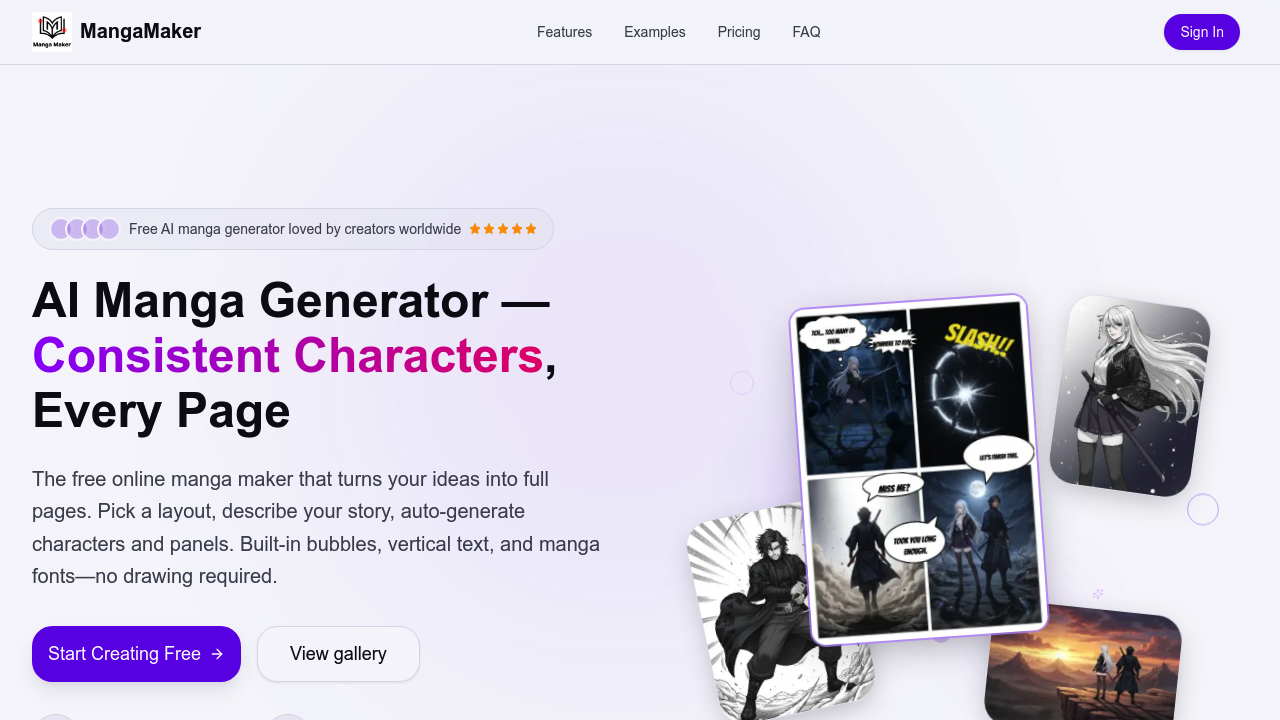
MangaMaker screenshot

Traditional AI art generators can't keep your characters looking the same from panel to panel. Describe a spiky-haired protagonist once and you'll get five different versions by page three. MangaMaker fixes this with character reference tech that locks in appearance details. It recognizes them. It applies them automatically across every panel you generate. Create a character once—MangaMaker handles consistency from there.

The canvas works like a design app. Drag panels around. Snap them to gutter guides. Pick from 10+ layouts. You can batch-generate a full page from one prompt or write descriptions panel by panel. Takes about five minutes per page once you've got your characters set up.

Text bubbles and fonts are all there. You get 31 bubble styles. You get 28 manga fonts. Vertical text support is included. Built-in SFX fonts too. You're not hunting for assets or switching between programs.

The art generation pulls from 700+ AI models and offers 20+ styles. A freelance content creator pitching a webcomic concept could mock up three sample pages in under an hour (characters consistent throughout, speech bubbles positioned). Re-roll any panel that doesn't land. Upscale where needed. Adjust color grading. Export as PNG or print-ready files when you're done.

There's no mention of how the character library scales if you're working on a series with dozens of recurring faces. But for creators who can't draw and need professional-looking manga pages without the years of practice, it's built exactly right. Free to start, no card required.


MangaMaker alternatives

See all →

Frequently asked

7 questions
How long does it actually take to make a manga page with MangaMaker?
It takes about five minutes per page once you've created your characters and gotten the hang of it. You can batch-generate an entire page from one prompt or go panel by panel if you want more control over each scene. The drag-and-drop canvas is pretty quick to work with, and you're not starting from scratch every time since the character consistency system handles appearances automatically.
Does MangaMaker keep characters looking the same across different panels?
Yeah, that's honestly the whole point of it. You create a character once and MangaMaker's reference tech automatically recognizes their traits, clothing, and expressions across every panel you generate. Traditional AI tools give you a different-looking character each time, but this one locks in the appearance details so your spiky-haired protagonist doesn't randomly change hairstyles by page three.
Is MangaMaker actually free or is there a catch?
It's 100% free to start and doesn't ask for a credit card, so you can just jump in and try it. There's no mention of paid plans in their current setup, which is kind of unusual for AI tools these days but works in your favor if you're just testing the waters.
Can I use MangaMaker if I have a huge cast of characters?
The tool doesn't really say how well the character library scales if you're managing dozens of recurring faces for a long-running series. For smaller projects with a handful of main characters it'll work great, but if you're planning a sprawling ensemble cast you might want to test how it handles that before committing to a big project.
What art styles can I choose from in MangaMaker?
You've got access to 20+ art styles and 700+ AI models, so there's pretty much something for whatever manga aesthetic you're going for. Whether you want shonen action vibes or slice-of-life softness, the range is there and you can adjust color grading on top of that.
Does MangaMaker have speech bubbles and fonts built in?
Yep, it's all included so you're not hunting around for assets. You get 31 bubble styles for speech and thought bubbles, 28 manga fonts, vertical text support, and even built-in SFX fonts. Basically everything you need to letter your pages without switching to another program.
Can I use MangaMaker to pitch a webcomic idea to publishers?
Absolutely, that's actually a solid use case for it. A freelance creator could mock up three professional-looking sample pages in under an hour with consistent characters and properly positioned speech bubbles. You can re-roll panels that don't work, upscale the good ones, and export print-ready files when you're done pitching.

Traffic

Estimated monthly website visits · last 9 months

4.9K visits/mo
Monthly visits
4.9K
↓ 34.0% MoM
Global rank
#4,101,615
US #1,574,607
Category rank
#7
AI Comic Generator
13.1K 9.8K 6.6K 3.3K 0 Nov 2025: 0 visits Nov 2025 Dec 2025: 0 visits Dec 2025 Jan 2026: 0 visits Jan 2026 Feb 2026: 1.4K visits Feb 2026 Mar 2026: 2.2K visits Mar 2026 Apr 2026: 13.1K visits Apr 2026 May 2026: 7.2K visits May 2026 Jun 2026: 7.5K visits Jun 2026 Jul 2026: 4.9K visits Jul 2026

Reviews (0)

Write review

No reviews yet. Be the first to share your experience.