daisy | LinkedInPro appears to be discontinued. Its website has been unreachable across our last three checks. See similar tools below for alternatives.
daisy | LinkedInPro logo
AI Headshot Generator FREEMIUM from $2/mo

daisy | LinkedInPro

This AI tool generates professional headshot avatars from user-uploaded photos

The entire process takes seconds, transforming casual photos into polished LinkedIn-ready images without scheduling a photographer or setting up studio lighting. Users can upload photos directly from their devices or…

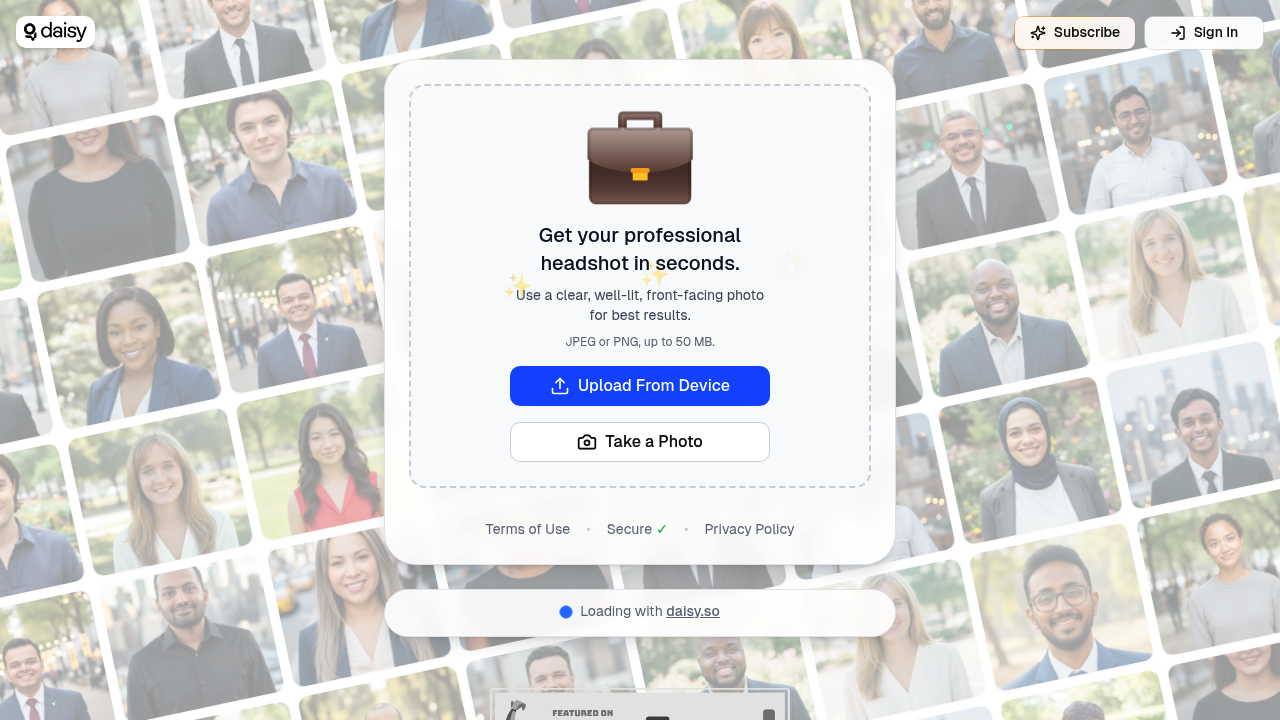
daisy | LinkedInPro screenshot

This AI tool generates professional headshot avatars from user-uploaded photos. The entire process takes seconds, transforming casual photos into polished LinkedIn-ready images without scheduling a photographer or setting up studio lighting.

Users can upload photos directly from their devices or take a new photo through the interface. The system accepts JPEG and PNG formats exclusively, with file sizes allowed up to 50 MB. That size limit accommodates high-resolution smartphone photos and professional camera images without requiring compression before upload. This service has already served over 252,000 users through its parent service daisy.so, indicating established infrastructure for processing large volumes of headshot requests.

Photo quality determines output quality. The system works best with clear, well-lit, front-facing photos. Blurry images won't produce sharp headshots. Poor lighting creates shadows the AI can't fully correct. Angled shots might result in awkward-looking professional photos since the algorithm expects straight-on facial positioning. These aren't arbitrary preferences but technical requirements for the underlying image processing to function properly.

This software targets professionals building or maintaining their LinkedIn presence. Many users need headshots but lack access to professional photography services or can't justify the expense for a single profile photo. Remote workers often face this challenge since they're not near corporate photography services. Freelancers switching between gigs need updated headshots without the budget hit. Job seekers need professional-looking photos quickly when application deadlines approach.

File format restrictions mean users with HEIC photos from newer iPhones must convert before uploading. The system won't accept that format. WebP and other modern formats also get rejected. Users shooting RAW photos for maximum quality need to export to JPEG or PNG first.

The 50 MB ceiling rarely becomes an issue for typical smartphone photos, which usually land between 2-8 MB. Professional camera shots in maximum resolution might approach or exceed that limit, requiring users to slightly reduce file size or resolution before upload.

No mobile app exists for on-the-go headshot generation. Users must access the web interface regardless of device. No browser extension offers quick headshot creation while browsing LinkedIn. No API allows developers to integrate headshot generation into their own applications. No team features exist for companies wanting to generate consistent headshots across employees. The service functions as a standalone web application focused entirely on individual headshot creation from uploaded photos.

Frequently asked

6 questions
Is daisy LinkedInPro free to use?
The available information doesn't specify pricing details for daisy LinkedInPro, though the service operates under a freemium model. Over 252,000 users have accessed the service through daisy.so, suggesting at least some level of free access exists. Without documented pricing tiers, it's unclear which features require payment versus what's available without charge. Users should check the platform directly for current pricing structure and any limitations on free usage.
What photo format does daisy LinkedInPro accept?
Daisy LinkedInPro exclusively accepts JPEG and PNG image formats for headshot generation. Users with HEIC photos from newer iPhones must convert their images before uploading since that format gets rejected. WebP and RAW photo formats also won't work, requiring export to one of the two supported formats first. The system allows files up to 50 MB in size, which accommodates most high-resolution smartphone and professional camera images without requiring compression.
How do I get the best results from daisy LinkedInPro?
The system requires clear, well-lit, front-facing photos to generate quality professional headshots. Blurry images won't produce sharp results since the AI can't add detail that doesn't exist in the source photo. Poor lighting creates shadows that the algorithm can't fully correct, resulting in less polished headshots. Angled or side-profile shots may produce awkward-looking professional photos because the processing expects straight-on facial positioning for proper feature alignment.
Can I use daisy LinkedInPro on my phone?
Daisy LinkedInPro operates exclusively as a web application without a dedicated mobile app. Users must access the service through their mobile or desktop browser rather than downloading a standalone application. The web interface allows uploading photos from your device or taking a new photo directly through the browser. While functional on mobile devices, the lack of a native app means no offline capability or app-specific optimizations for smartphone usage.
Does daisy LinkedInPro work for team headshots?
The service lacks team features for companies wanting to generate consistent headshots across multiple employees. No collaborative tools exist for managing bulk headshot creation or maintaining brand consistency across an organization. Companies needing uniform professional photos for their team would need to process each employee's headshot individually through separate sessions. The platform focuses entirely on individual headshot creation rather than enterprise or team-based workflows.
What's the maximum file size for daisy LinkedInPro uploads?
Users can upload photos up to 50 MB in size for headshot generation. This limit accommodates typical smartphone photos, which usually range between 2-8 MB, without any file size concerns. Professional camera shots captured at maximum resolution might approach or exceed this threshold, requiring slight compression or resolution reduction before upload. The generous limit means most users won't encounter file size restrictions unless working with uncompressed professional photography or extremely high-resolution images.

Traffic

Estimated monthly website visits · last 0 months

Not enough historical data for a chart yet.

Reviews (0)

Write review

No reviews yet. Be the first to share your experience.