
Linkdify logo

Linkdify

LinkedIn outreach becomes a systematic process with Linkdify, which automates connection requests, follow-up sequences, and multi-step drip campaigns while maintaining personalization at scale

30 views
Visit linkdify.io
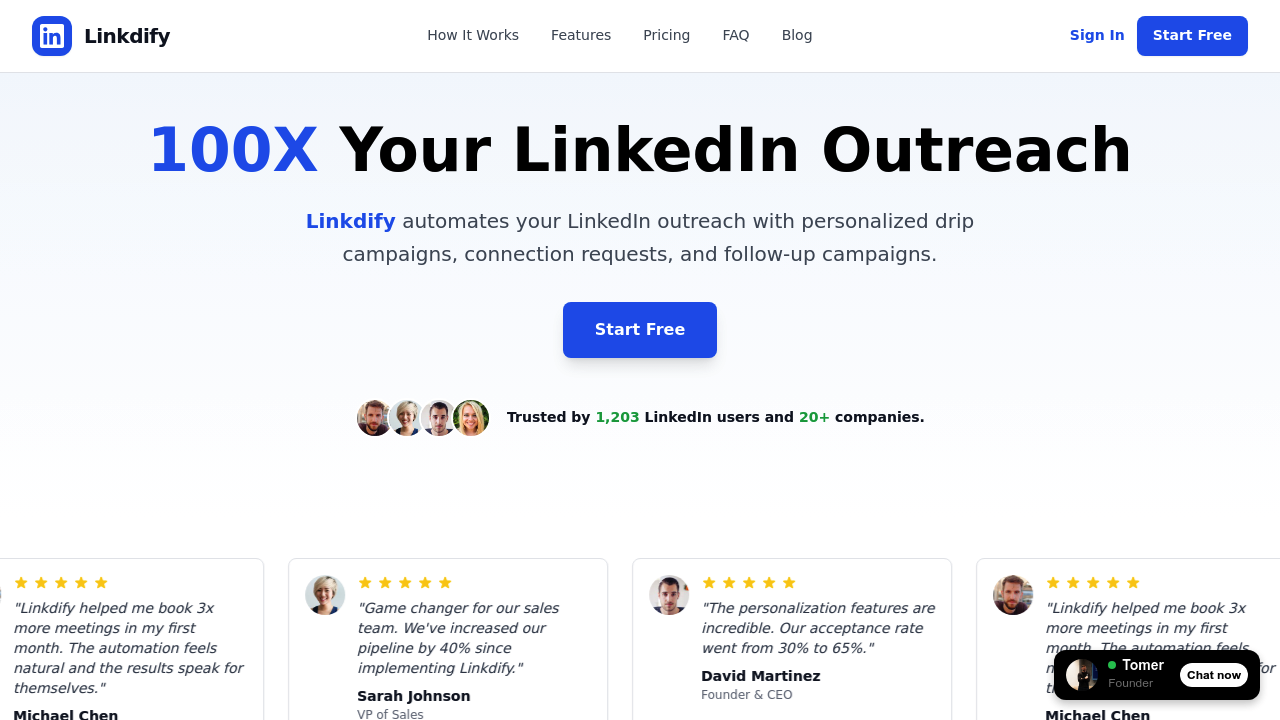
Linkdify screenshot

LinkedIn outreach becomes a systematic process with Linkdify, which automates connection requests, follow-up sequences, and multi-step drip campaigns while maintaining personalization at scale. This tool handles the repetitive mechanics of LinkedIn prospecting so sales teams, recruiters, and business development professionals can focus on conversations rather than manual outreach tasks.

The drag-and-drop workflow builder lets users construct multi-step campaigns with custom delays between each touchpoint. You can schedule connection requests, set up automatic follow-ups after connections accept, and build sequences that adapt based on prospect behavior. The system incorporates smart delays and human-like behavior patterns specifically built to avoid triggering LinkedIn's spam detection algorithms. Voice note messaging adds another dimension to outreach, letting users send audio messages that stand out in text-heavy LinkedIn inboxes.

Lead sourcing happens through multiple channels. You can import leads directly from LinkedIn search URLs or pull prospects from Sales Navigator. The Lead Finder feature distinguishes itself by surfacing prospects based on LinkedIn engagement signals, identifying people who've interacted with relevant content in your industry. This intent-based discovery helps target prospects already showing interest in topics related to your offering rather than cold outreach to completely unaware audiences.

A unified inbox consolidates all LinkedIn conversations into one interface, eliminating the need to jump between LinkedIn tabs and campaign dashboards. This centralized view shows which prospects came from which campaigns and where each conversation sits in your workflow. This tool tracks performance metrics including reply rates and meetings booked, with A/B testing capabilities that let you compare different message variations to identify what works best with your audience.

Advanced analytics and reporting provide visibility into campaign performance across multiple dimensions. You can see which message sequences generate the highest acceptance rates, which follow-up timing performs best, and where prospects drop off in your funnel. Reports show testimonials indicating acceptance rates increasing from 30% to 65%, three times more meetings booked, and 40% pipeline increases, though individual results will vary based on messaging quality and target audience fit.

The PRO plan costs $59 monthly and comes with unlimited leads and campaigns, removing volume constraints that limit prospecting at scale. This tier provides access to advanced multi-step campaigns, A/B testing, voice note messaging, advanced analytics and reporting, expert consultation calls, and priority support. Linkdify offers a free trial for testing the system before committing to paid access.

Linkdify serves 1,203 LinkedIn users across 20-plus companies. Users report saving 10-plus hours weekly by automating the manual tasks of sending connection requests, crafting follow-up messages, and tracking conversation threads. The time savings come from automation handling the execution while users focus on strategy and closing conversations that automation initiates.

This tool works exclusively within the LinkedIn ecosystem, with direct integration to both standard LinkedIn and Sales Navigator. This focus means it won't help with outreach on other channels like email or Twitter. Team features enable collaboration, though specific details about multi-user workflows aren't specified in available information. Sales teams can coordinate LinkedIn prospecting efforts through shared access, and recruiters can systematize candidate outreach without manual repetition across similar roles.

Frequently asked

6 questions
Does Linkdify have a free plan or free trial?
Linkdify doesn't offer a free plan, but provides a free trial that lets you test the platform before committing to the $59 monthly PRO subscription. The trial gives access to core features including the drag-and-drop workflow builder, automated connection requests, and multi-step campaigns so you can evaluate whether the automation fits your LinkedIn prospecting workflow. After the trial ends, you'll need the paid plan to continue using the tool. The single-tier pricing at $59 monthly includes unlimited leads and campaigns without volume restrictions.
How does Linkdify avoid getting your LinkedIn account flagged for spam?
Linkdify incorporates smart delays and human-like behavior patterns specifically designed to mimic natural LinkedIn usage and avoid triggering spam detection algorithms. The platform lets you set custom delays between connection requests and follow-up messages rather than blasting out bulk actions that look automated. These variable timing patterns make your outreach appear as manual activity spread throughout the day instead of robotic batch processing. While these safeguards reduce risk, LinkedIn's terms of service technically prohibit automation tools, so users accept some platform risk when using any third-party automation for outreach.
Can Linkdify find leads automatically or do I need to import them manually?
Linkdify offers both manual import and automatic lead discovery through its Lead Finder feature. You can import prospects by pasting LinkedIn search URLs or pulling contacts directly from Sales Navigator searches you've already built. The Lead Finder goes further by automatically surfacing prospects based on LinkedIn engagement signals, identifying people who've commented on, liked, or shared content relevant to your industry. This intent-based discovery helps you target prospects already showing interest in topics related to your offering rather than completely cold audiences. The combination means you can build prospect lists from existing searches or let the tool identify engaged prospects you might have missed.
What can I actually automate with Linkdify on LinkedIn?
Linkdify automates connection requests, multi-step follow-up sequences, and drip campaigns that adapt based on prospect behavior within LinkedIn. The drag-and-drop workflow builder lets you create campaigns where a connection request goes out, then if accepted, a welcome message sends after a custom delay, followed by additional touchpoints based on whether prospects respond. You can schedule voice note messages that stand out from text-based outreach, and set up A/B tests comparing different message variations to optimize performance. The unified inbox consolidates all conversations from these automated campaigns into one interface, and analytics track reply rates and meetings booked across your sequences. The automation handles execution while you focus on crafting messaging strategy and closing conversations the tool initiates.
Is Linkdify worth it for recruiters or just for sales teams?
Linkdify works for both recruiters and sales teams since both roles involve repetitive LinkedIn outreach at scale. Recruiters can systematize candidate outreach by building campaigns for similar roles, automating connection requests to potential candidates, and following up with personalized sequences about opportunities. Sales teams use the same automation for prospecting, with the Lead Finder identifying prospects showing buying intent through LinkedIn engagement signals. The tool saves 10-plus hours weekly according to user reports by eliminating manual connection requests and follow-up tracking. Business development professionals and founders round out the target audience, making this useful for anyone doing volume LinkedIn outreach rather than one-off networking.
Does Linkdify work with email or other platforms besides LinkedIn?
Linkdify works exclusively within LinkedIn and LinkedIn Sales Navigator without integration to email, Twitter, or other outreach channels. This focused approach means you can't build multi-channel campaigns that combine LinkedIn messages with email follow-ups or coordinate outreach across platforms from one dashboard. The tool consolidates LinkedIn conversations into a unified inbox and automates workflows within that single platform. If you need cross-channel outreach that spans LinkedIn and email, you'll need separate tools or a more comprehensive sales engagement platform. The LinkedIn-only focus does mean deeper integration with features like Sales Navigator lead import and LinkedIn engagement signal tracking that broader platforms might not offer.

Traffic

Estimated monthly website visits · last 0 months

Not enough historical data for a chart yet.

Data from SimilarWeb · Updated monthly.

Reviews (0)

Write review

No reviews yet. Be the first to share your experience.

Similar tools

See all →