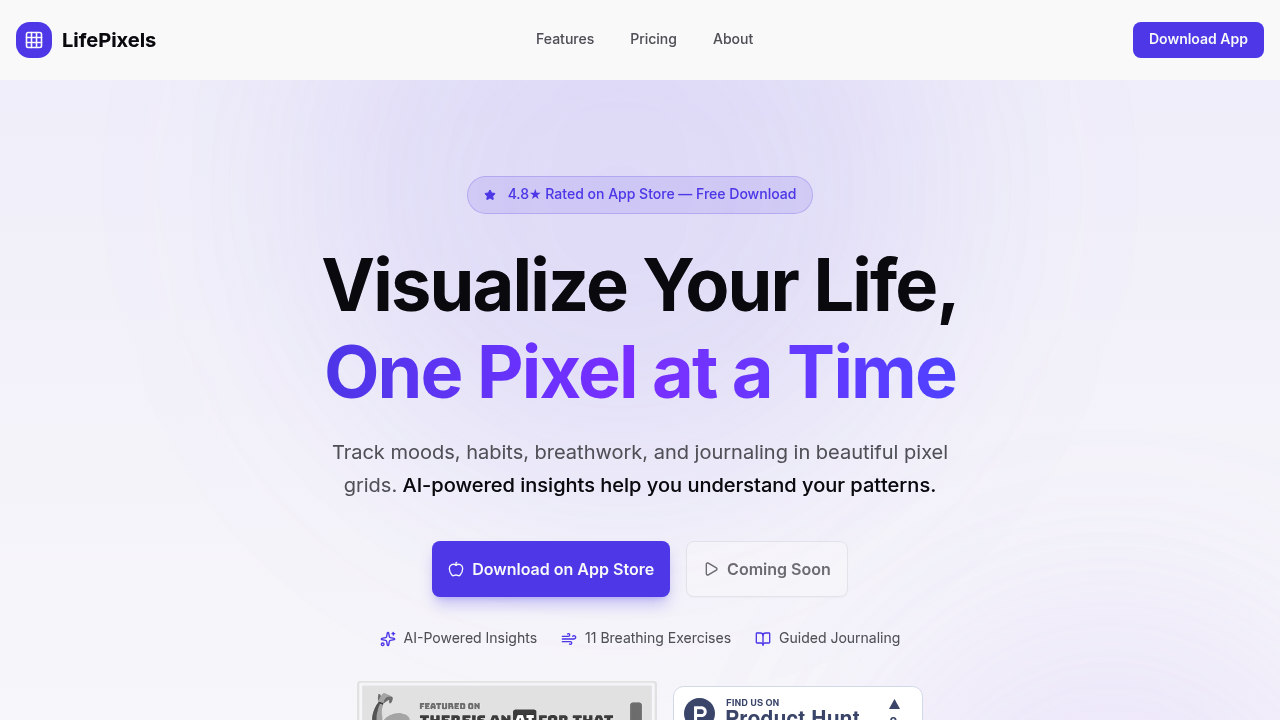
LifePixels appears to be discontinued. Its website has been unreachable across our last three checks. See similar tools below for alternatives.
LifePixels logo
AI Research Papers FREEMIUM from $59/mo

LifePixels

The app opens to a grid of tiny colored squares, each one representing a single day

You tap a square and log your mood by selecting a color. The pixel fills in. Over weeks, patterns emerge in the grid that you wouldn't notice from daily logs alone. A cluster of gray pixels shows a rough patch in March.…

LifePixels screenshot

The app opens to a grid of tiny colored squares, each one representing a single day. You tap a square and log your mood by selecting a color. The pixel fills in. Over weeks, patterns emerge in the grid that you wouldn't notice from daily logs alone. A cluster of gray pixels shows a rough patch in March. Bright yellows dominate summer. The visual hits differently than a list of entries.

Beyond mood tracking, you can log habits, energy levels, and custom metrics. Each gets its own pixel grid. The AI Personal Coach analyzes these grids and surfaces insights you'd miss. It might notice your energy drops every Thursday, or that exercise days correlate with better moods. The pattern detection connects habits, moods, and energy in ways that feel practically useful rather than generic wellness advice.

The breathing section offers 11 techniques with visual guides and haptic feedback. Box breathing shows an animated square that expands and contracts while your phone vibrates at transition points. Studies show two minutes of this can drop heart rate by 10 to 15 BPM. The physiological sigh and Wim Hof methods are there too. The visual pacing works better than trying to count in your head.

Journaling includes Stoic prompts, gratitude exercises, and affirmations. Voice-to-text lets you dictate entries instead of typing, which removes friction when you're tired. The app provides 25+ journal templates, though you'll probably settle on two or three you actually use. Weekly reports summarize your tracked data and highlight trends.

The Purpose and Vision Board section lets you set goals and track progress toward them. You can choose from 50+ board templates or build custom ones. Streak tracking shows how many consecutive days you've logged, and milestone celebrations pop up when you hit certain numbers. Quick log button speeds up daily entries.

Everything syncs to the cloud and works in dark mode. The interface feels polished. Where it gets frustrating is when you miss a day and break a streak. The app celebrates consistency but doesn't handle irregular tracking patterns well.

There's a 7-day trial that gives access to all features. The app holds a 4.8 star rating on the App Store. Research backing the approach shows 42% better adherence with visual tracking and 26% less anxiety with daily tracking. The pixel grid concept turns abstract wellness goals into something tangible you can actually see changing over time.

Frequently asked

7 questions
Does LifePixels have a free version?
LifePixels offers a 7-day trial that unlocks all features including the AI Personal Coach, 50+ board templates, 25+ journal templates, and all 11 breathing techniques. After the trial ends, you need a paid subscription to continue using the app. The pricing details aren't publicly listed, but you get a full week to test everything before committing.
How does the pixel grid mood tracking work?
You open the app and see a grid where each tiny square represents one day. Tap today's square and select a color that matches your mood. The pixel fills in with that color. Over weeks and months, the grid reveals patterns you'd miss from individual entries. A stretch of gray pixels shows a difficult period, while clusters of bright colors highlight better times. The visual format makes emotional trends obvious at a glance.
What breathing exercises does LifePixels include?
The app includes 11 breathing techniques with Box Breathing, Wim Hof Method, 4-7-8 breathing, and Physiological Sigh among them. Each technique shows an animated visual guide that expands and contracts while your phone vibrates at transition points, so you don't have to count in your head. Research shows two minutes of box breathing can drop your heart rate by 10 to 15 BPM. Regular breathwork practice in the app correlates with 31% better stress handling over time and 23% lower cortisol levels.
Can LifePixels track habits and not just moods?
You can track habits, energy levels, moods, and custom metrics, each with its own pixel grid. The AI Personal Coach analyzes all your grids together and spots correlations like energy dips on specific weekdays or better moods on exercise days. The app includes streak tracking that shows consecutive days logged, and users see 3x higher habit success rates with this visual approach. Quick log buttons speed up daily entries, though the experience gets frustrating if you miss days since it emphasizes consistency over irregular patterns.
What insights does the AI coach provide in LifePixels?
The AI analyzes your pixel grids and surfaces patterns you wouldn't notice manually, like recurring low energy on certain weekdays or correlations between exercise and mood improvements. Weekly reports summarize your tracked data and highlight trends across habits, moods, and energy levels. The pattern detection feels practical rather than generic because it's based on your actual logged data. The insights improve as you track more consistently since the AI needs sufficient data to identify meaningful correlations.
Does LifePixels work if you forget to log some days?
The app is built around consistency and streak tracking, celebrating consecutive days logged with milestone notifications. If you miss a day, your streak breaks, which gets frustrating for people with irregular schedules. The pixel grid visualization works best with daily logging since gaps leave blank squares that disrupt the visual patterns. The quick log button helps speed up entries when you're rushed, but the app doesn't handle sporadic tracking as gracefully as it handles regular daily use.
Can you use voice instead of typing journal entries?
The journaling section includes voice-to-text dictation so you can speak your entries instead of typing them out. This removes friction when you're tired or want to log thoughts quickly. The app provides 25+ journal templates covering Stoic prompts, gratitude exercises, and affirmations, though most people settle into using two or three regularly. Cloud sync backs up all your entries so you don't lose them if you switch devices.

Traffic

Estimated monthly website visits · last 0 months

Not enough historical data for a chart yet.

Reviews (0)

Write review

No reviews yet. Be the first to share your experience.