KidBooks.pics logo
AI Illustration Generator FREEMIUM from $5/mo

KidBooks.pics

KidBooks

Pics runs on seven art styles built for children's book illustrations. General AI image tools make you wrestle with complex prompts. This one doesn't. Built-in presets give you instant results. Soft Watercolor to 3D…

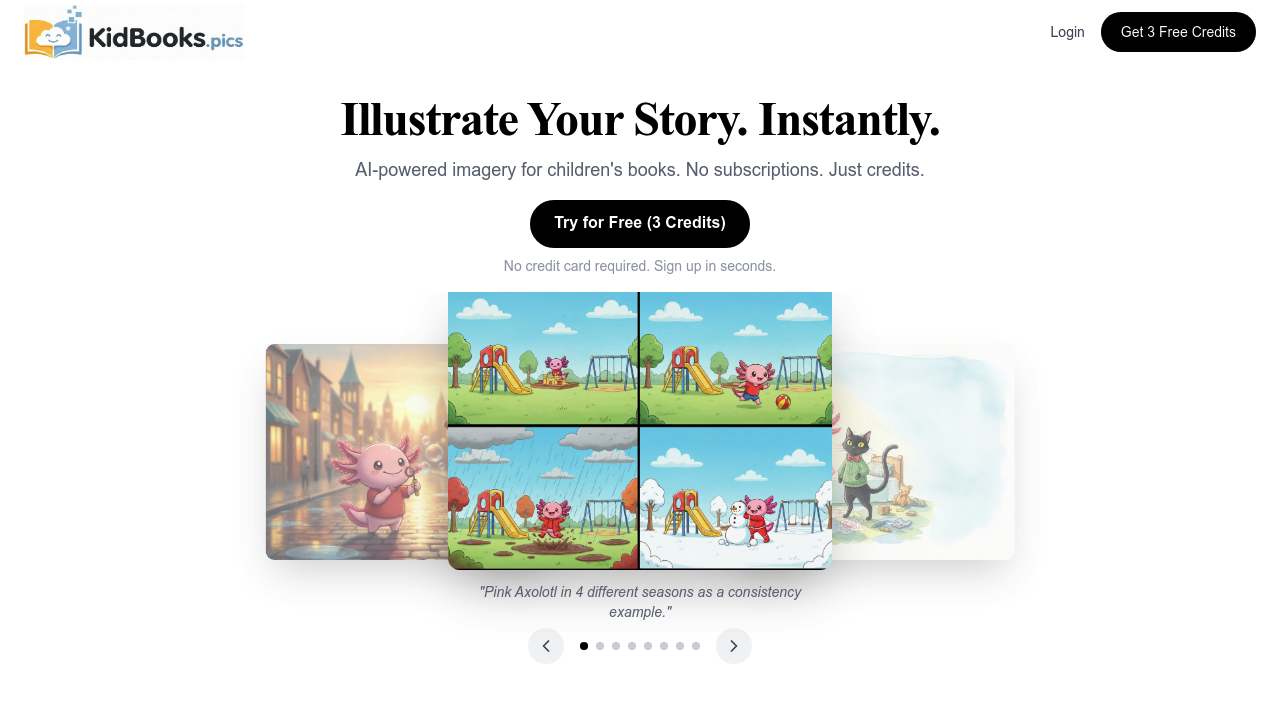
KidBooks.pics screenshot

KidBooks.pics runs on seven art styles built for children's book illustrations. General AI image tools make you wrestle with complex prompts. This one doesn't. Built-in presets give you instant results. Soft Watercolor to 3D Render Pixar Style. One click.

Presets cover scenes, characters, moods, and time of day. No elaborate descriptions needed. No parameter tweaking. Say you're writing about woodland animals — you can grab characters from the library and drop them into different seasonal backgrounds. Visual consistency stays locked in.

Credits don't expire. That's nice. You start with 3 free credits for standard definition images around 1200 pixels wide. After that, $5 gets you 40 credits for standard resolution or about 13 high-definition images at 2400 pixels wide.

Format options include Square 8.5", Portrait 6x9", Landscape 8.5x11", and Widescreen 16:9. Your dashboard tracks credits and projects. Self-published children's authors who need consistent illustrations without expensive illustrators will find this useful.

No subscription model available. You can't integrate KidBooks.pics with other workflows or publishing tools — everything happens in their web interface. You'll need to manually download and organize generated images if you want them in broader publishing workflows.

KidBooks.pics alternatives

See all →

Frequently asked

6 questions
How much does KidBooks.pics cost after the free trial?
You'll get 3 free credits to try it out first. After that, it's $5 for 40 credits. Those 40 credits can get you either 40 standard images (1200 pixels wide) or around 13 high-def ones at 2400 pixels. The good news? Credits never expire -- use them whenever you feel like it.
Can I maintain the same character across multiple illustrations in KidBooks.pics?
Yep, that's actually the whole point! You can grab characters from their library and plop them into different backgrounds. Visual consistency stays locked in perfectly. Works great for series where you need those same woodland animals showing up in various scenes.
What art styles are available in KidBooks.pics?
There's seven art styles made just for kids' books. Goes from Soft Watercolor on one side all the way to 3D Render Pixar Style on the other. Each style has built-in presets too -- so no wrestling with complicated prompts.
Can I export my KidBooks.pics images to other publishing software?
Nope, there's no integration with other publishing tools. Everything happens right in their web interface. You'll need to manually download each image and organize the files yourself if you're using other publishing workflows.
What image formats and sizes does KidBooks.pics generate?
You've got four format options: Square 8.5", Portrait 6x9", Landscape 8.5x11", and Widescreen 16:9. Standard resolution's around 1200 pixels wide -- high-def images are 2400 pixels wide. Just remember HD images eat up more credits than standard ones.
Do I need to write detailed prompts like other AI image generators?
Not even close! KidBooks.pics has built-in presets covering scenes, characters, moods, time of day -- the works. You just click what you want instead of writing elaborate descriptions or messing with parameters. Way simpler than those general AI image tools.

Traffic

Estimated monthly website visits · last 0 months

Not enough historical data for a chart yet.

Reviews (0)

Write review

No reviews yet. Be the first to share your experience.