HandbookHub AI logo
AI Documents Generator FREEMIUM from $12/mo

HandbookHub AI

HandbookHub AI generates employee handbook structures from scratch in under three minutes using AI

Its core technical approach centers on two pipeline stages. First, it creates a skeleton framework based on company type and size. Second, it fills sections using a context-aware language model trained on handbook…

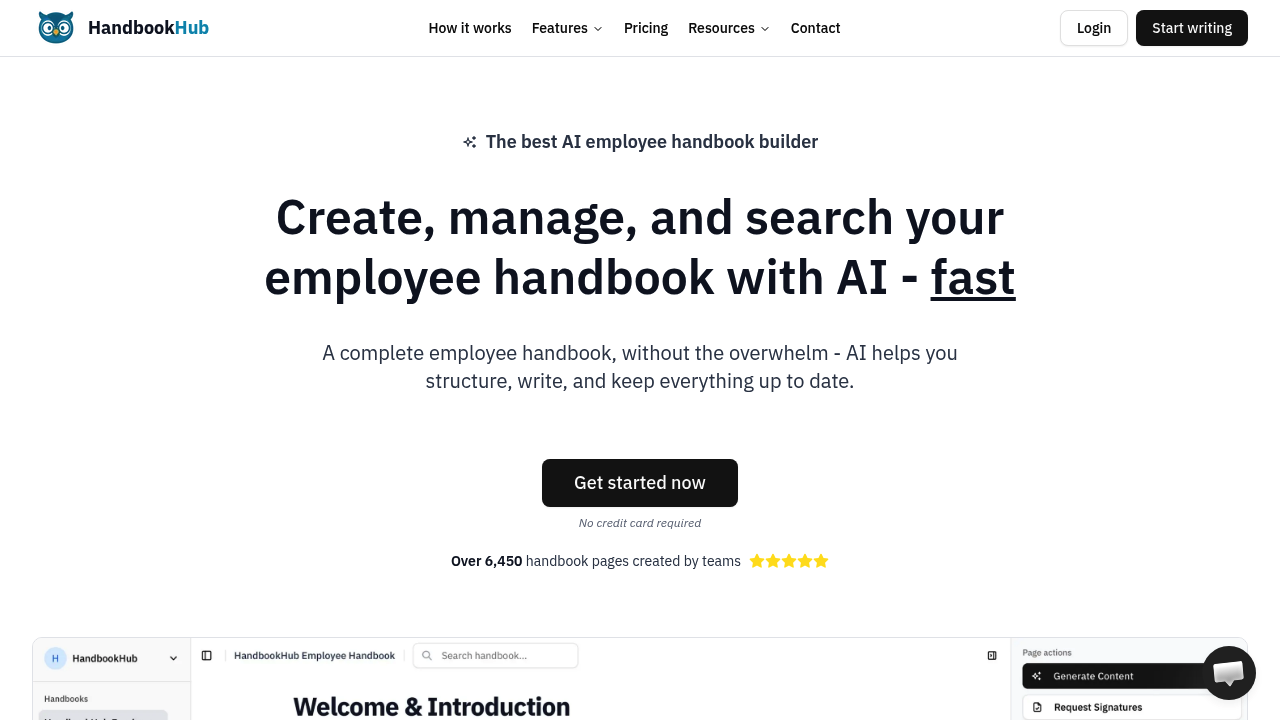
HandbookHub AI screenshot

HandbookHub AI generates employee handbook structures from scratch in under three minutes using AI. Its core technical approach centers on two pipeline stages. First, it creates a skeleton framework based on company type and size. Second, it fills sections using a context-aware language model trained on handbook conventions and employment law patterns.

The smart autocomplete works differently than standard text prediction. When you start typing a policy or procedure, the system pulls context from three sources: your company profile data, previously written sections in the same handbook, and any PDFs you've uploaded. These documents get processed through a text extraction pipeline that feeds into the AI's context window. The system can handle up to 100 document uploads on paid plans, though the free tier caps at one. This limitation matters if you're trying to migrate complex existing policies.

Natural language search runs queries against a vector database of your handbook content. You can ask questions in plain English rather than keyword matching. The search doesn't just find sections, it interprets intent. Ask "what's our vacation policy" and it'll surface relevant passages even if they're labeled "time off" or "PTO."

Content generation operates on a token-based system. The free plan allocates 10,000 AI words, which translates to roughly 13,000 tokens depending on vocabulary complexity. That's enough for maybe 15-20 policy sections before you hit the limit. Paid plans remove this cap entirely.

The Slack integration uses a slash command architecture. Type /handbook followed by a query and it searches your documentation without leaving Slack. This works through a webhook that authenticates against your HandbookHub account, runs the search, and returns results in-thread. It doesn't require separate authentication once you've connected the integration initially.

Digital signatures use a tracking database that logs who signed what and when. You can export this audit trail as CSV, which matters for compliance documentation. The system distinguishes between page-level signatures and handbook-level signatures. Page signatures work for individual policies. Handbook signatures cover the entire document set.

Role-based access control splits users into managers and members. Managers can edit and publish. Members can only view. This is basic compared to granular permission systems but covers most use cases. The free plan restricts you to one team member total, making collaboration impossible without upgrading.

PDF export generates documents page-by-page or as complete handbooks. The export pipeline converts your content to a formatted layout with table of contents and page numbers. Export quality depends on how much custom formatting you've applied, since complex tables sometimes render inconsistently.

HandbookHub has created over 6,450 handbook pages across its user base. That number suggests moderate adoption but doesn't indicate active users or company count.

Pricing starts at $39 monthly when billed annually for unlimited AI generation, up to 100 team members, and unlimited handbooks. The free tier includes AI assistance, one handbook, one team member, and 10,000 AI words. Custom enterprise pricing exists for organizations needing higher limits or dedicated support. No credit card required to start.

The single-member restriction on free accounts makes it impractical for actual team use. You're locked into solo mode unless you pay. The document upload limit also constrains migration scenarios where you'd want to feed existing policies into the AI for context.


HandbookHub AI alternatives

See all →

Frequently asked

6 questions
How does HandbookHub AI generate employee handbooks so quickly?
HandbookHub runs a two-stage pipeline that first builds a structural skeleton based on company parameters you provide, then populates sections using a language model trained on handbook conventions and employment law patterns. The system pulls context from three sources during generation: your company profile, previously written sections in the same handbook, and any PDFs you've uploaded for reference. When you upload documents, they go through a text extraction process that feeds into the AI's context window, letting it match your existing policy language and terminology. The whole initial structure generates in under three minutes, though you'll spend additional time refining and customizing the output.
Does HandbookHub AI have a free plan?
The free tier includes AI-powered writing assistance and 10,000 AI words, which translates to roughly 13,000 tokens or about 15-20 policy sections depending on complexity. You're restricted to one handbook, one team member, and one document upload on this plan. No credit card required to start. Paid plans begin at $39 monthly when billed annually, removing the AI word cap and expanding to 100 team members and 100 document uploads.
How does the natural language search work in HandbookHub AI?
The search system runs queries against a vector database of your handbook content rather than simple keyword matching. When you ask something like 'what's our vacation policy,' it interprets intent and surfaces relevant passages even if they're labeled differently like 'time off' or 'PTO.' This works through semantic understanding of the query compared to embedded representations of your handbook sections. The Slack integration uses the same search pipeline, triggered by a /handbook slash command that authenticates via webhook and returns results directly in-thread without requiring separate login.
Can HandbookHub AI import existing employee handbook documents?
You can upload existing PDFs that get processed through a text extraction pipeline and feed into the AI's context window. This lets the system reference your current policies when generating new content or answering questions. The free plan caps at one document upload, which severely limits migration scenarios if you've got multiple existing policy documents. Paid plans expand this to 100 document uploads, though the system doesn't directly convert PDFs into editable handbook pages, it just uses them as reference material for the AI.
What are the main limitations of HandbookHub AI's free plan?
The single team member restriction makes the free tier impractical for actual collaboration since you can't invite anyone else to edit or review. You're capped at 10,000 AI words, which runs out after maybe 15-20 policy sections, and limited to one document upload for providing context to the AI. The one handbook limit means you can't create separate documentation for different departments or subsidiary companies. These constraints push most teams toward the $39 monthly paid plan once they move past initial testing.
How do digital signatures work in HandbookHub AI?
The signature system uses a tracking database that logs user identity, timestamp, and which document or page they signed. You can apply signatures at two levels: individual policy pages or entire handbooks. The audit trail exports to CSV format, which matters for compliance documentation during audits or legal reviews. This tracking distinguishes between who signed what and when, though it doesn't integrate with third-party e-signature platforms or provide notarization features.

Traffic

Estimated monthly website visits · last 7 months

9.1K visits/mo
Monthly visits
9.1K
↑ 53.7% MoM
Global rank
#2,598,273
US #1,327,007
Category rank
#26
AI Documents Generator
9.1K 6.9K 4.6K 2.4K 188 Jan 2026: 288 visits Jan 2026 Feb 2026: 188 visits Feb 2026 Mar 2026: 1.7K visits Mar 2026 Apr 2026: 5.5K visits Apr 2026 May 2026: 6K visits May 2026 Jun 2026: 5.9K visits Jun 2026 Jul 2026: 9.1K visits Jul 2026

Reviews (0)

Write review

No reviews yet. Be the first to share your experience.