
GoThumbnails appears to be discontinued. Its website has been unreachable across our last three checks. See similar tools below for alternatives.
#7 in AI Thumbnail Maker GoThumbnails logo

GoThumbnails

YouTube thumbnails make or break your click-through rate

GoThumbnails uses AI to generate them in 10 seconds instead of the hours you'd normally spend wrestling with design software or paying someone to do it for you. You tell it what your video's about. It researches…

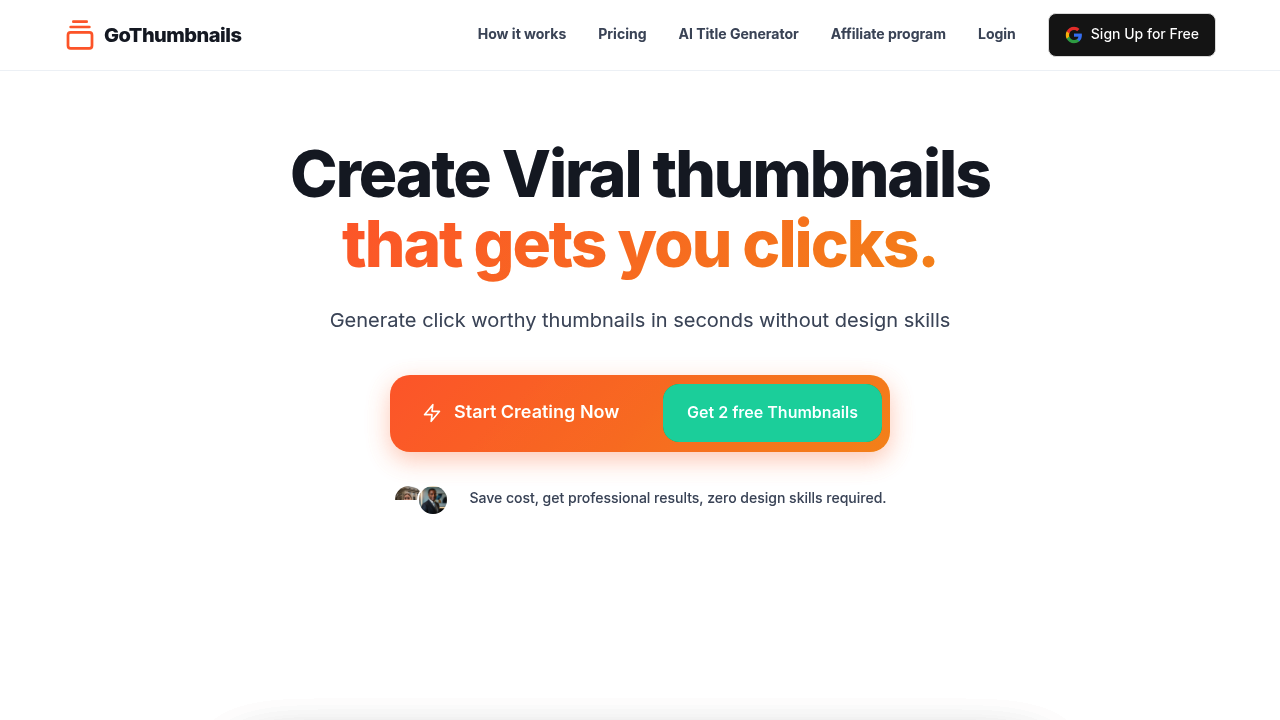
GoThumbnails screenshot

YouTube thumbnails make or break your click-through rate. GoThumbnails uses AI to generate them in 10 seconds instead of the hours you'd normally spend wrestling with design software or paying someone to do it for you.

You tell it what your video's about. It researches trending thumbnails in that niche, analyzes what works for your target audience, and spits out a complete design with text, images, and effects. No prompts to write. No design skills needed. This system pulls from best practices that top YouTubers recommend but automates the whole process so you're not manually implementing each tip.

Does it actually work? The 10-second claim seems legitimate based on how it's structured. You're not starting from scratch or tweaking endless variations. The AI handles the trending research component too, which matters since 90% of best-performing videos use custom thumbnails. That data-driven approach beats guessing what might catch attention.

Beyond thumbnails, you get script generators for hooks and outlines, a descriptions feature that writes titles and tags, and an image creator for video scenes. There's also a dedicated hook generator and separate features for titles and tags if you need those individually. It's basically a content creation suite disguised as a thumbnail maker.

What's missing? No mention of how many style options you get or whether you can iterate on designs. Can you tweak the AI output or are you stuck with what it generates? The facts don't say. There's also nothing about exporting formats or dimension options for different platforms beyond YouTube. And no integration details beyond the underlying AI tech it runs on.

You get 2 thumbnails free to test it. After that it's 10 cents per thumbnail. That's cheaper than hiring designers but adds up if you publish daily. The pay-per-use model means no subscription commitment, which helps if your upload schedule varies.

This works for YouTube creators who know their click-through rates need help but don't want to become designers. Particularly useful if you're pumping out content regularly and can't spend 30 minutes per thumbnail. The trending research angle gives you an edge over just throwing text on stock images. But if you need precise brand control or have specific design requirements, the automation might feel limiting. You're trusting the AI knows what converts in your niche.

Frequently asked

6 questions
Is GoThumbnails actually free to use?
You get 2 free thumbnails to test it out, then it switches to pay-per-use at 10 cents per thumbnail. There's no ongoing subscription, so you only pay when you actually generate a thumbnail. That pricing structure works well if you don't upload daily, but it adds up fast for creators publishing multiple videos per week. The free tier is enough to see if the AI-generated designs match your style before committing money.
How long does it take GoThumbnails to create a thumbnail?
The tool claims 10 seconds from start to finish. You describe your video content, and it handles the trending research, audience analysis, and design generation automatically without you tweaking prompts or adjusting layouts. That's significantly faster than the hours most creators spend in Photoshop or Canva trying different text placements and effects. The speed comes from automation rather than giving you tons of manual control.
Can you edit the thumbnails GoThumbnails generates?
The available information doesn't mention editing capabilities or iteration options. You might be stuck with whatever the AI produces in that initial 10-second generation. This could be limiting if the text placement is slightly off or you want to adjust colors to match your branding. It's unclear whether you get multiple design variations to choose from or just one output per generation.
Does GoThumbnails work for platforms besides YouTube?
It's specifically built for YouTube thumbnails based on the trending research and best practices it references. There's no mention of export dimensions for other platforms like TikTok, Instagram, or Twitch. The AI analyzes what works on YouTube specifically, so the designs are optimized for that platform's click-through patterns. If you need thumbnails for multiple platforms, you'd probably need different tools.
Who should actually use GoThumbnails?
This makes sense for YouTube creators who publish regularly and know their click-through rates need improvement but don't have design skills. It's particularly useful if you're spending hours per thumbnail or paying designers more than 10 cents each. The trending research feature helps if you're in a competitive niche where understanding what thumbnails perform well gives you an edge. If you need precise brand control or have a specific design system, the automation might feel too rigid.
What else does GoThumbnails include besides thumbnail creation?
You also get an AI script generator for video hooks and outlines, a descriptions tool that writes titles and tags, and an image creator for video scenes. There are separate generators for hooks, titles, and tags if you need those individually. It's more of a content creation suite than just a thumbnail maker, which justifies the cost if you use multiple features per video.

Traffic

Estimated monthly website visits · last 8 months

3.2K visits/mo
Monthly visits
3.2K
↑ 19.6% MoM
Global rank
#4,814,580
US #2,617,044
Category rank
#7
AI Thumbnail Maker
7.4K 5.8K 4.1K 2.4K 713 Dec 2025: 3.4K visits Dec 2025 Jan 2026: 7.4K visits Jan 2026 Feb 2026: 6K visits Feb 2026 Mar 2026: 3.1K visits Mar 2026 Apr 2026: 713 visits Apr 2026 May 2026: 2.9K visits May 2026 Jun 2026: 2.7K visits Jun 2026 Jul 2026: 3.2K visits Jul 2026

Reviews (0)

Write review

No reviews yet. Be the first to share your experience.