
Design.com | AI Website Builder logo

Design.com | AI Website Builder

Design

41 views
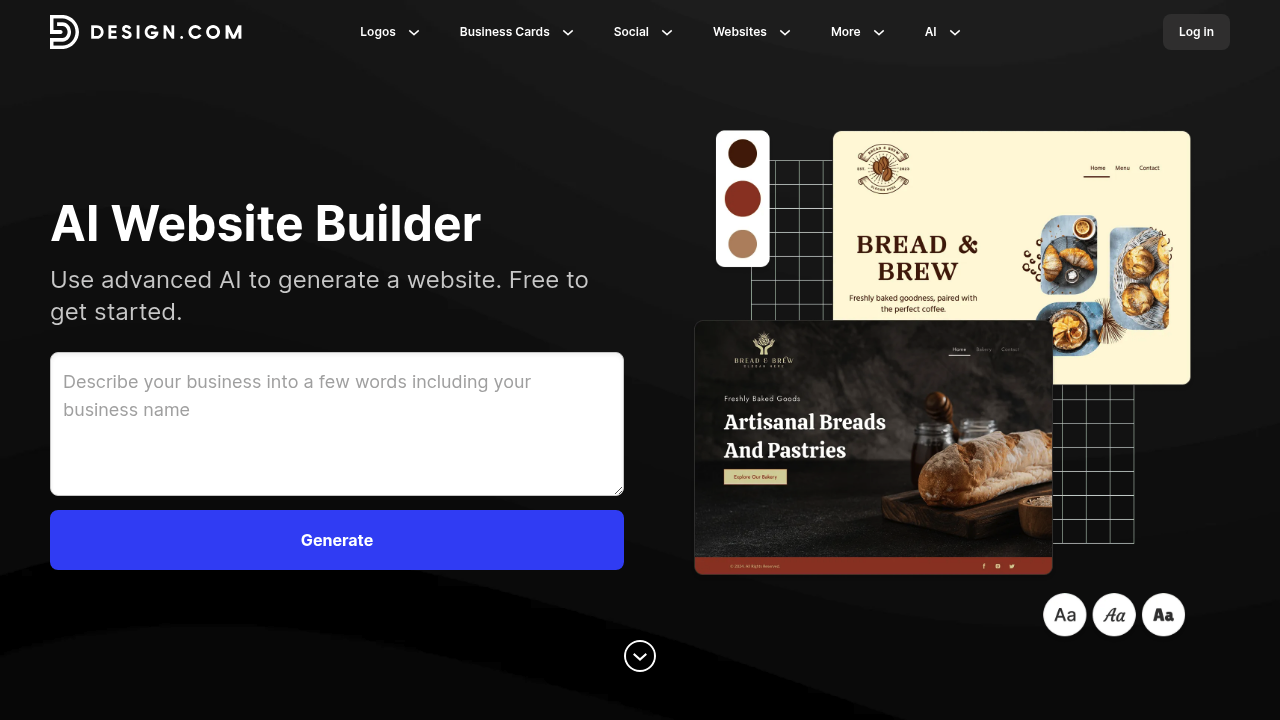
Design.com | AI Website Builder screenshot

Design.com | AI Website Builder actually generates the site itself—seconds after you type in your business name and a handful of keywords, creating a complete website rather than just providing advice about building one.

The learning curve here? Practically nonexistent. You don't need to understand web design principles. You won't fiddle with page builders for hours. Type "organic bakery" with a few descriptors. The AI spits out a fully formed website trained on thousands of professional designs. Don't like what you see? Tweak your business description. Add different keywords. Generate another one. You can heart your favorites—compare options side by side.

Once you've got a design worth working with, editing tools let you adjust fonts. Colors. Layouts. Curved text works. Gradients work too. Everything's responsive across phones and tablets and desktops (no extra configuration needed). A coffee shop owner with zero tech experience can have a presentable site live in under ten minutes.

The free plan lets you browse and customize as many AI-generated sites as you want. No payment required upfront. One-click publishing when you're ready.

The downside shows up if you've got very specific visual requirements. Design.com generates what it thinks fits your industry—based on its training data. That might not align with your exact vision. You can refine it, sure. But you're still working within the framework the generator provides rather than starting from a blank canvas with complete control.

Frequently asked

7 questions
How long does it take to build a website with Design.com?
You can have a complete website generated in seconds. Just type in your business name and a few keywords, and the AI creates a fully formed site instantly. If you're happy with the first result, you could publish in under ten minutes. Most people spend a bit longer customizing fonts and colors to match their brand.
Is Design.com AI Website Builder really free?
Yes, it's free to use. You can generate unlimited websites, browse through options, and customize everything without paying anything upfront. The free plan includes all the editing tools and one-click publishing when you're ready to go live.
Do I need coding skills to use Design.com?
Nope, zero coding required. The whole point is that you just describe your business in plain English, and the AI handles the design work. You'll use visual editing tools to tweak colors and fonts—nothing technical. A complete beginner can figure it out.
Can I customize the AI-generated website design?
Absolutely. Once the AI generates your site, you can change fonts, colors, layouts, and even add curved text or gradients. If the initial design isn't quite right, you can also adjust your business description or keywords and generate a completely new version to compare.
What if the AI website doesn't match my vision?
That's the main limitation—you're working within the framework the AI provides based on its training data. You can refine by tweaking keywords or generating multiple options to compare, but you won't get the same level of control as building from scratch. It works best if you're flexible about the visual direction.
Will my website work on mobile phones?
Yes, every site is automatically responsive across phones, tablets, and desktops. You don't need to configure anything extra or create separate mobile versions. The AI builds everything to adapt to different screen sizes right from the start.
Who should use Design.com AI Website Builder?
It's perfect for small business owners, freelancers, or anyone who needs a professional-looking website quickly without learning web design. If you're opening a coffee shop, starting a consulting practice, or launching any local business, this gets you online fast with minimal effort.

Reviews (0)

No reviews yet. Be the first to share your experience.

Similar tools

See all →