
Coloring-Pages.app appears to be discontinued. Its website has been unreachable across our last three checks. See similar tools below for alternatives.
Coloring-Pages.app logo

Coloring-Pages.app

Coloring-Pages.app is an AI powered tool that generates printable coloring pages. Users can generate coloring pages by either uploading a photo or typing a text prompt, which the AI then converts into

Free unlimited access to generate coloring pages. That's the hook with Coloring-Pages.app — you don't need an account or payment to create printable pages from photos or text prompts. Only paid feature? Removes…

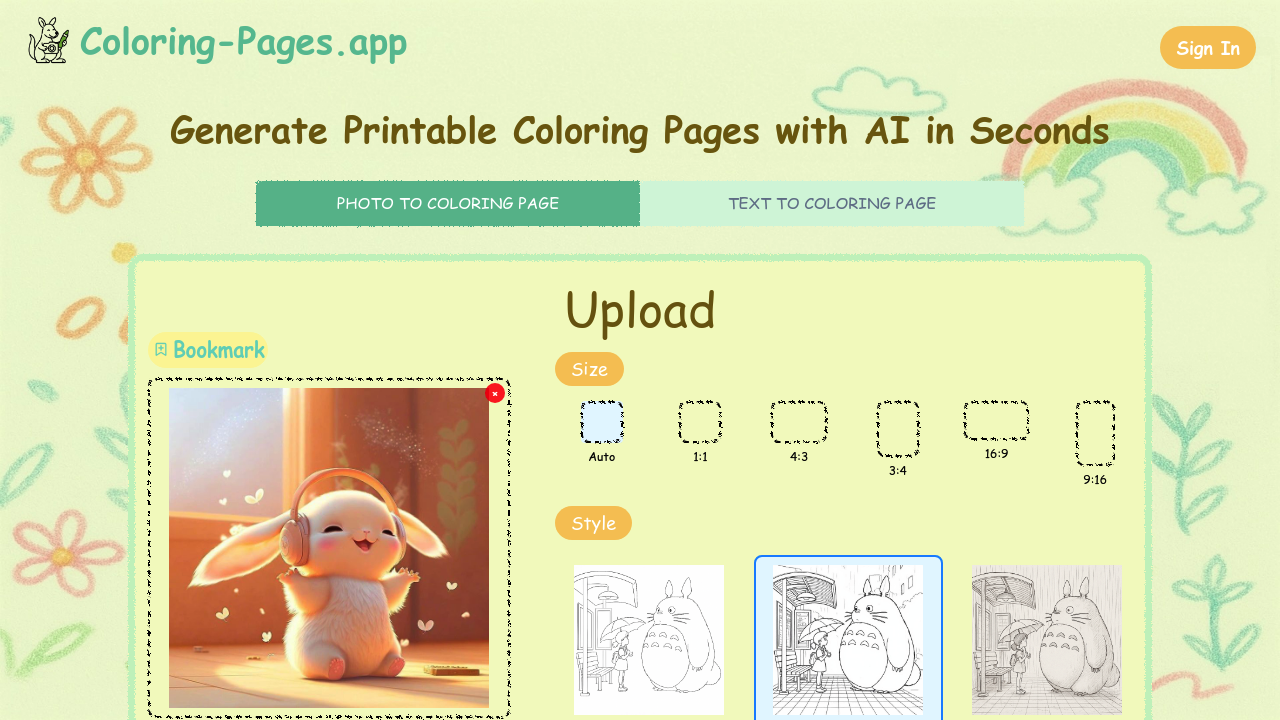
Coloring-Pages.app screenshot

Free unlimited access to generate coloring pages. That's the hook with Coloring-Pages.app — you don't need an account or payment to create printable pages from photos or text prompts. Only paid feature? Removes watermarks from downloads.

Upload any photo. Watch it transform into line art within seconds. Text prompts work just as well. Want a dragon castle for your kindergarten class? Type it in. The AI handles cartoons. Realistic photos. Oil paintings. Sketches too.

Three difficulty levels let you match complexity to your audience. Simplified versions work for young kids while detailed options challenge adults. You can export as PNG or PDF files in multiple aspect ratios from square to widescreen.

A third-grade teacher planning a Friday afternoon activity could upload a class photo and generate personalized coloring sheets in minutes.

The social media sharing feature means parents can instantly post their kids' finished artwork. Generated content stays personal use only though.

Coloring-Pages.app uses Comic Sans MS and Marker Felt fonts, which feels appropriate for the target audience. Parents and art hobbyists get the most value here — especially those creating activities for mixed age groups. Teachers find the difficulty settings useful when managing different skill levels in one classroom.

It delivers exactly what it promises without complexity or subscription traps.

Frequently asked

6 questions
How long does it take for Coloring-Pages.app to convert a photo into a coloring page?
It's super quick -- just seconds after you upload. Doesn't matter if it's a cartoon, realistic photo, or painting. You won't be sitting there waiting around. Fast enough that you can make several pages back-to-back.
What's the difference between the three difficulty levels on Coloring-Pages.app?
Simplified's got fewer lines and bigger spaces -- perfect for little kids still working on their motor skills. Medium adds more detail but won't overwhelm beginners. Detailed creates intricate line work that'll actually challenge adults and older kids.
Can I use Coloring-Pages.app without creating an account?
Yep, you can make unlimited coloring pages without signing up. No personal info needed either. Only catch? Free downloads come with a watermark. You'll have to pay if you want clean files.
What file formats and sizes does Coloring-Pages.app export?
You get PNG or PDF files. Multiple aspect ratios too -- square formats to widescreen options. Pretty flexible setup. Works for standard printer paper or whatever custom dimensions your project needs.
Are there any copyright restrictions on images I create with Coloring-Pages.app?
Personal use only. You can't sell them or use them commercially. This goes for pages made from your own photos AND text prompts.
How well does Coloring-Pages.app handle complex photographs with lots of detail?
The AI handles oil paintings and sketches, but your results depend on what you're starting with. Clear subjects with good contrast work way better than busy images with cluttered backgrounds. Complex photos might need you to experiment with different difficulty settings to get decent line art.

Traffic

Estimated monthly website visits · last 0 months

Not enough historical data for a chart yet.

Reviews (0)

Write review

No reviews yet. Be the first to share your experience.