
Claptools Free Youtube Transcriptor logo

Claptools Free Youtube Transcriptor

Watching a two-hour YouTube tutorial just to find one explanation

? Gets old fast. You need the transcript—but YouTube's auto-captions hide in awkward menus. Claptools Free Youtube Transcriptor strips that hassle away. Paste a YouTube link. Click once. Full transcript appears as plain…

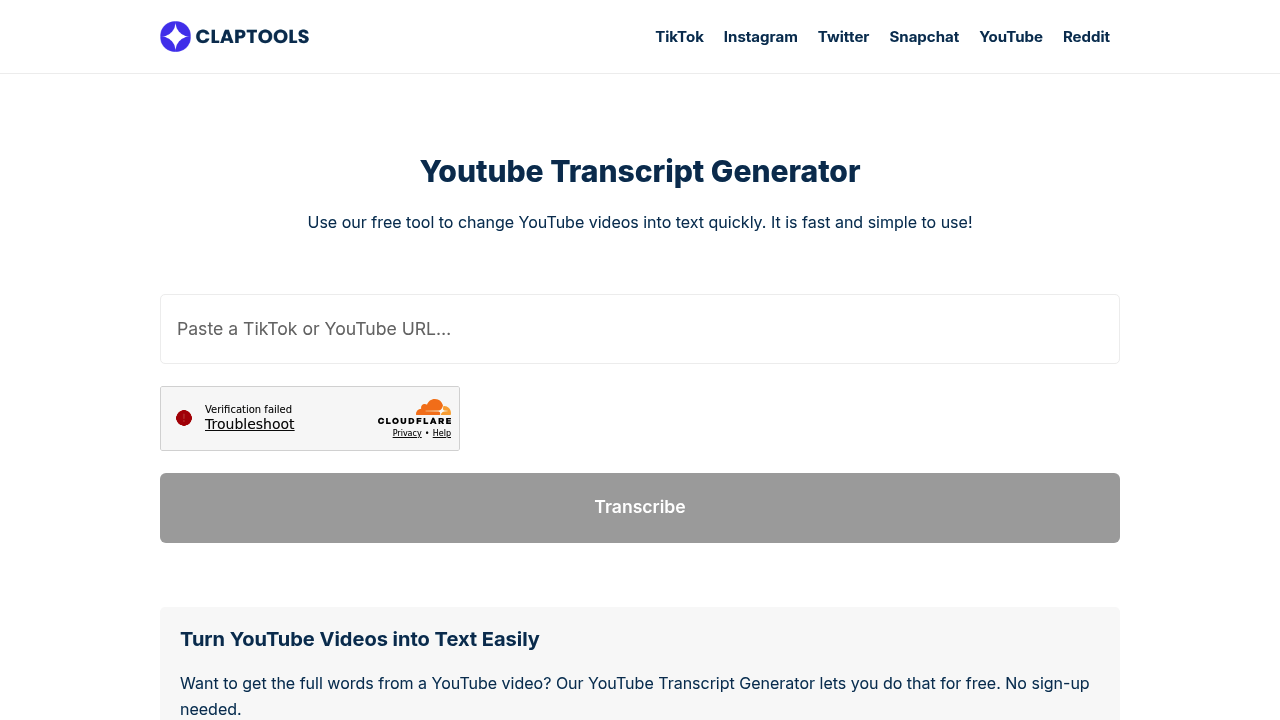
Claptools Free Youtube Transcriptor screenshot

Watching a two-hour YouTube tutorial just to find one explanation? Gets old fast. You need the transcript—but YouTube's auto-captions hide in awkward menus.

Claptools Free Youtube Transcriptor strips that hassle away.

Paste a YouTube link. Click once. Full transcript appears as plain text. Copy it wherever you want. The whole process takes seconds. No account setup required. Works with any public video (podcasts, interviews, educational content).

This is built for solo work. A researcher grabs quotes from multiple interview videos—no rewatching everything. Students pull key points from lecture recordings. Content creators repurpose their own videos into blog posts. No team collaboration here. No shared workspaces. Just you and the transcript.

Output is straightforward plain text. No formatting. No timestamps (unless they're baked into YouTube's captions). That simplicity works fine for most uses. Might disappoint if you need speaker labels or time codes for editing purposes.

The free plan doesn't gate you. Use it as much as you want—no sign-up walls or credit limits. It's part of a larger suite of free YouTube tools from Claptools. That suite includes script writers and SEO generators.

The catch is obvious: private videos won't work. Video isn't public on YouTube? You're out of luck. But for everything else? It does exactly what it promises. Doesn't ask for your email address first.


Claptools Free Youtube Transcriptor alternatives

See all →

Frequently asked

6 questions
How do I get a transcript from a YouTube video?
Just paste the YouTube video link into Claptools Free Youtube Transcriptor and click to generate. The full transcript appears as plain text that you can copy and use anywhere. No account needed, and it works with any public YouTube video.
Is Claptools YouTube transcriptor really free?
Yep, completely free with unlimited use. There's no sign-up required, no credit system, and no hidden paywalls. You can transcribe as many public YouTube videos as you want without paying anything.
Can I transcribe private or unlisted YouTube videos?
No, it only works with public YouTube videos. If the video is set to private or unlisted, you won't be able to transcribe it. The video needs to be publicly accessible on YouTube.
What can I use YouTube transcripts for?
Tons of stuff. Students pull quotes from lectures without rewatching everything, content creators turn their videos into blog posts, and researchers grab specific sections from interviews. It's basically for anyone who needs text instead of video.
Does the transcript include timestamps?
It gives you plain text output, so you'll only get timestamps if they're already part of YouTube's auto-captions. The focus is on simplicity—just the spoken words without extra formatting.
Do I need to create an account to use it?
Nope, no account needed. Just go to the site, paste your YouTube link, and get your transcript. They don't ask for your email or any sign-up information.

Traffic

Estimated monthly website visits · last 9 months

21.5K visits/mo
Monthly visits
21.5K
↓ 18.2% MoM
Global rank
#1,144,458
MA #16,252
Category rank
#29
AI Social Media
622.6K 472.3K 322K 171.8K 21.5K Nov 2025: 376.5K visits Nov 2025 Dec 2025: 622.6K visits Dec 2025 Jan 2026: 381K visits Jan 2026 Feb 2026: 237.7K visits Feb 2026 Mar 2026: 295.2K visits Mar 2026 Apr 2026: 235.4K visits Apr 2026 May 2026: 131.7K visits May 2026 Jun 2026: 26.3K visits Jun 2026 Jul 2026: 21.5K visits Jul 2026

Reviews (0)

Write review

No reviews yet. Be the first to share your experience.