Bing Image Creator logo

Bing Image Creator

Bing Image Creator turns written prompts into images in a few seconds, and it costs nothing to use.

After signing in with a Microsoft account you get 10 free creations in Fast mode plus unlimited creations in Standard mode, and extra credits can be earned through Microsoft Rewards. You pick the model, such as…

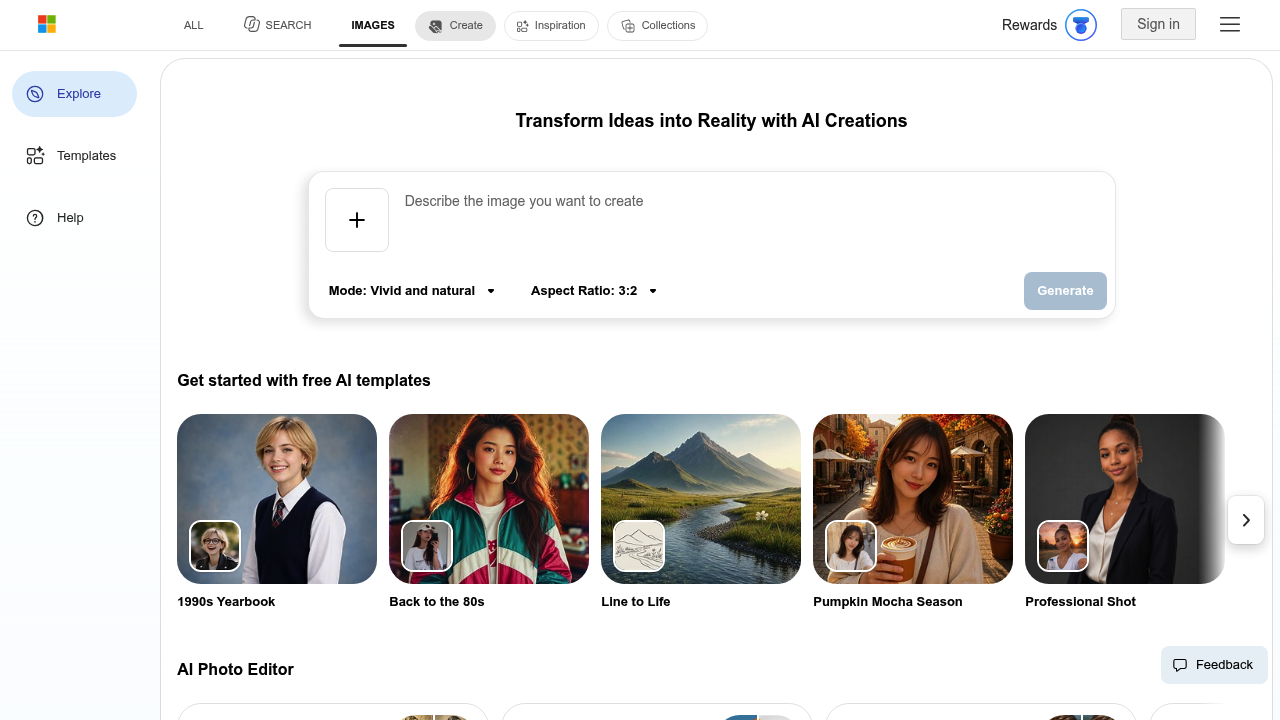
Bing Image Creator screenshot

Bing Image Creator turns written prompts into images in a few seconds, and it costs nothing to use. After signing in with a Microsoft account you get 10 free creations in Fast mode plus unlimited creations in Standard mode, and extra credits can be earned through Microsoft Rewards. You pick the model, such as MAI-Image-2.5-Flash for detailed, dynamic results or MAI-Image-2e for quick stylized art, then set an aspect ratio and ask for one, two or four images per prompt. You can also upload a photo and ask for it to be enhanced, remixed or reimagined.

Casual creators are the obvious audience: people making wallpapers, birthday cards, profile pictures or fun social posts who do not want to pay for a subscription. Students and teachers use it for illustrated slides and classroom material. Small business owners and bloggers can produce a quick header image or product mockup concept without hiring a designer. Hobbyists who explore concept art, fantasy characters or anime styles will find the category filters and prompt suggestions useful for getting started, and no technical background is needed.

Template galleries cover trends like 1990s Yearbook portraits, Back to the 80s, Vinyl Toy, Acrylic Keychain, Knit Art and 16-Bit Pixel Art, so a user can upload a photo and get a styled result in a click. Travel posters, pumpkin mocha seasonal cards and professional-looking headshots are further starting points. Browse categories such as Architecture, Food and Drink, Home Decor, Weddings and Celebrations, Vehicles and Machines, and Nature and Scenery for inspiration. Built-in photo tools handle background removal, image expansion, retouching, enhancement and old photo restoration, and a companion Bing Video Creator produces short AI videos from prompts.

Bing Image Creator alternatives

See all →

Frequently asked

6 questions
How do I generate an image with Bing Image Creator?
Type a description in the prompt box, choose a model and aspect ratio, and select how many images you want, from one to four. Press Generate and the results appear in seconds. You can also attach a photo to enhance, remix or restyle it.
Who is Bing Image Creator best suited for?
It suits everyday users, students, bloggers and small business owners who want quick AI visuals at no cost. No design or technical skills are required, and the template gallery gives beginners ready-made prompts.
Can I turn my own photo into a stylized picture?
Upload an image and use a template such as 1990s Yearbook, Vinyl Toy, Knit Art or 16-Bit Pixel Art, or write your own instruction. The generator reworks the photo in that style. Uploads require signing in to a Microsoft account.
Is Bing Image Creator free?
Creation is free. Signed-in users receive 10 free creations in Fast mode and unlimited creations in Standard mode, and Microsoft Rewards can add more credits. Guests get a limited number of daily creations that reset each day.
What are the limits of Bing Image Creator?
Guest sessions hit a daily cap, and Fast mode credits run out after 10 creations, after which images may take a few minutes. Prompts that break the content policy can lead to a one-hour access suspension. The service is also not offered in every country or region.
Does Bing Image Creator also make videos?
A companion Bing Video Creator generates short AI videos, and video requests can take from a few minutes to a few hours. Signing in with a Microsoft account adds more models and uploads. Photo tools for background removal and image expansion are linked from the same page.

Reviews (0)

Write review

No reviews yet. Be the first to share your experience.