AI Puppy appears to be discontinued. Its website has been unreachable across our last three checks. See similar tools below for alternatives.
AI Puppy logo

AI Puppy

This pet photo transformation tool applies style transfer neural networks to uploaded images of cats, dogs, and other pets

The system processes images up to 10MB in PNG, JPG, or WebP formats through a recognition pipeline that identifies the pet in the frame before applying one of over 20 artistic transformations. The underlying…

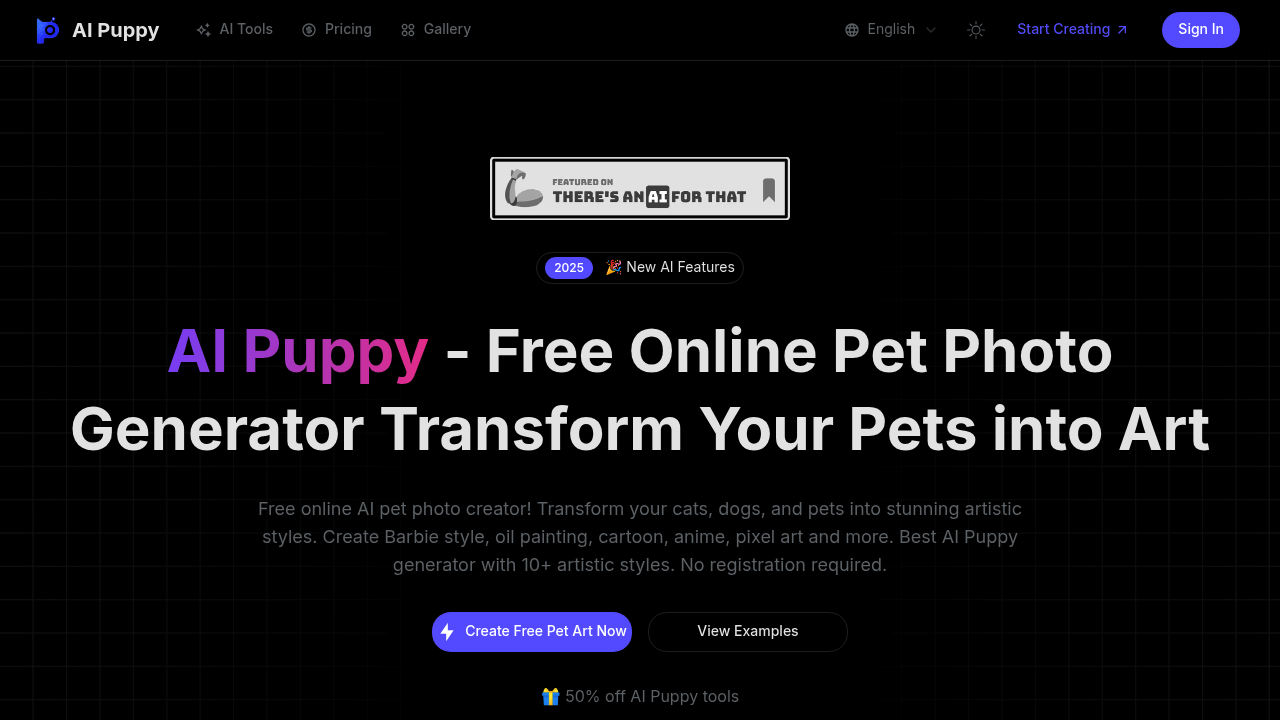
AI Puppy screenshot

This pet photo transformation tool applies style transfer neural networks to uploaded images of cats, dogs, and other pets. The system processes images up to 10MB in PNG, JPG, or WebP formats through a recognition pipeline that identifies the pet in the frame before applying one of over 20 artistic transformations. The underlying architecture likely uses diffusion models or GANs trained on specific art styles, converting the original photo into outputs ranging from Barbie aesthetics to traditional ink wash paintings.

The data flow starts with image upload and automatic pet detection. The recognition technology isolates the animal subject, which helps the style transfer focus on the pet rather than background elements. Users select from preset styles like LEGO, Ghibli, pixel art, or watercolor, or they can input custom text prompts limited to 500 characters. The aspect ratio can be adjusted across seven options including standard social media formats and custom dimensions. Processing happens server-side, with the transformed image rendered at high resolution suitable for printing or digital sharing.

Output quality depends on the input photo and selected style. The system generates images optimized for both social platforms and physical prints, though actual resolution specs aren't disclosed. The variety of styles suggests multiple specialized models rather than a single general-purpose transformer. Each style appears to be a distinct trained variant, which explains the breadth of aesthetic options from chibi emoji to gouache painting.

No integrations exist. It's a standalone web tool.

The service runs entirely free without registration requirements. Users can upload, transform, and download without creating accounts or entering payment information. There's a community gallery where generated images appear, letting visitors browse other people's pet transformations for inspiration.

Technical constraints are straightforward. The 10MB file size cap means very high resolution photos need compression before upload. The three supported formats cover most common image types, but RAW camera files won't work without conversion. Custom prompts max out at 500 characters, which limits complex style descriptions. There's no batch processing mentioned, so multiple photos require individual uploads. The system doesn't specify processing time, which likely varies based on selected style complexity and server load. No API access exists for developers wanting to integrate this functionality into other applications. The web-only interface means there's no mobile app or browser extension for quick access.

Frequently asked

7 questions
Is AI Puppy free to use?
AI Puppy operates as a completely free online service with no registration required. You can upload pet photos, apply any of the 10+ artistic styles, and download the transformed images without creating an account or entering payment details. The platform mentions a 50% off promotion on AI Puppy tools, though it's unclear what paid features this refers to since the core transformation service doesn't require payment.
How does AI Puppy transform pet photos?
AI Puppy uses style transfer neural networks, likely diffusion models or GANs, trained on specific artistic styles to convert pet photos. The system first runs a recognition pipeline that identifies and isolates the pet in the uploaded image, ensuring the style transformation focuses on the animal rather than background elements. After you select a style or enter a custom prompt, the server processes the image through the corresponding trained model to generate a high-resolution output that matches the chosen aesthetic.
What image formats does AI Puppy accept?
The tool accepts PNG, JPG, and WebP image formats with a maximum file size of 10MB. RAW camera files or other formats won't work without converting them first. If you've got high-resolution photos that exceed the size limit, you'll need to compress them before uploading.
Can I use AI Puppy for professional pet photography?
Pet photographers and pet owners can use the high-resolution outputs for both social media sharing and physical printing, making it suitable for creating personalized gifts or portfolio pieces. The variety of styles from oil painting to pixel art lets you offer clients different artistic interpretations of their pet photos. However, there's no batch processing capability, so transforming multiple photos from a session requires uploading each image individually, which limits efficiency for professional workflows.
What styles can AI Puppy create?
The platform offers over 20 preset artistic styles including Barbie, oil painting, cartoon, anime, pixel art, 3D Cute, Ghibli, LEGO, watercolor, pencil sketch, and ink wash painting. Seasonal options like Christmas and Halloween themes are available, along with specialty styles like Animal Crossing, Snoopy, and chibi emoji. You can also write custom prompts up to 500 characters to describe your own style, though the preset options likely produce more consistent results since they're based on dedicated trained models.
Does AI Puppy work with all pets or just dogs?
The tool processes photos of cats, dogs, and other pets through its recognition technology. The smart pet detection system identifies the animal in the frame regardless of species, though performance likely varies depending on how well the underlying model was trained on different animal types. Common household pets probably work best since they'd be more represented in the training data.
What are the limitations of AI Puppy?
The 10MB file size cap means very high-resolution photos need compression before upload, potentially reducing input quality. Custom prompts max out at 500 characters, which restricts complex style descriptions compared to other AI art generators. There's no API access, batch processing, mobile app, or integrations with other platforms, so it's strictly a web-based tool for individual image transformations. Processing time isn't specified and likely varies based on server load and style complexity.

Traffic

Estimated monthly website visits · last 4 months

654 visits/mo
Monthly visits
654
↓ 43.0% MoM
Global rank
#13,541,406
Category rank
#79
Image to Image
1.2K 970 736 502 269 Jan 2026: 269 visits Jan 2026 Feb 2026: 1.2K visits Feb 2026 Mar 2026: 1.1K visits Mar 2026 Apr 2026: 654 visits Apr 2026

Reviews (0)

Write review

No reviews yet. Be the first to share your experience.