
Free iLovePDF Alternative — Self-Hosted PDF Tools PHP Script (PdfZip)
PdfZip: 18 PDF tools on your own server — merge, split, compress, PDF↔Word, Excel/PPT→PDF, watermark, protect. Free engines (qpdf, Ghostscript, Poppler, LibreOffice), no APIs, files auto-deleted. Full admin panel.
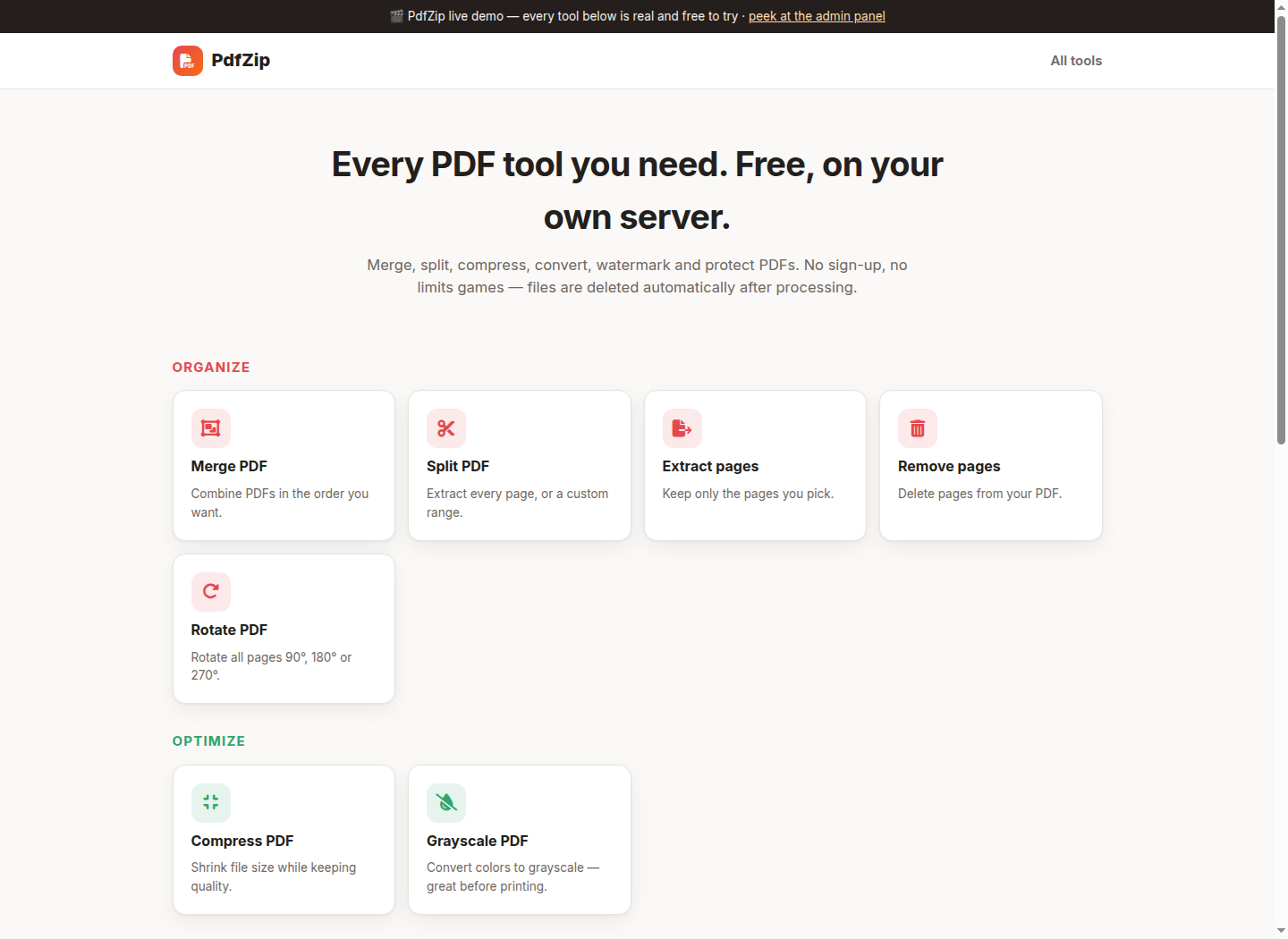
What it is
There is no AI, no third-party API and no per-file fee anywhere in the pipeline. The heavy lifting is done by the same free, battle-tested engines the big PDF sites are built on — qpdf, Ghostscript and Poppler — installed with a single apt line. The script detects which engines exist and shows only the tools that will actually work; the admin panel has a live engine-status table, so "why is this tool missing?" is never a mystery.
Privacy is the selling point the hosted services can't match: every job runs in a random 32-hex workspace, downloads only work through tokenized URLs, and everything is deleted automatically after a configurable retention window (plus a one-click purge button). No accounts, no upload history, nothing leaves the box.
The admin panel controls all of it: file-size and files-per-job limits, per-IP hourly rate limit, auto-delete time, tool toggles, site name/tagline/footer, an analytics snippet slot, a 30-day jobs chart with per-tool counts and errors, and recent-job logs. Two pieces are pure PHP with no library at all: the Images→PDF converter writes the PDF objects itself (JPEG pass-through, so no recompression), and the Watermark/Page-numbers tools generate an overlay PDF in PHP that qpdf stamps over every page.
Since launch it also grew an SEO layer and a blog, both admin-managed: every tool page gets its own editable title, meta description and an intro text block (HTML allowed) with sensible defaults when left empty, and the built-in blog (posts with slugs, meta descriptions, draft/publish states) lets the site rank for how-to searches that feed the tools. Asset URLs are version-stamped so CDN caches never serve stale CSS or JS after an update.
PdfZip vs iLovePDF & co.
iLovePDF, Smallpdf and similar services meter the free tier (file size caps, tasks per day, queue priority) and sell Premium subscriptions to lift them. PdfZip has no meter: your server, your limits — the admin panel is where "pricing" lives, and it's a settings form.
| Feature | PdfZip (self-hosted) | Hosted PDF services |
|---|---|---|
| Where your files go | They never leave your server; auto-deleted after a window you control | Uploaded to third-party cloud, retention per their policy |
| Free tier limits | None — you set size/rate limits yourself | File size, tasks/day and queue caps designed to sell Premium |
| Cost at any volume | Server you already have + free engines (qpdf, Ghostscript, Poppler) | Monthly subscription per user |
| Merge, split, extract, remove, rotate | ✓ | ✓ |
| Compress (3 presets) + Grayscale | ✓ | ✓ (compression levels often Premium) |
| PDF→JPG, Images→PDF, PDF→Text | ✓ — Images→PDF is pure PHP, JPEG pass-through | ✓ |
| Watermark + page numbers | ✓ — generated in PHP, stamped with qpdf | ✓ (often Premium) |
| Protect / Unlock | ✓ AES-256 via qpdf | ✓ |
| Word / Excel / PowerPoint → PDF and PDF → Word | ✓ via LibreOffice — appears automatically when installed | ✓ (PDF→Word usually Premium) |
| White-label + your own ads/analytics | ✓ — name, tagline, footer, head snippet from admin | — |
| Rate limiting & abuse control | ✓ per-IP hourly limit, size caps, tool toggles | Their rules, not yours |
Server requirements & dependencies
- PHP 8.1 or newer (pdo_mysql, gd, zip)
- MySQL 5.7+ / MariaDB 10.3+
- Apache with mod_rewrite (or nginx with an equivalent rewrite)
- Engines — one line, all free: apt install qpdf ghostscript poppler-utils
- Optional: libreoffice for Word/Excel/PowerPoint → PDF
- php.ini upload_max_filesize / post_max_size sized to your configured limits
How to install
2. Install the engines if the server doesn't have them: apt install qpdf ghostscript poppler-utils (about 50 MB total). Tools appear and disappear automatically based on what's installed.
3. Open https://yourdomain/install/, enter database and admin details. Done — the tool grid is live immediately.
4. Visit /admin for everything else: size and rate limits, auto-delete window, tool toggles, branding, analytics snippet, engine status, stats and the purge button.
The prompt — build it yourself
Paste this into Claude and you'll get this product. This is the actual spec that produced the code above.
Architecture: one registry file describes every tool — name, category, accepted file types, options schema, required engine, handler function — and the whole product hangs off it: the landing grid, the tool pages, the option forms, the admin toggles and the API validation are all generated from that single table. Adding a tool is ~15 lines. Engines are probed at runtime (
command -v + version), so the same zip works on a bare VPS (images→PDF still works — it's pure PHP) and on a full server where Office→PDF appears by itself.Two things had to be written from scratch because "no Composer, no libraries" is the series rule: an Images→PDF writer that embeds JPEGs by pass-through (DCTDecode — no recompression, PNG/WEBP flattened to JPEG via GD), and an overlay generator for Watermark/Page numbers that emits a real PDF (Helvetica, ExtGState opacity, rotation matrix) which qpdf then stamps over every page with
--overlay. Both produce files that pass qpdf --check.Security model: uploads are renamed to server-generated names (f1.pdf…) before any shell command sees them, every argument goes through escapeshellarg, jobs live in random 32-hex workspaces, downloads only resolve through tokenized URLs with a realpath containment check, per-IP hourly rate limiting, and lazy cleanup wipes expired workspaces on every request.
What testing actually caught:
1. The subfolder install was dead on arrival — the root .htaccess checked REQUEST_URI, which contains the /demo/pdfzip prefix, so the installer 404'd. Rewrote the forward rule with a per-directory negative lookahead (
^(?!public/|install/)). The same latent bug existed in the previous product and had gone unnoticed because its installer was only ever run from the CLI test rig.2. Protect/Unlock round-trip: encrypted with AES-256, confirmed qpdf itself refuses the file without the password, unlocked it back, and confirmed a wrong password returns a clean "Wrong password" instead of a raw engine dump.
3. Rendered the outputs headlessly and eyeballed them: the diagonal CONFIDENTIAL watermark, the "2 / 3" footer numbers and the A4-centered image page all rendered exactly as intended — worth doing, because pdftotext can't "see" Ghostscript-subset fonts, so text-based assertions alone would have false-failed.
4. Compression on an already-tiny PDF made it bigger, which looks broken to a user — added a guard that returns the original when Ghostscript can't beat it.
5. The Office converters died with a baffling "No such file or directory" —
timeout 170 HOME=/x soffice… treats the env assignment as the command name. Wrapping it as timeout … env HOME=… soffice fixed all four tools at once.Round two (same day): added Word→PDF, Excel→PDF and PowerPoint→PDF as separate tools plus PDF→Word via LibreOffice's writer_pdf_import filter — verified by converting a PDF and finding its exact text inside the resulting DOCX's document.xml. LibreOffice serializes through a lock file since it refuses concurrent instances. The live demo also got demo-appropriate limits (5 MB, 5 files, 10 jobs/hour, 30-minute retention) while the download stays unrestricted.
Round three (user testing): a real visitor's screenshot showed "Uploading…" spinning forever. The upload wasn't stuck — it had never started:
.progress { display:flex } silently defeats the HTML hidden attribute, so the spinner had been visible since page load. Same bug class as the editor panel in the previous product — that's twice, so [hidden]{display:none!important} is now a permanent line in the base stylesheet, not a spot fix. Two more things fell out of the same session: the server's php.ini still had the stock 2 MB upload_max_filesize, quietly undercutting the app's advertised limits; and the fixed CSS didn't reach browsers because the CDN edge kept serving the cached old file — assets now carry a filemtime version query so every deploy busts the cache by itself. Then the feature round: per-tool SEO (title, meta description, HTML intro under each tool) and a small blog, both managed from the admin panel.Verification: all 18 tools exercised end-to-end through the real HTTP API (18 files, ~1.4k lines, every PHP file linted), invalid-file and path-traversal attempts rejected, admin write-block in demo mode confirmed against the database.
Reviews
Used Free iLovePDF Alternative — Self-Hosted PDF Tools PHP Script (PdfZip)? A star rating takes two seconds and helps others.
More builds
License: MIT — free for personal and commercial use, no warranty. Software is provided as is; review the code before running it in production (it's short enough to actually read).