PRDKit logo
AI Product Manager FREEMIUM from $15/mo

PRDKit

Product managers spend hours crafting requirements documents that translate vision into executable specs

PRDKit turns that multi-day process into a conversation with AI, generating structured PRDs alongside the visual artifacts teams need to move from concept to development. PRDKit's core function centers on conversational…

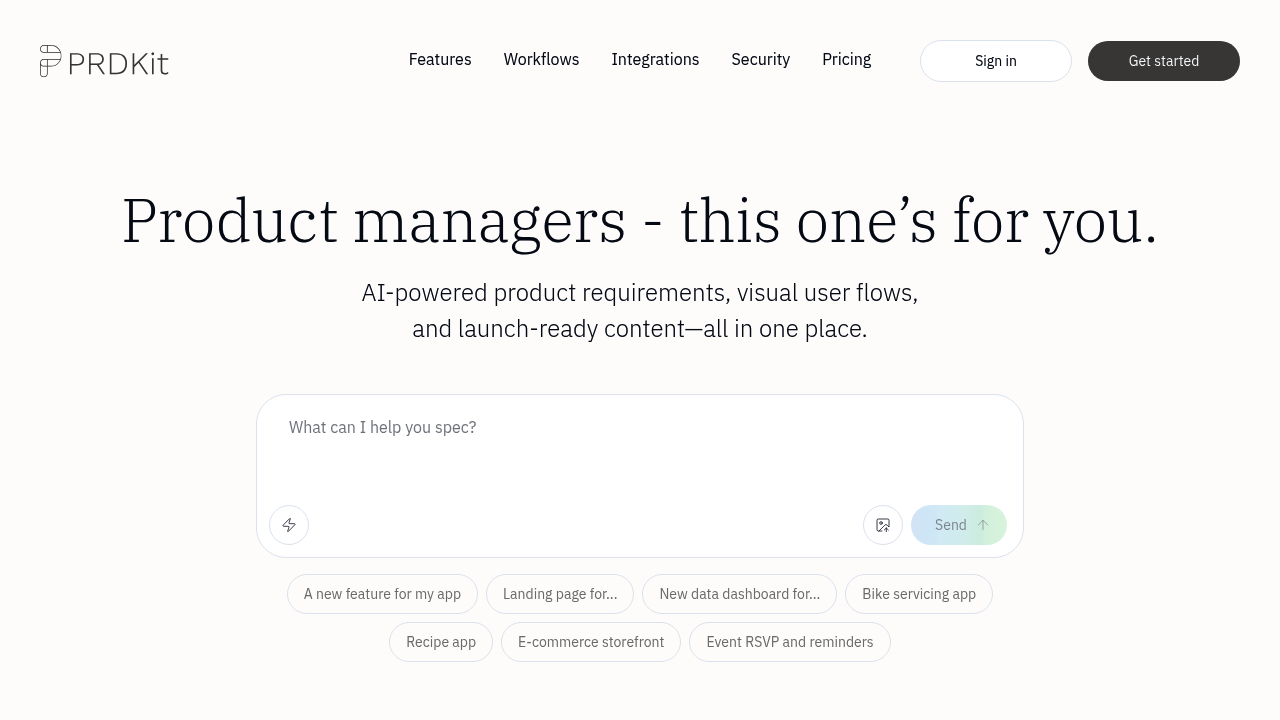
PRDKit screenshot

Product managers spend hours crafting requirements documents that translate vision into executable specs. PRDKit turns that multi-day process into a conversation with AI, generating structured PRDs alongside the visual artifacts teams need to move from concept to development.

PRDKit's core function centers on conversational document creation. Product managers describe their product ideas through chat, and PRDKit structures those inputs into complete requirements documents. This is not just text generation. The system pulls context automatically when you provide a homepage URL, analyzing existing product information to ground its outputs in your actual business. You can also upload product screens for the AI to analyze, letting it understand your current interface before suggesting improvements or new features.

Beyond text-based PRDs, PRDKit generates visual user flows and wireframes. These diagrams give developers and designers concrete references for building features. The visual aids come packaged with the written requirements, creating a complete specification bundle rather than forcing teams to jump between tools.

The Knowledge Hub functions as a repository for product context. Teams store personas, user journeys, and business objectives here. The AI references this shared knowledge when generating documents, maintaining consistency across multiple PRDs and ensuring new requirements align with established user profiles and company goals.

Launch preparation gets automated treatment through social media post generation and AI-simulated product reviews. The simulated reviews predict how users might respond to a feature based on the PRD's specifications. This feedback loop happens before development starts. Press release and demo script generation sit in the coming soon category.

Export options target the modern development workflow. PRDKit outputs documents in formats optimized for Bolt, Loveable, v0, and Cursor, tools developers use to turn specifications into code. You can also copy outputs directly into Notion or Confluence, fitting into existing documentation systems without format wrestling.

Sharing works through public and private links. Teams can circulate PRDs to stakeholders without forcing everyone onto PRDKit. The team workspace feature lets multiple product managers collaborate with shared knowledge and admin controls for access management.

The free plan provides 10 credits covering AI-powered PRDs, visual user flows, launch content, and export functionality. All sharing features come included. Premium runs $15 per seat monthly when billed yearly, multiplying the monthly limit by 10 and adding team workspace capabilities with shared knowledge pools. Slack integration appears in Premium tier descriptions but carries a coming soon tag. Enterprise pricing requires direct contact and promises higher usage limits, custom integrations, and dedicated onboarding sessions.

Several features remain in development. Press releases, demo scripts, Slack integration, and Microsoft Teams integration all show coming soon labels. The 10-credit cap on free accounts limits experimentation scope for teams evaluating PRDKit.

PRDKit carries Y Combinator backing and makes a specific privacy commitment: customer data never trains public AI models. This matters for companies handling sensitive product information who need documentation tools without data leakage concerns.

PRDKit targets product managers and teams building software products who need structured documentation fast. It is built for environments where requirements drive development sprints and visual specifications prevent miscommunication between product and engineering. Teams already using Notion or Confluence for documentation can slot PRDKit into existing workflows through direct copy-paste compatibility.
PRDKit alternatives

See all →

Frequently asked

7 questions
Does PRDKit have a free version?
PRDKit offers a free plan with 10 credits that includes all core functionality: AI-powered PRD generation, visual user flows, wireframes, launch content creation, and export capabilities to development tools like Bolt.new, Loveable, v0, and Cursor. You get both public and private shareable links for distributing documents to stakeholders. The credit limit restricts how many documents you can generate, but nothing gets locked behind a paywall in terms of feature access. This makes the free tier viable for occasional PRD creation or evaluating whether PRDKit fits your workflow before committing to the $15 per seat monthly Premium plan.
Can PRDKit integrate with Slack and Microsoft Teams?
Slack and Microsoft Teams integrations appear in PRDKit's feature list and Premium plan description, but both carry 'coming soon' labels and aren't currently functional. The working integrations right now connect to development and documentation tools: Bolt.new, Loveable, v0, Cursor for code generation, plus Notion and Confluence for documentation storage through copy-paste compatibility. PRDKit does offer a team workspace where multiple product managers collaborate with shared knowledge, but the promised communication platform integrations that would notify teams about PRD updates haven't launched yet. Teams relying on Slack or Teams for product workflow coordination will need to manually share PRDKit's generated links through those platforms until the native integrations arrive.
How does PRDKit gather context about my product?
PRDKit pulls product context through two automated methods: homepage URL analysis and product screen uploads. When you provide your product's homepage URL, the AI scans and extracts existing product information, understanding your business domain before generating requirements. You can also upload screenshots of your current product interface, letting PRDKit analyze your existing UI patterns and feature set. Beyond these automated inputs, PRDKit maintains a Knowledge Hub where teams manually store personas, user journeys, and business objectives. The AI references this repository when creating new PRDs, ensuring generated requirements stay consistent with established user profiles and company goals across multiple documents.
What development tools can PRDKit export to?
PRDKit exports documents in formats specifically optimized for LLM-powered development tools: Bolt.new, Loveable, v0, and Cursor. These aren't standard document exports but formatted outputs designed for AI coding assistants to parse and convert into actual code. The optimization matters because generic PRDs often lose critical details when fed to development AI, but PRDKit's exports maintain structure these tools expect. You can also copy generated content directly into Notion or Confluence without format wrestling, fitting into existing documentation systems. The export functionality works in both free and paid plans, so teams can test the development tool integration before upgrading.
Can PRDKit generate launch content for product releases?
PRDKit creates two types of launch content from your PRD: social media posts and AI-simulated product reviews. The social media generation produces ready-to-publish posts announcing your feature or product, saving marketing teams from starting with blank pages. The simulated reviews predict how users might respond to your feature based on the PRD's specifications, giving you feedback before development starts. Press release generation and demo script creation appear in PRDKit's roadmap but aren't available yet, both marked as coming soon. This launch content functionality exists in the free plan, so you don't need Premium to access these features.
How much does PRDKit Premium cost compared to the free plan?
Premium costs $15 per seat monthly when billed yearly and multiplies your monthly usage limit by 10 compared to the free plan's 10 credits. The pricing structure charges per team member, so a five-person product team pays $75 monthly for Premium access. Beyond the increased credit allocation, Premium adds team workspace functionality with shared knowledge pools, admin tools for access management, and priority support. The free plan includes all core PRD generation, visual flows, and export features, making the Premium decision primarily about volume needs and team collaboration requirements rather than feature access. Enterprise pricing requires direct contact and targets organizations needing custom integrations and higher usage limits beyond Premium's 10x multiplier.
Does PRDKit use my product data to train AI models?
PRDKit explicitly commits that customer data never trains public AI models, a privacy stance particularly relevant for companies handling sensitive product information or unreleased feature specs. This matters because many AI tools incorporate user inputs into training datasets, potentially exposing proprietary product strategies or competitive insights. PRDKit's Y Combinator backing and explicit privacy commitment address concerns from teams in regulated industries or companies with strict data governance policies. The tool still uses AI to generate your PRDs by processing the context you provide, but that information stays isolated to your documents rather than improving the underlying model for other users.

Traffic

Estimated monthly website visits · last 0 months

Not enough historical data for a chart yet.

Reviews (0)

Write review

No reviews yet. Be the first to share your experience.