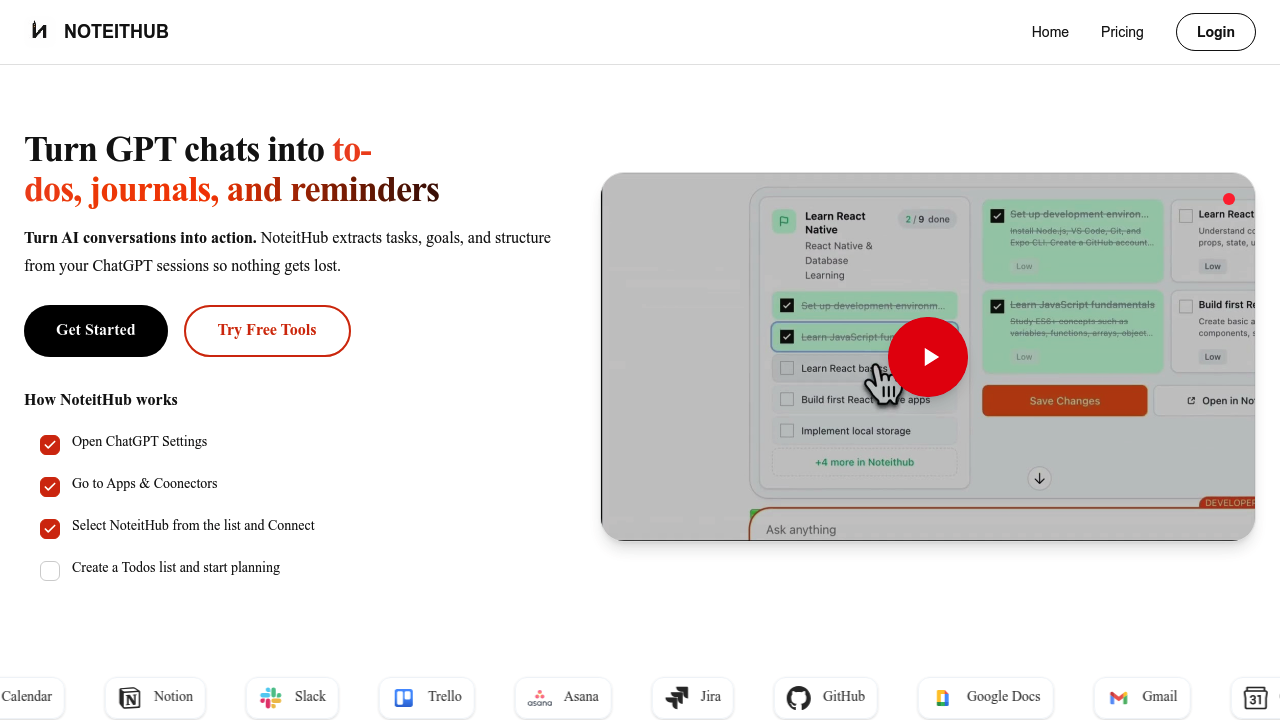
NoteitHub pulls structured data from conversational AI sessions and transforms it into persistent task management systems. When you're working through ideas or planning in a chatbot, the system monitors the conversation, identifies actionable items, and extracts them into organized to-do lists that survive beyond the session itself.
The extraction process runs automatically during conversations. The system parses chat transcripts, identifies tasks based on intent patterns, and categorizes them with metadata like topic tags and summaries. What makes this different from simple note-taking is the append functionality. When you return to the same topic in a future conversation, NoteitHub recognizes the context and adds new tasks to the existing list rather than creating a separate entry. This creates continuity across multiple planning sessions.
The data pipeline saves conversations with structured metadata. Each session gets a title, summary, and tags. The dashboard organizes these saved conversations for retrieval. Task completion tracking happens through the interface, and there is calendar sync functionality that pushes tasks to external scheduling tools.
Two standalone utilities run without requiring an account. The To-Do Generator accepts text input up to 15,000 characters and converts it into structured lists. The Knowledge Graph utility visualizes relationships between concepts from the same text input. Both process data client-side or through API calls, depending on the implementation, though the specific architecture isn't detailed in the technical documentation.
Output formats include project plans, meeting action items, standard operating procedures, checklists, and decision logs. The decision history feature maintains a record of past choices, which the system references when processing new conversations on related topics. This memory layer stores key decisions and their context, allowing the system to suggest tasks that align with previous planning sessions.
Integration coverage is broad. Google Calendar receives task sync data. Notion, Trello, Asana, and Jira connect for project management workflows. Slack integration likely handles notifications or task creation from messages. GitHub, Google Docs, and Gmail integrations expand the input sources where tasks can originate. The chatbot integration works through an Apps and Connectors framework, suggesting it uses API hooks rather than browser extensions.
The credit system controls usage on the free tier. You get 10 credits monthly, though what constitutes a credit isn't specified in the documentation. It could be per conversation saved, per task extracted, or per integration sync. The free plan also caps reminders at 10 per month. Pro subscribers get 300 credits and 200 reminders monthly for $12.
Character limits constrain the free utilities. 15,000 characters works for most planning documents but will not handle lengthy transcripts or extensive documentation. The credit limitation on the free tier means heavy users will hit the ceiling quickly if each conversation costs a credit. There's no indication of team features or collaboration capabilities, so this appears designed for individual use. API access isn't mentioned, which limits automation possibilities for technical users who'd want to build custom workflows.
The core technical challenge this solves is state persistence. Conversational interfaces reset with each session. NoteitHub maintains state by storing extracted data and matching new conversations to existing topics through tag and content analysis. The matching algorithm isn't detailed, but it likely uses keyword overlap or semantic similarity to determine when a new conversation relates to a previous one.