
ETLR logo

ETLR

AI workflows as code, not clicks

38 views
Visit etlr.io
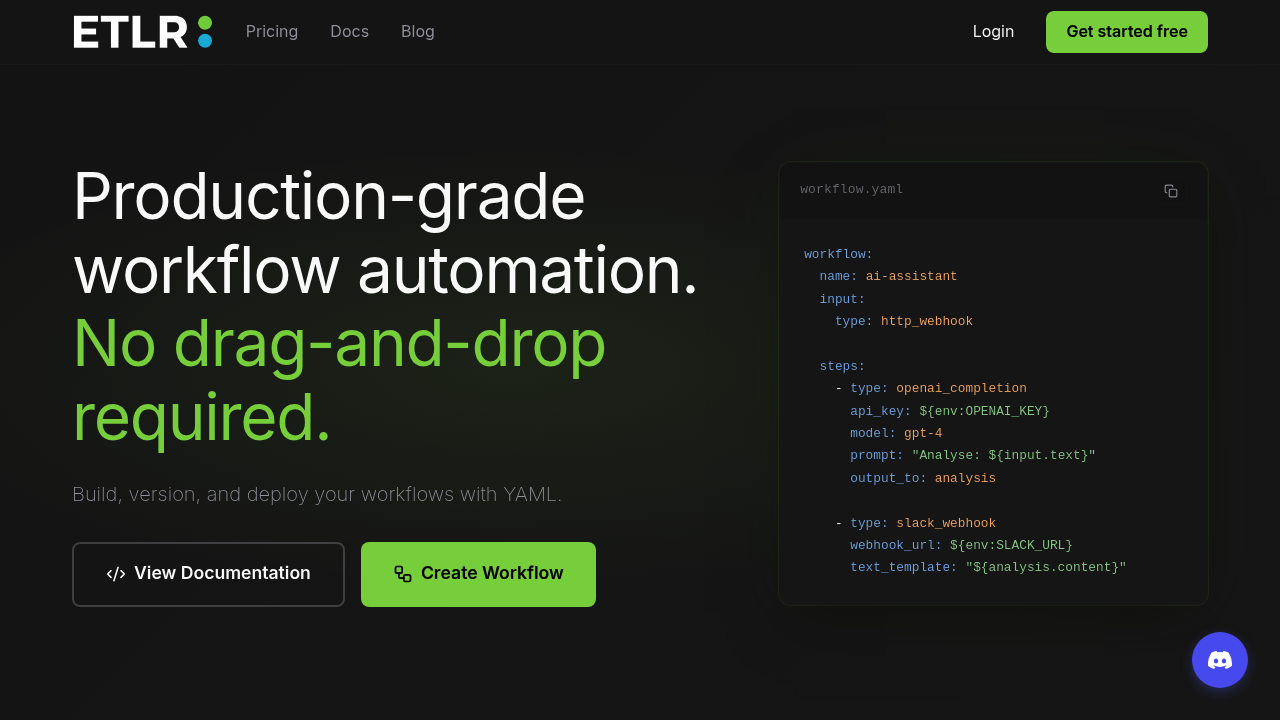
ETLR screenshot

Your workflow runs in production. No clicking through endless UI panels. ETLR handles automation through YAML code that lives in your repository alongside everything else.

Write your workflow once. Deploy with one command. ETLR connects to 25+ services. OpenAI. Slack. Stripe. S3. Custom Python integrations let you hook into anything else.

A DevOps engineer managing customer onboarding could trigger workflows via HTTP webhooks when new users sign up. The YAML file defines each step — creating Slack channels, provisioning S3 buckets, sending welcome emails through integrated services. Git tracks every change with full rollback capability.

Credits don't roll over between billing cycles. Feels unnecessarily restrictive. Each workflow execution costs one credit regardless of how many steps run inside it.

The free plan includes 100 credits monthly with access to all integrations and custom Python functions. Professional jumps to 10,000 credits for £20 monthly with priority support. ETLR claims 99.2% success rates with 1.4 second average execution times across 24,391 total runs.

Version control separates this from Zapier or Make.com entirely. Your workflows become code that teammates can review before merging. No more wondering who changed what in some buried UI setting. Developers get proper CI/CD deployment instead of manual clicking through interfaces. Real-time observability shows metrics when things break. Plus logs. Plus execution traces.

Frequently asked

7 questions
How much does each ETLR workflow execution cost?
Each workflow execution costs exactly one credit - doesn't matter if you've got 5 steps or 50. One credit per run, period. Just heads up though, credits don't roll over to next month, so whatever you don't use expires.
Can I review ETLR workflow changes before they go live?
Absolutely! Since ETLR workflows are just YAML files in your Git repo, you can review changes through pull requests like any other code. You'll get full version control with rollback capability and proper change tracking - no more mystery UI modifications that nobody can trace.
What services can I connect to with ETLR integrations?
ETLR connects to over 25 services (OpenAI, Slack, Stripe, S3, and more). Don't see what you need? You can write custom Python integrations to hit any API or service. Custom Python functions work on both free and paid plans too.
How reliable is ETLR for production workflows?
Pretty solid - they're reporting 99.2% success rate with 1.4 second average execution times across 24,391 total runs. When things do break, you'll get real-time observability with metrics, logs, and execution traces. No guessing what went wrong.
What's included in ETLR's free plan?
Free plan gets you 100 credits monthly with access to all integrations and custom Python functions. That's 100 workflow executions per month. Same features as paid plans - just the credit limit difference.
How does ETLR deployment work compared to other automation tools?
You deploy workflows with a single command instead of clicking through endless UI panels. Your YAML workflow files live in your repo, so you can use proper CI/CD pipelines for deployment. It's actual code deployment - not manual configuration through web interfaces.
Can I trigger ETLR workflows automatically when events happen?
Yep! Use HTTP webhooks to trigger workflows when events occur in other systems. New user signs up? The webhook can automatically create Slack channels, provision S3 buckets, and send welcome emails. Your YAML file defines each step in the sequence.

Traffic

Estimated monthly website visits · last 0 months

112 visits/mo
Monthly visits
112

Not enough historical data for a chart yet.

Data from SimilarWeb · Updated monthly.

Reviews (0)

Write review

No reviews yet. Be the first to share your experience.

Similar tools

See all →