
EaseUS Online Video Repair logo

EaseUS Online Video Repair

This web application fixes corrupted video files using AI algorithms

31 views
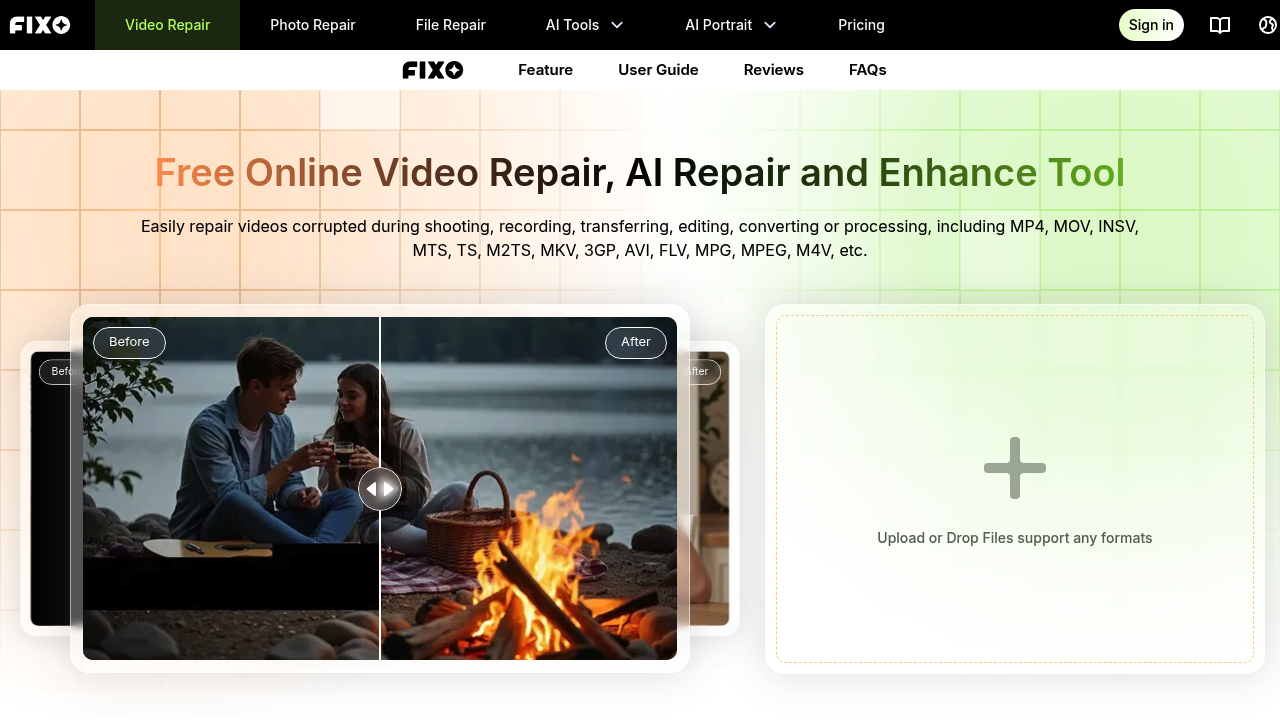
EaseUS Online Video Repair screenshot

This web application fixes corrupted video files using AI algorithms. Upload a damaged file, wait for automatic processing, then download the repaired version. The system handles pixelation, playback errors, audio sync problems, blurry footage, flickering, and missing audio or subtitles.

Works with 18 video formats: MP4, MOV, INSV, MTS, TS, M2TS, MKV, 3GP, AVI, FLV, MPG, MPEG, M4V, MXF, KLV, WMV, and ASF. Repairs videos from Canon, Nikon, Sony, GoPro, and DJI cameras, plus mobile phones. The three-step process requires uploading your file, letting the AI run its repair, then previewing and saving the result.

This service claims to maintain original quality and integrity during repairs. It tackles videos corrupted during shooting, recording, transferring, editing, converting, or processing. Specific problems it addresses include blurry footage, flickering frames, playback stutters, jittery motion, and metadata loss.

What actually works: The format support list is solid. Having 18 formats means most consumer and prosumer video files get coverage. The one-click processing keeps things simple, you're not adjusting settings or making technical decisions. For basic corruption issues where the file won't play at all, this might get you somewhere.

The reality check hits hard on limitations. There's zero information about file size caps, which matters when you're dealing with 4K or 8K footage. No details on processing time either — could be two minutes or two hours. The "maintains original quality" claim needs scrutiny since any repair process involves reconstruction. You don't know if it's truly lossless or just close enough.

Security claims mention "private video handling" but provide no specifics. No encryption details, no data retention policy, no server location info. You're uploading potentially sensitive footage with minimal transparency about what happens to it.

The comparison mentions a "Pro repair" option for local processing, which suggests the online version might be slower or less capable. That's a red flag — the web application might be a teaser for paid software rather than a fully-featured solution.

For quick fixes on low-stakes videos, this could work. Wedding footage or irreplaceable content? You'd want more information before trusting an online service with no published success rates, no processing guarantees, and vague privacy terms. The free access is nice but doesn't offset the lack of transparency about actual repair capabilities.

Frequently asked

7 questions
Can EaseUS Online Video Repair fix corrupted MP4 files?
The tool handles MP4 files along with 17 other formats including MOV, MKV, AVI, and FLV. It addresses common corruption issues like playback errors, audio sync problems, and pixelation through automated AI processing. Upload the file, let it run repairs, then preview the result before downloading. The service claims to maintain original quality during reconstruction, though there's no published data on success rates for specific corruption types.
Is EaseUS Online Video Repair actually free?
The web application offers free online video repair with no trial period or credit card required. You get access to AI-powered repairs for multiple video formats without paying. The catch: they mention a 'Pro repair' option for faster local processing, which suggests the free online version might be slower or have fewer capabilities. There's no information about file size limits or monthly usage caps on the free tier.
What video problems can EaseUS Online Video Repair actually fix?
The service tackles videos that won't play due to corruption during shooting, recording, transferring, editing, or converting. Specific issues include blurry footage, flickering frames, playback stutters, jittery motion, audio sync problems, and missing subtitles. It works on files from Canon, Nikon, Sony, GoPro, and DJI cameras plus mobile phones. What's missing: no details on how severe the corruption can be or what types of damage are beyond repair.
How long does EaseUS Online Video Repair take to fix a video?
There's zero information provided about processing times. Could be two minutes for a short clip or two hours for longer footage — the documentation doesn't say. The three-step process involves uploading, automatic AI repair, then preview and download, but actual duration depends on file size and corruption severity. The existence of a faster 'Pro repair' local option suggests the online version runs slower, but no specific timeframes are published.
Does EaseUS Online Video Repair work on GoPro and drone footage?
The tool explicitly supports videos from GoPro cameras and DJI drones, handling formats these devices commonly use like MP4 and MOV. It also repairs INSV files, which some action cameras produce. The AI processes corruption that happens during high-motion recording or when transferring files from SD cards. What's unclear: whether it handles high-bitrate 4K or 8K footage from newer models, since there's no published file size limit information.
Is it safe to upload videos to EaseUS Online Video Repair?
The service claims 'secure and private video handling' but provides almost no details. There's no information about encryption during upload, data retention policies, server locations, or what happens to your files after processing. For casual videos this might be acceptable risk, but for sensitive footage like business content or private family videos, the lack of transparency is concerning. The local 'Pro repair' option exists if you need guaranteed privacy through offline processing.
What's the difference between EaseUS Online Video Repair and the Pro version?
The online version runs repairs through their web application for free, while the Pro version handles repairs locally on your computer for 'faster and more efficient' processing. This suggests the web app trades speed for convenience and zero cost. Local processing also means your files never leave your machine, eliminating upload privacy concerns. The documentation doesn't specify other capability differences, pricing for Pro, or whether certain corruption types require the paid version.

Reviews (0)

Write review

No reviews yet. Be the first to share your experience.

Similar tools

See all →