
ComfyOnline logo
AI API PAID from $18/mo

ComfyOnline

ComfyUI workflows run in the cloud without buying a GPU

You load ComfyOnline and immediately access an environment where workflows execute on remote hardware. No downloading models. No installing dependencies. The system handles all the setup that usually takes hours. You…

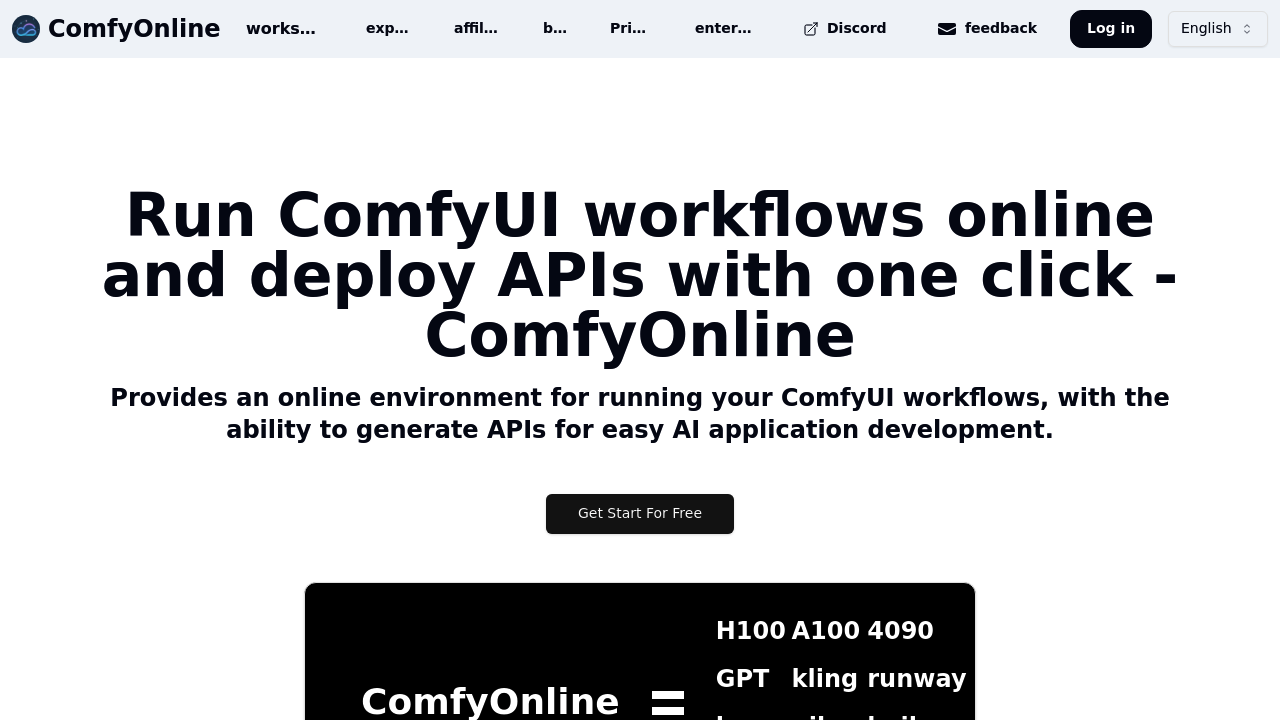
ComfyOnline screenshot

ComfyUI workflows run in the cloud without buying a GPU. You load ComfyOnline and immediately access an environment where workflows execute on remote hardware. No downloading models. No installing dependencies. The system handles all the setup that usually takes hours.

You build your workflow in the familiar ComfyUI interface. Connect nodes, configure parameters, run generations. The difference is everything happens online. When you're done editing and want to use this workflow in an app, you click to deploy it as an API. The service generates the endpoint automatically.

The API becomes callable from any application. You send requests, the workflow runs on whatever GPU type you selected, results come back. Choose from H100, A100, or 4090 hardware depending on speed requirements. The system scales when traffic increases without manual intervention.

You're charged only when workflows actively run. Not while editing. Not while idle. This matters because traditional GPU rentals bill constantly, even when you're just tweaking nodes or testing configurations. Here you pay for execution time alone.

The service connects to external services through pre-installed nodes. Video generation through Kling, Hailuo, Runway, Luma, Pika, Wan720, and Veo. Image creation via Recraft, Ideogram, and Flux Pro Ultra. Audio synthesis through ElevenLabs. Multiple large language model integrations come pre-configured. Custom nodes and extensions come pre-installed, eliminating the usual hunt for compatible versions.

Where things get tricky is understanding which models live on the service versus which require external API keys. The interface doesn't always make this clear upfront. You might start building a workflow assuming everything's included, then discover certain integrations need separate accounts. Documentation around this could be clearer.

The serverless architecture means you never manage GPU on and off states. No watching credits burn while machines idle. No racing to shut down instances. The system handles resource allocation automatically, which removes operational headaches but also removes control over exactly when resources spin up.

For developers building AI products, this shortens the path from ComfyUI prototype to production API. You test workflows locally, move them online, generate an endpoint, integrate it into your app. The entire deployment pipeline compresses to minutes instead of days spent configuring servers and managing infrastructure.

The automatic scaling handles traffic surges without configuration. Your API won't fall over when usage spikes, but you also can't cap scaling to control costs. That automatic behavior cuts both ways depending on your tolerance for variable expenses.


ComfyOnline alternatives

See all →

Frequently asked

6 questions
How do I turn a ComfyUI workflow into an API?
You build your workflow in the ComfyOnline interface using the standard ComfyUI node system. Once the workflow runs correctly, you click the deployment option to generate an API endpoint. The service creates the API automatically without writing integration code. You get a callable endpoint that accepts requests and returns results from your workflow running on cloud GPUs. The API scales automatically when traffic increases.
Do I need my own GPU to use ComfyUI workflows?
ComfyOnline runs workflows on remote hardware, so you don't buy or maintain GPUs. You access the interface and execute workflows on H100, A100, or 4090 hardware depending on what you select. The service handles all model downloads and dependency installations that normally require local setup. You're charged only when workflows actively run, not during editing or idle time.
Does ComfyOnline have a free plan?
The service operates on paid usage only. You pay for runtime when workflows execute on GPU hardware. There's no free tier for testing workflows or generating APIs. The pay-per-use model means you're not charged while editing or when workflows sit idle, but any execution time costs money.
What AI models work with ComfyOnline?
The platform includes pre-installed nodes for video generation through Kling, Hailuo, Runway, Luma, Pika, Wan720, and Veo. Image generation works through Recraft, Ideogram, and Flux Pro Ultra integrations. ElevenLabs handles audio synthesis, while Claude, Gemini, GPT, and Deepsek provide language model capabilities. The interface doesn't always clarify which integrations require separate API keys versus what's included, which can create confusion when building workflows.
Can I control when ComfyOnline scales my API?
The serverless architecture scales automatically based on incoming traffic without manual configuration. You don't set scaling limits or manage GPU on and off states. This removes operational work but also removes control over resource allocation. When usage spikes, the system handles it automatically, which prevents downtime but means you can't cap scaling to control costs.
What's the difference between ComfyOnline and running ComfyUI locally?
Running locally requires purchasing GPU hardware, downloading gigabytes of models, and installing dependencies that often conflict. ComfyOnline loads workflows immediately in a browser with everything pre-installed. The main advantage is converting workflows to production APIs with one click instead of building server infrastructure. You lose the ability to work offline and face variable costs instead of fixed hardware expenses.

Traffic

Estimated monthly website visits · last 9 months

38.4K visits/mo
Monthly visits
38.4K
↓ 22.8% MoM
Global rank
#701,076
PK #35,687
Category rank
#50
AI API
79.3K 69.1K 58.9K 48.6K 38.4K Dec 2025: 48.2K visits Dec 2025 Jan 2026: 79.3K visits Jan 2026 Feb 2026: 58.9K visits Feb 2026 Mar 2026: 51.2K visits Mar 2026 Apr 2026: 47.4K visits Apr 2026 May 2026: 53.4K visits May 2026 Jun 2026: 61.8K visits Jun 2026 Jul 2026: 49.7K visits Jul 2026 Aug 2026: 38.4K visits Aug 2026

Reviews (0)

Write review

No reviews yet. Be the first to share your experience.