
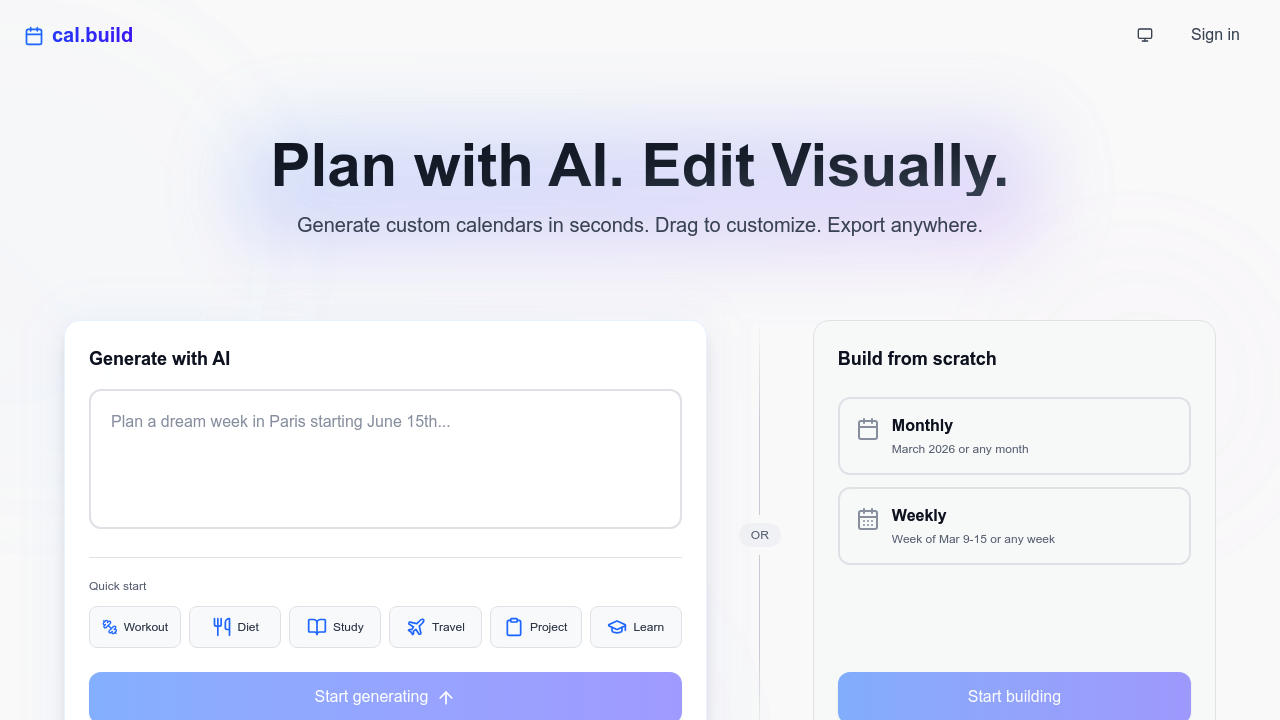
Cal.build generates calendars through AI prompts that interpret natural language requests into structured time blocks. You describe what you need scheduled, and the system outputs a formatted calendar with events positioned across days or weeks. The generation happens in seconds, processing your input through what appears to be a language model trained on calendar patterns and scheduling logic.
The technical pipeline starts with prompt processing. When you submit a request like "create a workout schedule for March" or "plan study sessions for finals week," the AI parses the intent, identifies the time frame, and determines appropriate event distribution. It doesn't just fill slots randomly. The system considers typical scheduling patterns for different activity types, spacing events logically across the requested period.
After generation, you get visual drag-and-drop editing. This matters because AI outputs rarely nail everything perfectly on the first pass. You can reposition events, adjust durations, and modify details without regenerating from scratch. The interface handles both monthly and weekly views, letting you work at different granularity levels depending on your needs.
Template quick starts provide pre-configured prompts for common use cases. The system includes workout, diet, study, travel, project, and learning templates. These aren't just example calendars. They're prompt frameworks that guide the AI toward appropriate scheduling patterns for each category. A workout template generates different event structures than a study template would.
Output options include public sharing links and iCal export. The iCal integration matters most here because it's the standard format that works across Apple Calendar, Google Calendar, Outlook, and most scheduling software. You export once and import wherever you actually use calendars. Premium and Professional tiers add email delivery, sending calendar plans directly to recipients without requiring them to download files.
The free tier allows one calendar generation per month. That's restrictive if you're testing different approaches or managing multiple projects. Starter tier bumps this to 25 calendars monthly at $14.99, Premium offers 100 at $24.99, and Professional provides 300 at $49.99. Enterprise pricing requires contact for custom arrangements. One technical detail worth noting: all generated calendars persist permanently regardless of plan. You're not locked out of previous work if you downgrade.
The monthly generation limits create an interesting constraint. Unlike tools that restrict features or add watermarks, Cal.build gates the number of times you can invoke the AI generator. Once you hit your limit, you can still edit existing calendars and export them, but you can't create new ones until the next billing cycle. This affects workflows where you generate multiple variations before settling on a final version.
The system lacks API access based on available information. That means no programmatic calendar generation or automation hooks for developers. You're working through the web interface exclusively. Mobile app availability isn't documented either, which could limit on-the-go calendar creation.
The drag-and-drop editor provides manual override capability when the AI misinterprets requests. This matters because natural language processing hits ambiguities regularly. If you ask for "morning workouts," does that mean 6 AM or 9 AM? The editor lets you correct these assumptions without re-prompting. The combination of AI speed and manual refinement creates a workflow faster than building calendars from scratch but more flexible than purely automated generation.