TaskFire logo

TaskFire

Type in a company name

26 views
Visit taskfire.ai
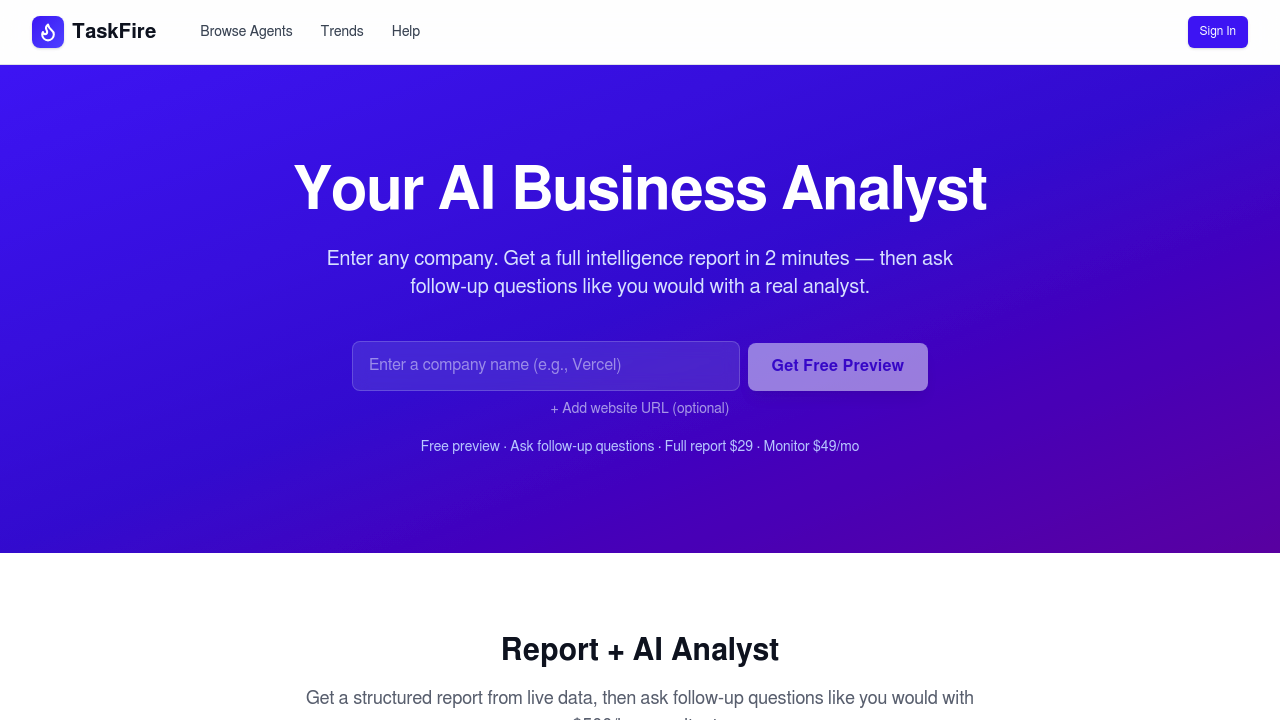
TaskFire screenshot

Type in a company name. Two minutes later, you've got a competitive intelligence report. TaskFire pulls tech stack details from websites, GitHub repos, and npm packages—no hunting across multiple tabs required. It automatically locates public code repositories and package registries using just the business name.

Tech stack analysis runs deeper than surface-level detection. You'll see programming languages, frameworks, infrastructure choices. GitHub analysis? Star counts, contributor activity, development velocity. Website examination covers site structure, page hierarchy, meta tags, OG images. Reports include strategic observations about market positioning (plus specific vulnerabilities you could exploit).

One-time reports cost $29. Monthly monitoring runs $49—watches for changes across all these data sources. Email digests arrive when something shifts. Diff view shows exactly what changed between reports.

Sales teams researching prospects could pull a report before discovery calls. Product managers might track how competitors evolve their tech choices. An AI analyst chat lets you ask follow-up questions about findings instead of re-running entire reports.

TaskFire claims results comparable to a $500/hr consultant. Ambitious? Sure. Real value comes from speed and aggregation across sources you'd otherwise check manually. Free preview shows partial data: tech stack, top repos, key observations. Full reports need payment.

Nine other specialized agents handle tasks like landing page critiques and SEO content briefs—though those seem ancillary to core competitive intelligence functions.


Frequently asked

7 questions
How much does TaskFire cost?
You've got two options: $29 for a one-time competitive intelligence report, or $49/month if you want ongoing monitoring with email alerts whenever a competitor's tech stack or GitHub activity changes. There's a free preview that shows partial results—tech stack basics and top repos—so you can test it before paying.
How long does it take to get a TaskFire report?
About 2 minutes from when you type in a company name. TaskFire automatically finds their GitHub repos, npm packages, and website, then analyzes everything in one shot. Way faster than manually checking multiple sources yourself.
What information does TaskFire show about competitors?
You'll see their complete tech stack (languages, frameworks, infrastructure), GitHub activity (star counts, contributor stats, development pace), and website details (structure, meta tags, technology signals). The report also includes strategic observations about their positioning and potential vulnerabilities you could exploit.
Can I ask follow-up questions about my TaskFire report?
Yep, there's an AI analyst chat built in. Instead of generating a whole new report, you can ask specific questions about the findings—like digging deeper into a competitor's framework choices or what their recent GitHub activity means.
Does TaskFire only work for tech companies?
It works best for companies with a digital presence—websites, GitHub repos, or npm packages. If a competitor doesn't have public code repositories or meaningful web infrastructure, there won't be much to analyze. Sales teams, product managers, and anyone doing competitive research are the main users.
What are TaskFire's limitations?
TaskFire only analyzes publicly available information, so you won't get insights into private repos, internal tools, or proprietary systems. The quality depends entirely on what competitors expose through their websites, GitHub, and npm. If they're secretive or don't maintain public code, the report will be thin.
Is TaskFire better than just using ChatGPT for competitor research?
ChatGPT's free but doesn't pull live data—it's working from old training info. TaskFire actually crawls current websites, GitHub repos, and npm packages in real-time, giving you structured reports with deep tech stack detection. You're paying for fresh data and automatic aggregation across multiple sources.

Traffic

Estimated monthly website visits · last 0 months

Not enough historical data for a chart yet.

Data from SimilarWeb · Updated monthly.

Reviews (0)

Write review

No reviews yet. Be the first to share your experience.

Similar tools

See all →