
ClipFinder logo

ClipFinder

You paste a video URL and ClipFinder's AI watches the entire thing

54 views
ClipFinder screenshot

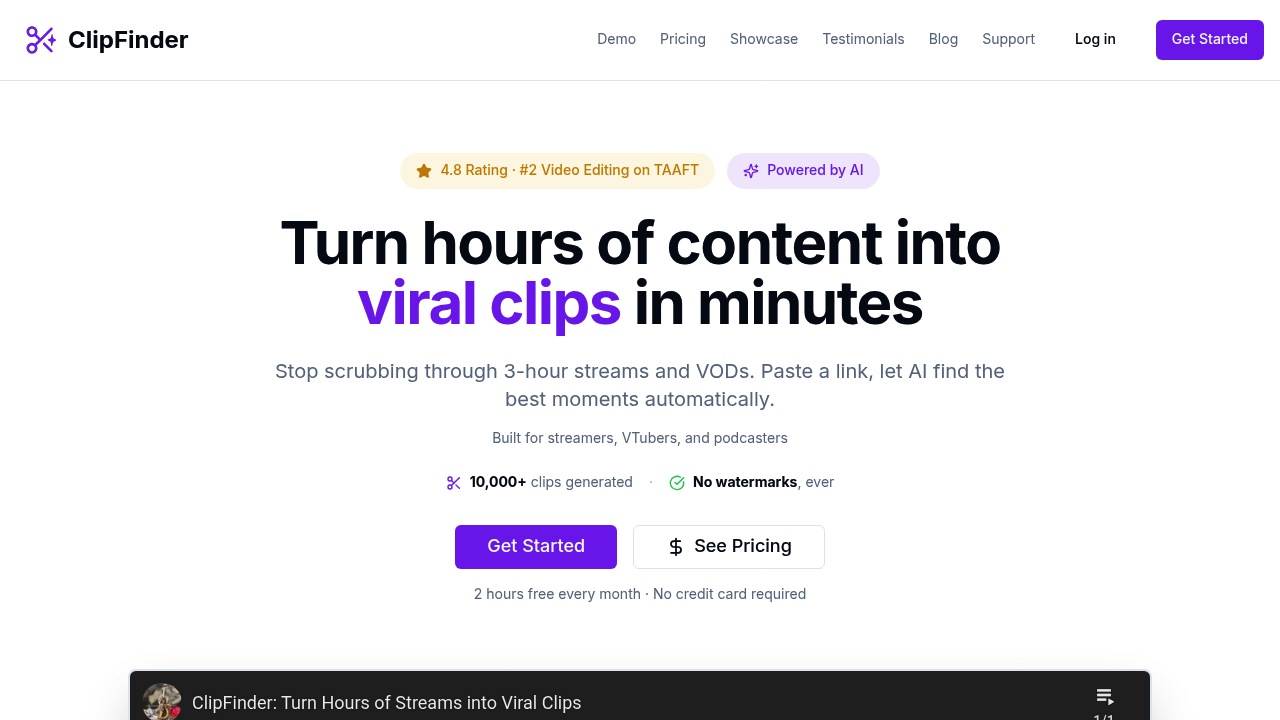
You paste a video URL and ClipFinder's AI watches the entire thing. It hunts for moments worth clipping. The interface works the same on your phone or desktop — just paste and wait while the AI does its thing.

ClipFinder ranks potential clips by viral appeal. Sometimes it catches funny moments you completely missed during your original stream. The visual trimmer lets you adjust clip boundaries before downloading. Analysis can fail occasionally with certain content types.

Podcast hosts dealing with 3-hour episodes will find this useful. Instead of scrubbing through hours of content hunting for that one perfect exchange, the AI surfaces the best moments automatically. Each clip comes with captions. You get .srt or .vtt format.

The pricing hits different than competitors. ClipFinder charges $2 per hour while similar tools like Opus Clip cost around $6. No subscriptions required.

Downloads come in 1080p without watermarks. ClipFinder organizes everything by chapters and categories, making it easy to find specific types of content later. It works best with videos between 1-5 hours long. Most streaming sessions and podcast episodes fit this range.

You get 2 hours free monthly to test it out. The 15,000+ clips generated so far suggest people are finding value, and the 4.8 rating backs that up. Content creators who regularly turn long-form videos into social media clips won't need much convincing about the time savings here.


Frequently asked

7 questions
How much does ClipFinder cost compared to other clip-making tools?
ClipFinder's just $2 per hour of video processing. That's way cheaper than Opus Clip -- they charge around $6 per hour. No subscription needed either. You pay for what you actually use. Plus you get 2 free hours monthly to try it out first.
What video lengths work best with ClipFinder?
Videos between 1-5 hours work best. Perfect for most streams and podcast episodes. Shorter videos don't give the AI enough content to work with. Super long videos? They'll just take more time to process.
Can I edit the clip boundaries after ClipFinder finds moments?
Yep! The visual trimmer lets you adjust start and end points before downloading. AI finds the moments, but you control the final timing. You can fine-tune everything to get exactly what you want.
What caption formats does ClipFinder provide with clips?
Each clip comes with captions in .srt or .vtt format. Both work with most video platforms and editing software. Saves you from manually transcribing everything -- which is a huge time saver.
When might ClipFinder's analysis fail to work properly?
Analysis can fail with certain content types sometimes. The tool doesn't specify which ones though. With a 4.8 rating and 15,000+ clips generated, failures seem pretty rare. Most standard streaming content and podcasts work fine.
How does ClipFinder organize the clips it creates?
It organizes clips by chapters and categories automatically. Makes finding specific content way easier later. Everything downloads in 1080p quality -- no watermarks either.
Does ClipFinder work the same way on mobile and desktop?
Yeah, interface works exactly the same on phone or computer. Just paste the video URL and wait for AI processing. Mobile isn't some stripped-down version -- you get full functionality.

Traffic

Estimated monthly website visits · last 4 months

1.5K visits/mo
Monthly visits
1.5K
↑ 391.6% MoM
Global rank
#7,035,432
IN #440,777
Category rank
#67
Video Editing
1.5K 1.1K 732 366 0 Nov 2025: 0 visits Nov 2025 Dec 2025: 0 visits Dec 2025 Jan 2026: 298 visits Jan 2026 Feb 2026: 1.5K visits Feb 2026

Data from SimilarWeb · Updated monthly.

Reviews (0)

Write review

No reviews yet. Be the first to share your experience.

Similar tools

See all →