
BrainyBear logo

BrainyBear

A small e-commerce business owner gets dozens of the same questions daily

32 views
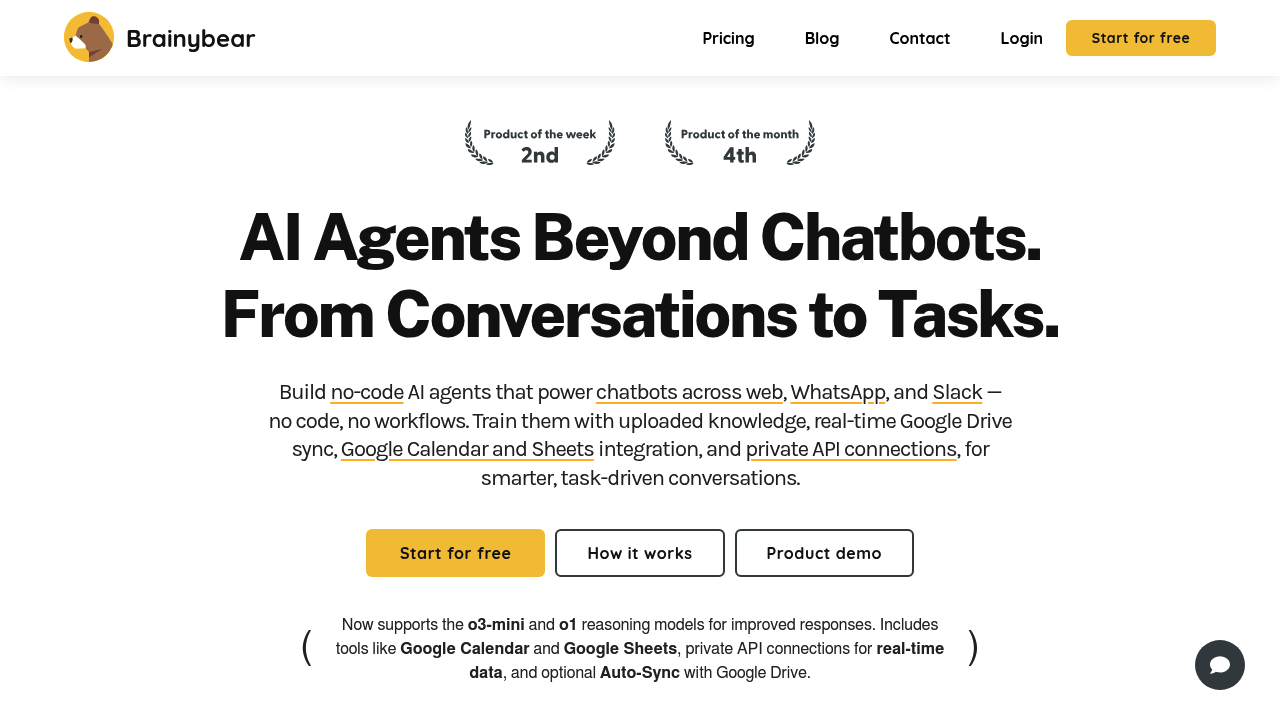
BrainyBear screenshot

A small e-commerce business owner gets dozens of the same questions daily. When does my order ship? What's your return policy? Can I change my delivery address? She doesn't have budget for a full support team, and flow-based chatbots force her to map out every possible conversation path manually. BrainyBear builds AI agents that handle these conversations naturally across your website, WhatsApp, Slack, and Facebook Messenger without needing to code or diagram conversation trees.

The setup takes three steps. Upload your product documentation, FAQs, and return policies. The agent learns from these files plus anything you connect from Google Drive, which auto-syncs when you update documents. Point it at your website URLs and it scans up to 500 pages depending on your plan. The agent then answers customer questions in context, pulling from what it learned and accessing real-time internet data when needed. It speaks over 80 languages, so international customers get help in their preferred language.

A real estate agent uses the Google Calendar integration differently. Potential buyers message asking about property viewings. The AI agent checks the calendar, suggests available slots, and books appointments directly. It updates Google Sheets with lead information automatically, so the agent doesn't manually transfer contact details from chat logs. The Smart Scheduling feature means the AI coordinates times without the back-and-forth that usually eats up half the day.

The system supports o3-mini and o1 reasoning models alongside standard conversational models. Different models consume different credit amounts per message, ranging from 1 to 20 credits depending on complexity. A customer service manager running multiple product lines can create up to 10 separate AI agents on the Business plan, each trained on different knowledge bases. One handles technical support, another manages billing questions, a third fields sales inquiries.

Private API connections let the agents pull live data. A logistics company connects its tracking system so customers get real-time shipment updates through WhatsApp without calling the office. The Auto Lead Capture feature grabs contact information from conversations, while Step-in Message lets human agents jump into chats when the AI hits its limits. Mute Thread stops the bot from responding to specific conversations that need human-only handling.

The free plan gives you 50 message credits and one AI agent. That's enough for tiny businesses testing the concept. It includes unlimited website embedding but caps file uploads at 2MB and URL scanning at 50 pages. Most growing businesses need the Basic plan at $38 monthly, which provides 1,000 message credits and three agents. WhatsApp integration only becomes available at the $89 Growth tier. Custom tools and Slack support require the $189 Business plan.

The message credit system creates hard stops. A busy support operation burns through 10,000 credits faster than expected, especially when using reasoning models that cost more per interaction. File upload limits matter too. Teams with large product catalogs or extensive documentation hit the 2MB wall on free plans quickly. The 50MB cap on Business plans works for most, but enterprises with massive knowledge bases might struggle.

BrainyBear earned CASA TIER 2 security certification from the App Defense Alliance co-founded by Google, which matters for businesses handling sensitive customer data. Companies needing complex workflow automation with conditional logic and multi-step processes won't find that here. The system resolves up to 80% of standard customer questions but isn't built for complex decision trees or specialized enterprise workflows. Teams wanting visual flow builders or granular conversation control should look elsewhere.


Frequently asked

7 questions
Does BrainyBear work with WhatsApp?
A boutique owner running customer support would find WhatsApp integration starting at the $89 Growth plan. The free and $38 Basic tiers connect to Facebook Messenger and Telegram but don't include WhatsApp access. A consultant fielding client questions through WhatsApp needs at least the Growth subscription to route those conversations through the AI agent. Slack integration sits even higher at the $189 Business level.
Can I try BrainyBear without paying?
A freelance photographer testing customer inquiry automation gets 50 message credits and one AI agent on the free plan permanently. She can scan 50 website URLs and upload files up to 2MB to train the agent, with unlimited embedding on her portfolio site. There's no time-limited trial period because the free tier doesn't expire. Most service businesses outgrow those limits within weeks and upgrade to the $38 Basic plan for 1,000 credits and three agents.
How does BrainyBear handle different languages?
An Airbnb host with international guests would find the AI agent responds in over 80 languages automatically based on how visitors message. A guest writes in Spanish asking about check-in procedures, the agent answers in Spanish using the same knowledge base that serves English speakers. A dropshipping store owner selling to European markets doesn't create separate agents per language. The system detects the customer's language and switches without manual language selection or separate training data.
What happens when BrainyBear runs out of message credits?
A yoga studio on the $38 Basic plan with 1,000 monthly credits would hit the limit mid-month during busy registration periods. The AI agent stops responding to new customer questions until the next billing cycle or until the owner upgrades. A nonprofit managing volunteer inquiries can't buy extra credits separately, only jump to the next tier. Different AI models burn credits at different rates from 1 to 20 per message, so switching to reasoning models drains the allowance faster than standard conversational responses.
Can BrainyBear book appointments automatically?
A dentist's office manager would connect Google Calendar so patients messaging about availability get real-time slot suggestions from the AI agent. The agent checks the calendar, proposes open times, and books the appointment when the patient confirms, then logs contact details in Google Sheets automatically. A hairstylist running solo uses the Smart Scheduling feature on the $189 Business plan to eliminate the texting back and forth that normally takes 20 minutes per booking. The Growth plan at $89 includes calendar integration but not the advanced Smart Scheduling tools.
Does BrainyBear replace flow-based chatbots?
A SaaS company founder switching from a flow-based bot would find BrainyBear handles dynamic customer questions without mapping conversation paths manually. Flow-based systems make her diagram every possible branch for questions about billing, features, and technical issues, then break when customers phrase things unexpectedly. BrainyBear trains on uploaded documentation and responds conversationally without predefined scripts. A retail brand needing customers to follow exact multi-step workflows for returns processing might prefer flow-based control, but most support operations value the conversational flexibility over rigid tree structures.
What can't BrainyBear do with integrations?
A marketing agency wanting to connect CRM systems or email platforms would find only Google Drive, Google Calendar, Google Sheets, Notion, and messaging apps in the integration list. Private API connections let technical teams pull custom data sources, but there's no Zapier bridge or pre-built connectors for Salesforce, HubSpot, or Mailchimp. A logistics coordinator needing visual workflow automation with conditional logic won't find drag-and-drop builders here. The system excels at conversational support pulling from knowledge bases but doesn't handle complex multi-system workflows or enterprise app ecosystems.

Traffic

Estimated monthly website visits · last 0 months

559 visits/mo
Monthly visits
559

Not enough historical data for a chart yet.

Data from SimilarWeb · Updated monthly.

Reviews (0)

Write review

No reviews yet. Be the first to share your experience.

Similar tools

See all →