BidHelm v3.0 logo
AI Ad Generator FREEMIUM from $6/mo

BidHelm v3.0

BidHelm connects to Google Ads accounts through OAuth and runs continuous optimization cycles on campaign performance

The system's AI, called Alex, analyzes ad performance data every 30 minutes in the PRO plan, making decisions about budget allocation, keyword management, and bid adjustments without requiring manual intervention. The…

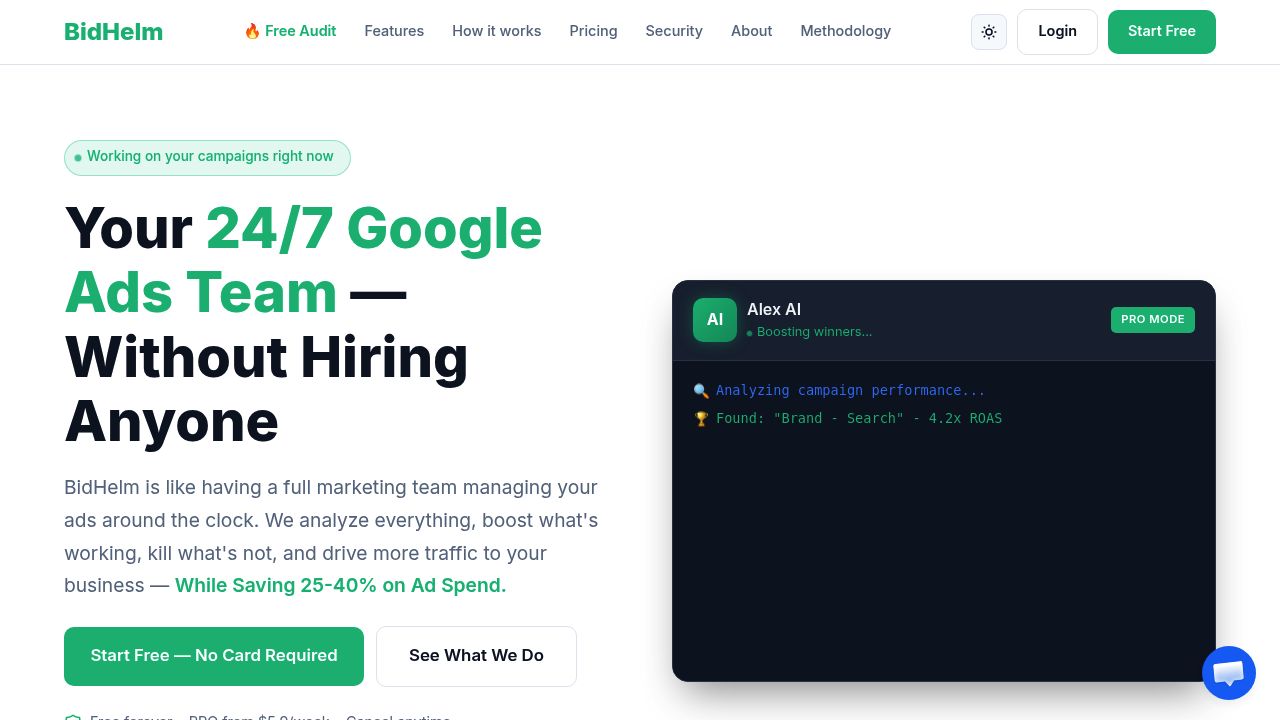
BidHelm v3.0 screenshot

BidHelm connects to Google Ads accounts through OAuth and runs continuous optimization cycles on campaign performance. The system's AI, called Alex, analyzes ad performance data every 30 minutes in the PRO plan, making decisions about budget allocation, keyword management, and bid adjustments without requiring manual intervention.

The system works by pulling performance metrics from connected Google Ads accounts and applying pattern recognition to identify underperforming elements. When Alex detects ads or keywords that aren't converting efficiently, it automatically pauses them or reduces their bids. Simultaneously, it reallocates budget toward campaigns showing better returns. The system also adds negative keywords automatically to prevent ads from showing on irrelevant searches that drain budget without generating conversions.

Setup takes about 30 seconds through one-click OAuth connection. Users initially grant read-only access, then can enable auto-execution permissions if they want Alex to make changes autonomously. Without auto-execution enabled, the system shows what it would optimize but waits for user approval.

The optimization cycle runs continuously, including nights, weekends, and holidays. This addresses a practical gap in manual campaign management where performance issues can compound during off-hours. The system tracks total optimizations performed, keywords paused, negative keywords added, and estimated savings from reduced wasted spend.

Dashboard metrics update in real time. Users see live performance data alongside optimization history. The system claims to identify 25-40% in wasted ad spend across typical accounts, with some users reporting specific findings like $2,400 monthly in inefficient spending or 34% ROI improvement in the first month.

The free plan offers full account audits, weekly optimization insights, and dashboard access to see what Alex would change. It doesn't execute optimizations automatically. The PRO plan costs $5.90 weekly minimum plus 3% of total ad spend, which provides the 30-minute optimization cycles and automatic execution of all optimization actions. This pricing structure means costs scale with advertising budget rather than charging flat enterprise fees.

Technical limitations center on the pricing model. Auto-execution only works in PRO, so free users must manually implement suggested changes. The 3% usage fee on ad spend means larger advertisers pay proportionally more, though the system positions this against hiring marketing teams that typically cost around $5,000 monthly.

Integration is limited to Google Ads. There's no support for other advertising platforms like Facebook Ads, Microsoft Advertising, or programmatic networks. The system doesn't offer API access for custom integrations or team collaboration features for agencies managing multiple client accounts through shared workflows.

The anomaly detection system alerts users to unusual performance patterns, but the specifics of what triggers alerts aren't detailed. Budget pacing and scaling features help manage spend rate across billing periods, though the exact methodology for determining optimal pacing isn't specified.

The system has processed 2,847 optimizations this month according to their reporting, with cumulative savings exceeding $47,000 in ad spend. Individual dashboard examples show 247 monthly optimizations, 89 paused keywords, and 312 negative keywords added for specific accounts.

BidHelm works best for businesses already running Google Ads who want automated optimization without expanding their team. The continuous monitoring addresses the reality that campaign performance shifts constantly, and manual optimization can't match the frequency of 30-minute cycles running around the clock.


BidHelm v3.0 alternatives

See all →

Frequently asked

7 questions
How does BidHelm optimize Google Ads automatically?
BidHelm pulls performance data from connected Google Ads accounts through OAuth and runs analysis cycles every 30 minutes in the PRO plan. The system identifies underperforming ads and keywords by analyzing conversion efficiency, then either pauses them or reduces their bids while reallocating budget to better-performing campaigns. It also adds negative keywords automatically when it detects ad spend on searches that don't convert. The optimization engine runs continuously including nights and weekends, addressing the gap where manual campaign management misses performance shifts during off-hours.
Does BidHelm have a free plan?
The Free Forever plan connects unlimited Google Ads accounts and provides full account audits showing exactly what the system would optimize. Users get weekly optimization insights and dashboard access to see live performance metrics and recommended changes. The limitation is no auto-execution, meaning you'd need to manually implement the suggested optimizations rather than having the system make changes autonomously. PRO plan costs $5.90 weekly minimum plus 3% of your total ad spend and enables automatic optimization with 30-minute cycles.
What advertising platforms does BidHelm support?
BidHelm only integrates with Google Ads through OAuth connection. There's no support for Facebook Ads, Microsoft Advertising, TikTok Ads, or other advertising platforms. The system also doesn't offer API access for custom integrations or team collaboration features for agencies managing multiple client accounts. This makes it specifically useful for businesses focused on Google Ads optimization rather than multi-platform campaign management.
How much does BidHelm actually cost for larger ad budgets?
PRO plan pricing is $5.90 weekly plus 3% of total ad spend, which means costs scale with your advertising budget. For someone spending $10,000 monthly on ads, that's roughly $24 weekly base fee plus $300 usage fee, totaling around $324 monthly. At $50,000 monthly ad spend, you'd pay approximately $1,524 monthly with the 3% fee. The system positions this against hiring marketing teams that typically cost around $5,000 monthly, though the percentage-based model means larger advertisers pay proportionally more than smaller accounts.
How long does it take to set up BidHelm?
Setup takes about 30 seconds through one-click OAuth connection to your Google Ads account. You initially grant read-only access so the system can analyze your campaigns without making changes. If you want automatic optimization, you'd then enable auto-execution permissions for the AI to pause keywords, adjust bids, and reallocate budget autonomously. Without auto-execution enabled in the free plan, the system shows what it would optimize but waits for your approval before making any changes.
Can BidHelm really reduce wasted ad spend by 25-40%?
The system claims to identify 25-40% in wasted spend across typical accounts by analyzing which keywords and ads aren't converting efficiently. One testimonial reports finding $2,400 monthly in wasted spend, while another shows 34% ROI improvement in the first month. The optimization works by pausing underperforming elements and adding negative keywords to prevent ads from showing on irrelevant searches. Dashboard examples show specific accounts with 89 keywords paused and 312 negative keywords added in a month, with $3,847 in estimated savings, though actual results depend on how inefficiently campaigns were managed before implementation.
What happens if BidHelm makes a bad optimization decision?
The system initially connects with read-only access, letting you review what it would change before granting auto-execution permissions. Dashboard access shows all optimization history including which keywords were paused, bids adjusted, and budget reallocated. Users can revoke auto-execution permissions at any time to return to manual approval of suggested changes. The technical limitation is that the free plan requires manual implementation of all optimizations, while PRO executes automatically every 30 minutes, so there's less opportunity to review individual decisions before they're applied to live campaigns.

Traffic

Estimated monthly website visits · last 0 months

Not enough historical data for a chart yet.

Reviews (0)

Write review

No reviews yet. Be the first to share your experience.