
AgentVoice logo

AgentVoice

Traditional chatbots can't pick up your phone and handle customer calls

59 views
AgentVoice screenshot

Traditional chatbots can't pick up your phone and handle customer calls. AgentVoice fills that gap with AI voice agents that actually talk to callers on your behalf.

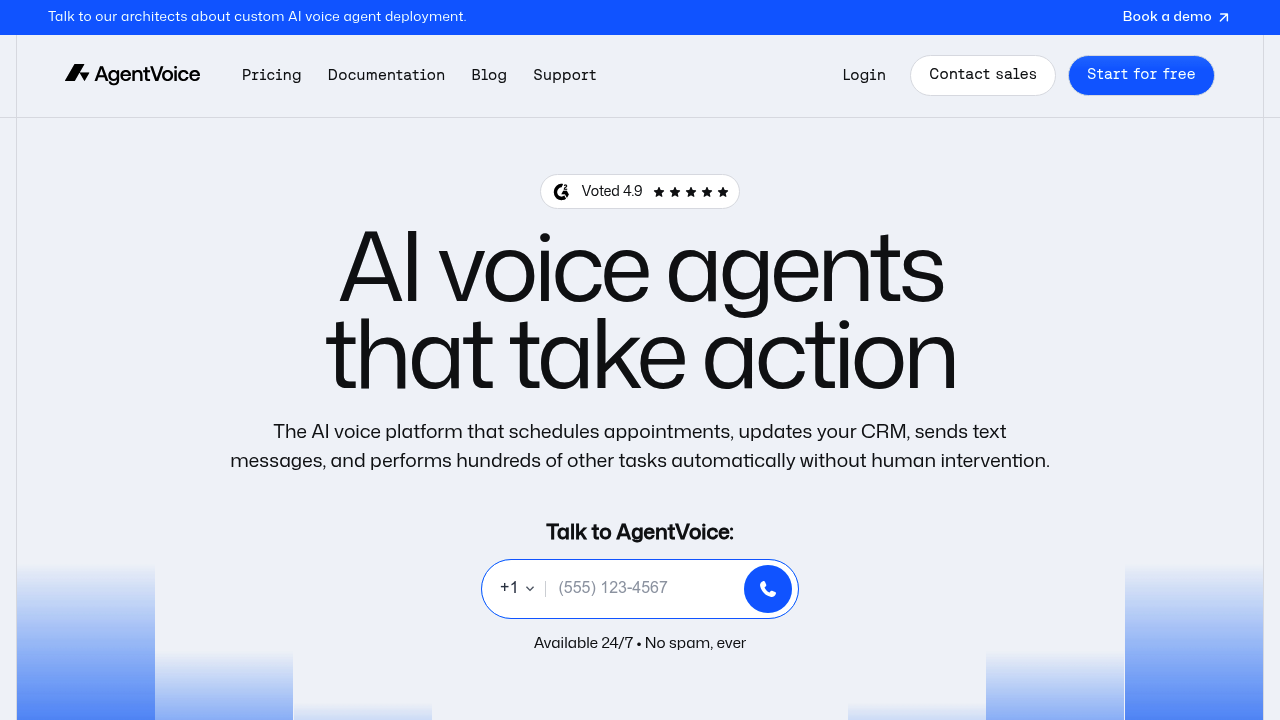
The setup revolves around a phone input widget that businesses drop onto their websites. You get a country selector dropdown. A call action button with proper loading states. The whole thing adapts to mobile screens and supports dark mode. Nothing fancy — just functional.

A customer service manager at a dental office could embed this widget on their appointment page. Patients click the call button, get connected to an AI agent that books appointments or answers basic questions about office hours. The AI handles the routine stuff while human staff focus on actual patient care.

AgentVoice maxes out at 400px width. Country dropdown is capped at 360px height on desktop, 280px on mobile. These constraints might cramp your style if you're working with unusual layouts.

It targets businesses that want phone functionality without building it from scratch. Developers implementing call features for clients would find this useful too. The custom Aeonik Fono font gives the interface a polished look that won't clash with most modern websites.

Skip this if you need complex call routing or detailed analytics. Focus stays narrow. Get calls flowing to AI agents quickly. Works best for straightforward customer service scenarios where you want to reduce phone volume without losing the personal touch entirely.


Frequently asked

6 questions
What happens when someone clicks the call button on the AgentVoice widget?
They'll connect straight to an AI voice agent that handles their question right away. The AI can book appointments, tell them business hours, or deal with other basic customer stuff. There's a quick loading screen while it connects -- then boom, they're talking like it's a normal phone call.
Can I customize the size and appearance of the AgentVoice phone widget?
The widget caps out at 400px width and uses Aeonik Fono font (pretty clean look). Country dropdown's limited to 360px height on desktop, 280px on mobile. It'll adapt to phones and has dark mode, but those size limits might clash with weird website layouts.
How does AgentVoice compare to traditional phone systems for customer service?
No phone trees or hold music here -- callers get an AI agent who actually talks back. You won't need complex call routing or fancy analytics dashboards. Perfect for businesses wanting automated calls that still feel personal.
What types of businesses work best with AgentVoice?
Service businesses like dental offices, salons, local shops -- anywhere you get the same questions over and over (hours, appointments, basic info). Developers love it too since they don't have to build phone features from scratch. Best when you want fewer calls but don't want to lose that human touch completely.
Does AgentVoice provide call analytics or detailed reporting?
Nope -- AgentVoice keeps it simple without complex analytics or reporting. It's laser-focused on getting calls to AI agents fast. Need detailed call tracking or comprehensive reports? You'll want something else.
How do I add the AgentVoice widget to my website?
Just embed the phone widget wherever you want call functionality on your site. Comes with a country selector and call button that customers use to reach your AI agent. Setup's pretty straightforward -- drop in the code and you're done.

Reviews (0)

No reviews yet. Be the first to share your experience.

Similar tools

See all →