
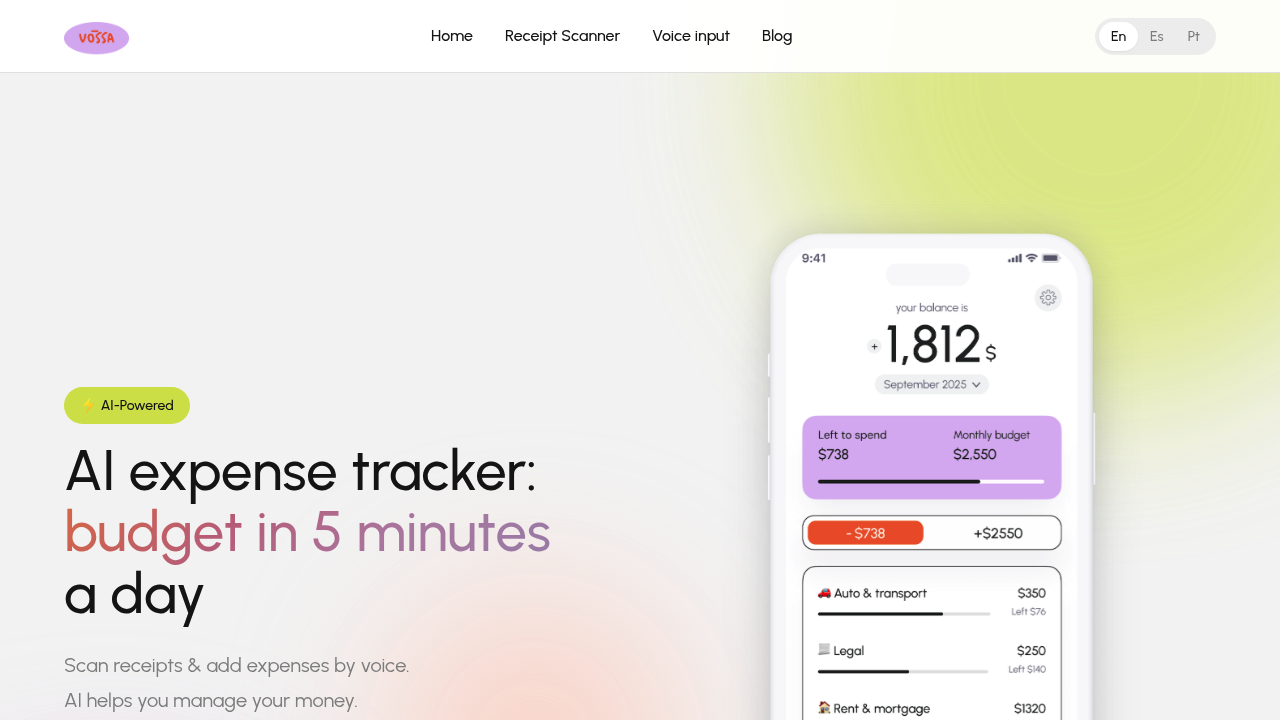
Vossa lets you log expenses by talking to your phone, snapping a photo of a receipt, or typing them in manually. The AI reads receipts and figures out what category they belong in without you having to think about it. Over time it learns your spending patterns so it can auto-categorize new transactions based on how you've sorted things before.
The app gives you a monthly dashboard showing income versus expenses with category breakdowns and visual progress bars for budgets. You set spending limits for each category and the app tracks how close you're getting to those limits. Everything resets monthly. The interface supports English, Spanish, and Portuguese.
Does the AI categorization actually work? It seems to improve as you use it more, which makes sense for a learning system. The receipt scanning handles the basics (reading amounts, dates, and merchant names — then suggests a category). You can override it if needed and the system remembers your preference. Voice input works for quick logging when you're on the go and don't want to dig out a physical receipt.
Here's what's missing. No bank connections. That's intentional design rather than a gap, since Vossa positions itself as the simpler option for people who want to track cash and shared expenses that wouldn't show up in bank feeds anyway. But if you're looking for automatic transaction imports from your checking account, this won't do it. The free plan caps you at 15 transactions per month, which is pretty restrictive if you buy coffee daily or have multiple small purchases. Free users also can't scan receipts or create custom categories beyond the basic preset options.
The app doesn't mention team features or any kind of shared expense splitting with other users. It's built for individual tracking. No browser extension or desktop app either — just mobile.
Pricing is straightforward. Free gets you 15 transactions monthly with voice and manual entry using basic categories. Premium Monthly runs $3.99 and removes the transaction limit while adding receipt scanning and custom categories. Premium Yearly costs $35.99, which works out to $2.99 per month effective rate and saves you 25% compared to paying monthly.
That yearly price is competitive for what you're getting. The free tier might work if you have minimal transactions or want to test the concept before committing. But 15 transactions disappears fast for most people. Two coffees a week plus groceries and you're already close to the limit.
Who actually benefits from this? People who've bounced off traditional budgeting apps because they felt too complicated. Anyone tracking cash expenses that never touch a bank account. Couples managing shared costs separately from their individual accounts. The voice input angle matters if you're someone who forgets to log things later — speaking a transaction into your phone right after you spend takes five seconds.
The learning categorization is the standout feature here. Most expense trackers make you manually tag everything or use rigid rules. Vossa adapts to your habits instead. That's particularly useful if you're consistent with categories but don't want to babysit every single entry. The tradeoff is giving up bank automation for manual simplicity and cash-friendly tracking.